



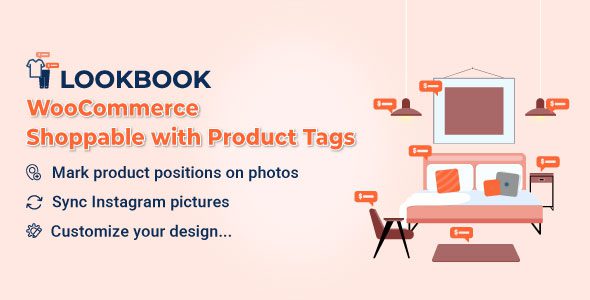
WooCommerce LookBook 1.2.7 – Shop by Instagram – Shoppable with Product Tags
WooCommerce LookBook 1.2.7 – Shop by Instagram – Shoppable with Product Tags
WooCommerce LookBook is a premium WordPress plugin that allows store owners to create interactive and shoppable lookbooks. Customers can buy products directly from Instagram images or any uploaded images, turning visual content into a sales opportunity.
WooCommerce LookBook Plugin Features
-
Create Lookbooks: Easily create lookbooks by adding nodes to mark product positions on images.
-
Add Nodes: Add unlimited nodes and drag-and-drop to mark products on your lookbook photos.
-
Drag and Drop: Simple positioning of nodes on images using drag-and-drop interface.
-
Slides: Combine multiple lookbooks into a slider for the front-end display.
-
Autoplay: Enable slides to automatically transition with a set duration.
-
Autoplay Duration: Set a specific time for each lookbook slide.
-
Lookbooks in Single Product Page: Automatically display relevant lookbooks within product descriptions.
-
Link Redirect: Clicking on a node can redirect to the single product page.
-
External Link: Nodes can link to external or affiliate product pages.
-
Shortcodes: Embed lookbooks anywhere on your website using shortcodes.
-
Shop by Instagram: Sync Instagram photos to create lookbooks and slides from any Instagram account.
-
Link to Instagram: “View on Instagram” button in QuickView popup directs users to the original Instagram image.
-
Carousel/Gallery Display: Display Instagram lookbooks as a carousel or gallery on the front end.
-
Instagram Sync Schedule: Automatically synchronize photos from Instagram at specified intervals.
-
Instagram Picture Status: Choose synced images to be published, pending, or draft.
-
Image Quantity: Select the number of images to import from Instagram.
-
Node Icon: Choose from four node icon styles – default, number, marker, or alphabet.
-
Node Colors: Customize node colors, including main, background, and border colors.
-
Product Title Display: Show or hide product titles above nodes in lookbooks.
-
Title Color: Customize product title text and background colors.
-
QuickView Popup Design: Style QuickView popup with text, background, and border-radius options.
-
Close Button: Option to show or hide the Close button in QuickView popup.
-
See More Button: Toggle visibility of “See More” button linking to the product page.
-
Slide Size: Adjust the width and height of lookbook slides.
-
Slide Pagination/Navigation: Enable or disable navigation controls on slides.
-
Custom Script: Add custom CSS to fully style your lookbooks.
-
Loading Icon: Choose from ten loading icon styles.
Download WooCommerce LookBook Plugin
Note: If you experience issues downloading WooCommerce LookBook 1.2.7, try disabling AdBlock or using a different browser. If problems continue, contact the plugin’s support team for assistance.