




Dracula Dark Mode Pro 1.2.7
Dracula Dark Mode Pro 1.2.7
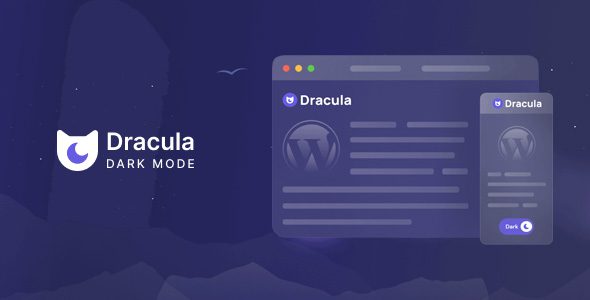
Dracula Dark Mode Pro intelligently transforms your WordPress website into a sleek and modern dark mode using advanced AI technology. It enhances user experience by reducing eye strain while maintaining perfect visual harmony with your site’s design.
Dracula Dark Mode Pro WordPress Plugin Features
Toggle Button Shortcode
Place the dark mode switch anywhere on your site using the [dracula_toggle] shortcode.
Default Dark Mode Option
Set dark mode as the default theme so first-time visitors automatically see your website in dark mode.
Performance Optimization
Includes a performance mode that defers scripts to improve page loading speed.
Dashboard Dark Mode by User Role
Enable dark mode in the WordPress admin dashboard for selected roles such as Administrator, Editor, or Author.
Custom Toggle Button Size
Adjust the toggle button size to small, normal, large, or define custom dimensions.
Flexible Toggle Positioning
Position the dark mode switch on the left, right, or any custom location for easy accessibility.
Dark Mode Typography Control
Set different fonts and font sizes specifically for dark mode to improve readability.
Include Specific Elements & Pages
Choose which elements, posts, or pages should display in dark mode.
Exclude Specific Content
Exclude selected elements or pages from dark mode if needed.
Custom CSS Support
Add your own CSS code to further personalize both light and dark themes.
Wide Page Builder Compatibility
Compatible with Classic Editor, Gutenberg, Elementor, and many other page builders.
Export, Import & Reset Settings
Easily manage plugin settings with export, import, and reset options.
Time-Based Dark Mode
Schedule dark mode activation based on specific times of the day.
URL Parameter Control
Enable or disable dark mode via URL parameters such as darkmode or lightmode.
Draggable Floating Switch
Allow users to drag and reposition the floating toggle button anywhere on the screen.
Keyboard Shortcut
Switch between light and dark mode instantly using the shortcut (Ctrl + Alt + D).
Gutenberg & Elementor Toggle Blocks
Add a built-in dark mode switch directly inside Gutenberg or Elementor layouts.
Smooth Page Transition Effects
Stylish animations when switching between light and dark themes.
Attention-Grabbing Toggle Effects
Subtle visual effects ensure visitors notice the dark mode option.
Download Dracula Dark Mode Pro WordPress Plugin
Note: If you experience issues downloading Dracula Dark Mode Pro WordPress Plugin Free Latest Version, try disabling ad blockers or using a different browser. If the issue persists, please contact support for assistance.
![WooCommerce Binary Multi Level Marketing [MLM] 2.0](https://www.wpthumbs.com/wp-content/uploads/2026/03/woocommerce-binary-multi-level-marketing-mlm-2-0-150x150.png "Dracula Dark Mode Pro 1.2.7")