




SnipVault 1.0.20 – WordPress Code Snippets Plugin
SnipVault 1.0.20 – WordPress Code Snippets Plugin
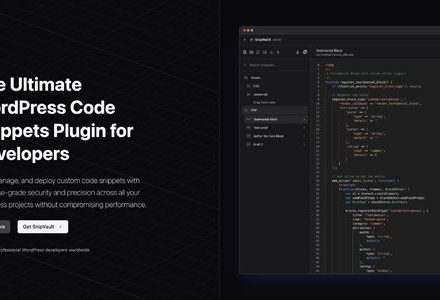
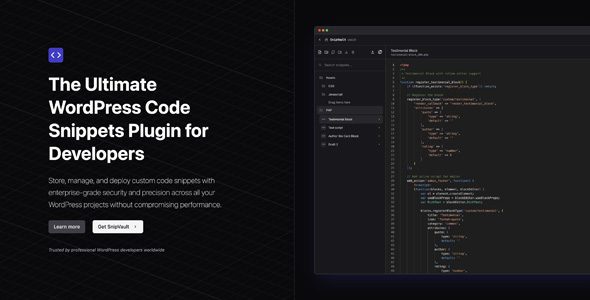
SnipVault 1.0.20 is a powerful WordPress plugin that allows you to store, manage, and deploy custom code snippets securely and efficiently. Designed for developers and site administrators, it ensures enterprise-grade security, performance optimization, and advanced tools to handle code across all your WordPress projects.
SnipVault Plugin WordPress Features
-
Secure Code Repository – Store snippets with HMAC-SHA256 cryptographic signing for integrity.
-
Intelligent Snippet Organization – Categorize, search, and manage code using custom folders.
-
Comprehensive Version Control – Track changes via the WordPress native revision system.
-
Integrated Diff Viewer – Compare code revisions side-by-side to spot changes easily.
-
Syntax Highlighting – Full support for PHP, CSS, JavaScript, HTML, and SCSS.
-
WordPress File Browser – Browse and edit plugin, theme, and core files directly.
-
Error-Protected Code Execution – Execute snippets safely with advanced error handling.
-
Performance-Optimized Storage – Store code in the filesystem to reduce database load.
-
SQL Database Editor – Securely query your database with audit logging.
-
Integrated PHP Error Log – Monitor and analyze PHP errors from the dashboard.
-
Code Validation – Validate PHP syntax before saving to prevent issues.
-
Conditional Execution – Run snippets based on specific contexts or conditions.
-
AI-Powered Code Checks – Get assistance analyzing code quality and security.
-
One-Click Plugin Export – Turn snippets into standalone WordPress plugins.
-
WP-CLI Interface – Execute WP-CLI commands directly from the dashboard.
-
Secure Snippet Sharing – Share code between installations with integrity validation.
-
Snippet Templates – Reusable templates for common code patterns.
-
Multi-site Compatibility – Deploy snippets across WordPress multisite networks.
-
Remote Snippet Storage – Cloud storage for access across multiple environments.
-
Change Tracking – Monitor who modified snippets and when.
-
Code Comments – Add inline documentation for clarity.
-
Snippet Dependencies – Organize snippets with defined relationships.
-
AI Chat Assistant – Get help with snippet creation and troubleshooting via AI.
Download SnipVault WordPress Plugin
Note: If you have trouble with SnipVault WordPress Plugin Free Download Latest Version, try disabling AdBlock or switching browsers. If issues persist, contact support for assistance.