Accordions
Responsive, lightweight, and fully customizable accordion plugin for WordPress. Perfect for FAQs, content organization, and improving user experience.
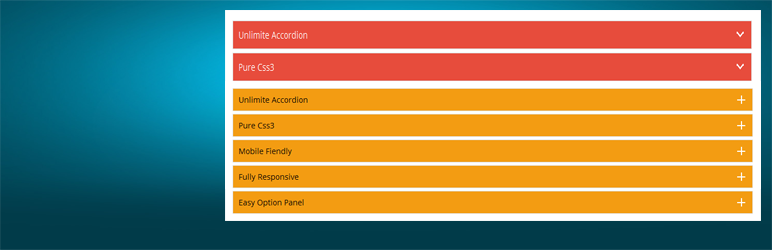
The facts
- Rating
- 4.6★ from 9
- Active installs
- 1k+
- Price
- Free
- Last updated
- 14 Jun 2026
- Added
- Feb 2015
- Requires WP
- 4.0
- Tested up to
- WP 7.0.4
- Downloads
- 60,361
Our analysis
AI-assistedThe Accordions – Responsive Accordion & FAQ Plugin for WordPress allows you to create responsive accordions and FAQ sections for your website. It offers multiple styles and advanced customization options to help organize content effectively and enhance user experience.
You can add unlimited accordions using shortcodes, and it includes features such as drag and drop sorting, customisation of title and content colours, and padding options. This plugin is suitable for anyone looking to improve content presentation on their WordPress site.
Best for: This plugin suits WordPress users who need to create organized and visually appealing content sections.
What it does well
- ✓Fully responsive design
- ✓Unlimited accordions can be created
- ✓Customisation options for title and content
- ✓Drag and drop sorting functionality
- ✓Compatible with all browsers
Where it falls short
- •Limited information on advanced features
- •Pro version offers more themes and options
Verdict
The plugin provides a straightforward solution for adding accordions and FAQs to a WordPress site. It is user-friendly and offers essential features for content organization.
From the developer
Themepoints's own description of Accordions, lightly tidied.
Create beautiful, responsive accordions and FAQ sections with multiple styles, skins, and advanced customization—perfect for organizing content and improving UX.
Useful Links
Plugin Features
- Fully responsive.
- All Browser support.
- Unlimited Accordions anywhere in the theme.
- Use via short-code.
- 5 Different Themes.
- Drag & Drop Accordion sorting.
- WP Editor for accordion content.
- Custom Title background color.
- Custom Title Font color.
- Custom Title Font Size.
- Custom Content Background Color.
- Custom Content Font Color.
- Custom Content Font Size.
- Content Padding Option.
- Add and remove accordion item from backend.
- Highly customized for User Experience.
- And Many More…
Pro Version Features
- All Features of the free version.
- Fully responsive.
- 8+ different Themes.
- Widget Ready.
- Unlimited Domain.
- Support wysiwyg text editor.
- Create accordions by group.
- Cross-browser compatibility.
- Drag & Drop accordion items sorting.
- Add and remove accordion item from backend.
- Use via short-codes.
- Accordion header title font size.
- Accordion header title font color.
- Accordion header title text position.
- Accordion header title background color.
- Show/Hide Accordions expand/collapse icons options.
- Accordion header closeAble true or false Options.
- Expand/collapse Slide speed of Animation Options.
- Accordion content font size.
- Accordion content font color.
- Accordion content background.
- Custom Accordion Padding Options.
- Accordion area background image Options.
- Accordions Area Padding Options.
- Support Any videos (Ex: youtube, vimeo )
- Valid HTML5 & CSS3 layout.
- Highly customized for User Experience.
- Clean Design & Code.
- Unlimited accordion anywhere in the themes or template.
- Work in all browsers and mobile devices.
- Life Time Self hosted auto updated enable.
- 24/7 dedicated support forum.
- Well Documentation.
- And much more!
Activation
Once the accordion-wp folder has been uploaded, you can activate the plugin. Go to your WordPress admin panel and select the ‘Plugins’ menu option. You should see a new plugin listed, Accordion-Wp. Click Activate to activate the plugin.
Using the Plugin
Once the plugin has been activated, a new menu called Accordion will appear in menu section. There are Three menu options: ‘Accordion’, ‘Add New Accordion’ & ‘Help & Support’.
Creating First Accordion
Click the Accordion submenu entry entitled ‘Add New Accordion’. This will take you to the accordion creation and editing page, Then click Add New Item to add accordion.
Begin by entering a title & description for your accordion. Description Content can be entered using the Visual or HTML content editors. Any valid HTML content (e.g. images, video etc.) can be displayed inside accordion.
To add a new accordion, Just click the ‘Add New Item’ button & fill all the data .
To remove a Accordion, click the ‘Remove’ button located top right side of the accordion title or visual editor.