
WPCode
93Easily add code snippets in WordPress. Insert header & footer scripts, add PHP code snippets with conditio...
Free
3M+ installs 4.9★ (1,873)
View, pause, remove, edit and add WP Cron events and schedules.
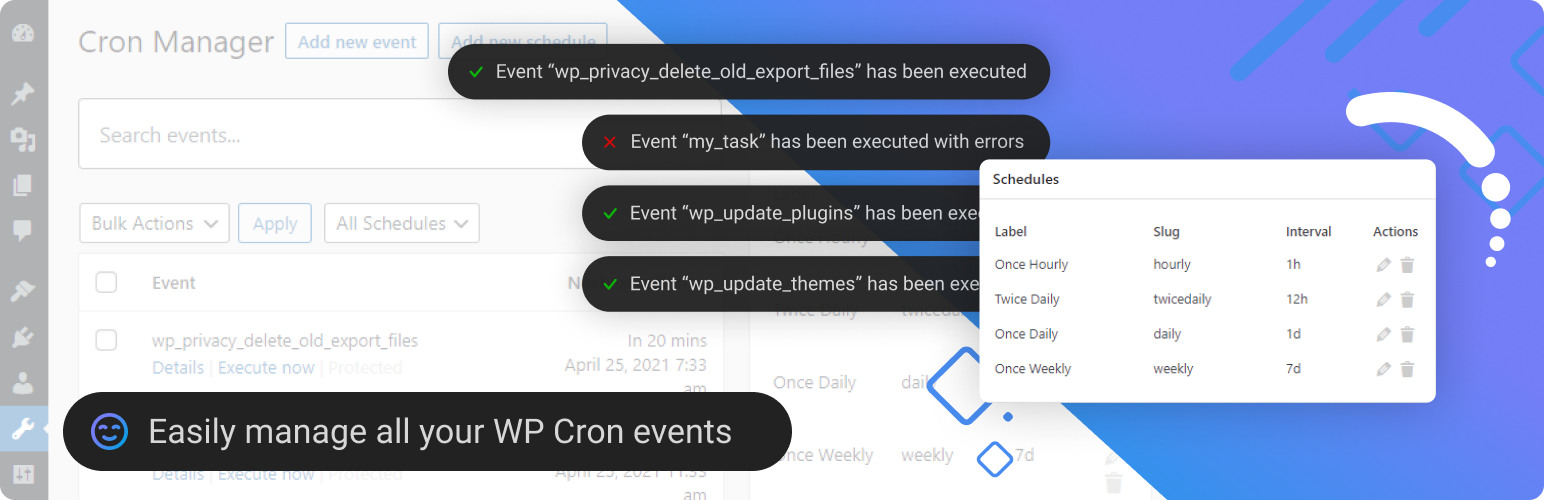
Advanced Cron Manager is a WordPress plugin that provides visibility and control over the WP-Cron system. It allows you to view, manage, and troubleshoot scheduled tasks, which are essential for operations like sending emails and publishing posts.
The plugin offers features such as viewing all registered cron events, running events manually, and managing schedules. It is suitable for WordPress site owners and developers who need to ensure that their scheduled tasks are running smoothly and efficiently.
Best for: This plugin is best for WordPress site owners and developers who need to manage scheduled tasks effectively.
What it does well
Where it falls short
Advanced Cron Manager offers useful tools for monitoring and controlling cron events in WordPress. It is a practical choice for those looking to enhance their site's scheduled task management.
Kuba Mikita's own description of Advanced Cron Manager, lightly tidied.
Take full control of your WordPress cron system. Advanced Cron Manager gives you complete visibility into every scheduled task running on your site — so you can find problems, fix them, and keep your site running smoothly.
WordPress relies on WP-Cron for critical background tasks: sending emails, publishing scheduled posts, running backups, syncing data, and more. But by default, you have zero visibility into what’s happening. Events fail silently, schedules pile up, and debugging is guesswork. Advanced Cron Manager changes that.
What you can do with the free version:
The free version shows you what’s scheduled. PRO shows you what actually happened.
Without logging and diagnostics, cron issues are invisible until something breaks. PRO gives you the tools to monitor, debug, and optimize every cron job on your site.
do_action('advanced-cron-manager/log'). Get full visibility into what your code is doing during cron execution.14-day money-back guarantee — no risk, no questions asked.
WordPress Cron is triggered by page visits, which means scheduled tasks may not run exactly on time on low-traffic sites. For precise timing, use the Server Scheduler feature to set up a real system cron job. Note: custom schedules added by this plugin are only available while the plugin is active. Events you create will continue to exist after deactivation.
BracketSpace — the company behind this plugin — provides custom WordPress plugin development services. We can build any custom plugin for you.
Other plugins for developer tooling.
Easily add code snippets in WordPress. Insert header & footer scripts, add PHP code snippets with conditio...

Easily add tracking code snippets, conversion pixels, or other scripts required by third party services for an...

Duplicate post, post order, image resize, email via SMTP, admin menu editor, custom css / code, disable gutenb...

Create custom "Shortcodes" easily for HTML, JavaScript, CSS code snippets and use the shortcodes wit...

Add PHP code to your pages and posts easily using shortcodes.

An easy, clean, and simple way to enhance your site with code snippets.