
WPThumbs
Themes Plugins By purpose By industry Best-of lists Fix it guides
Free Plugin by cusmin v7.2.6

AGCA

CHANGE: admin menu, login page, admin bar, dashboard widgets, custom colors, custom CSS & JS, logo & images
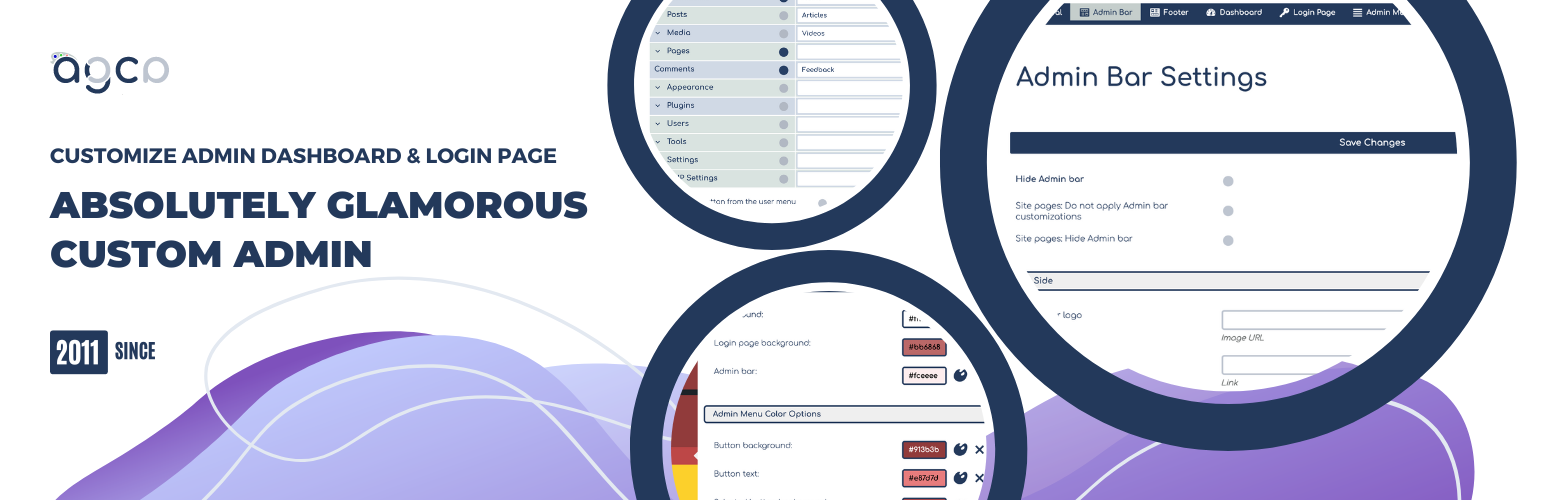
AGCA

The facts

Rating
4.5★ from 64
Active installs
20k+
Price
Free
Last updated
30 May 2025
Added
Apr 2011
Requires WP
3.0
Tested up to
WP 6.8.8
Downloads
1,066,357

Our analysis

AI-assisted

AGCA – Custom Dashboard & Login Page is a WordPress plugin designed to allow users to customize various elements of the WordPress admin panel and login page. It offers features such as changing the admin menu and bar items, branding with custom colours, and modifying dashboard widgets. This plugin is suitable for both professionals and personal site owners looking to enhance their site's administration interface.

With AGCA, you can hide or change admin bar items, modify the admin menu, and apply custom branding to the admin panel. The plugin also includes options to adjust the login page, such as changing images and text, providing a tailored experience for users accessing the site.

Best for: This plugin suits users who want to personalise their WordPress admin experience, including agencies and freelancers.

What it does well

  • Customises WordPress admin panel and login page
  • Allows branding with custom colours and images
  • Offers extensive options for admin menu and bar modifications
  • Includes features to hide or change various admin elements
  • Free to use from the WordPress.org directory

Where it falls short

  • Limited information on specific advanced features
  • No details on user support or documentation

Verdict

AGCA provides a range of customisation options for the WordPress admin area and login page. It may be particularly useful for users looking to enhance branding and user experience.

From the developer

cusmin's own description of AGCA, lightly tidied.

With this plugin you can easily customize WordPress admin panel, login page, admin menu, admin bar etc. in tiny details.

  • ADMIN BAR: Hide or change admin bar items. Remove WordPress traces from the admin bar. Brand it with the custom colors.
  • ADMIN MENU: Change and remove the existing and add custom admin menu items. Brand it with the custom colors.
  • COLORIZER: This tool is integrated with Absolutely Glamorous Custom Admin panel and can be used to change default WordPress admin panel colors, admin bar, admin menu, login page, backgrounds and text.
  • BRANDING: Brand your admin panel pages with custom content, colors, images and text.
  • ADMIN PANEL OPTIONS: There are dozens of other admin panel options used to improve WordPress UX on admin and login pages items like Dashboard widgets, Help and Screen options, WordPress logos, links, menus etc. See the full list down below.

Recommended

CUSMIN
Cusmin is the premium version of the Absolutely Glamorous Custom Admin with the advanced features for customization and branding. It’s perfect for professionals, but can be also used on personal sites as well.

Please check how this pro plugin can help you to completely customize your WordPress dashboard.

General Settings

  • Hide Screen Options menu
  • Hide Help menu
  • Hide Color scheme on Profile page

Admin Bar Settings

  • Hide admin bar completely
  • Show Log out button only if admin bar is completely hidden
  • Hide admin bar on site pages only
  • Replace WordPress logo with custom branding image
  • Change link on admin bar logo
  • Custom page title template on admin pages (change => tag)
  • Add custom branding image above the content in admin bar
  • Hide WordPress logo
  • Hide site name
  • Hide admin bar logo context menu
  • Hide update notifications block
  • Hide Comments block
  • Hide New menu block
  • Hide New > Post
  • Hide New > Link
  • Hide New > Page
  • Hide New > User
  • Hide New > Media
  • Change site name to custom text
  • Hide yellow WordPress update notification
  • Change Howdy text
  • Change Log Out text
  • Remove Edit My Profile option from context menu
  • Show Log Out button only on the right

Admin Footer Options

  • Hide footer completely
  • Change/remove footer text
  • Change/remove footer version text

Dashboard Page Options

  • Change Dashboard heading text
  • Add custom Dashboard HTML content
  • Hide dashboard widgets

Login Page Options

  • Hide back to blog text
  • Change back to blog text
  • Change login image
  • Change hyperlink on login image
  • Hide login image
  • Round corners on login boxes
  • Hide register and lost password links
  • Change hyperlink on register button

Admin Menu Options

  • Rename menu and sub-menu items
  • Hide menu and sub-menu items
  • Add new buttons with custom links
  • Remove icons from admin menu buttons
  • Remove spaces between admin menu buttons
  • Remove admin menu arrow on hover
  • Round admin sub-menu popups
  • Remove Collapse button
  • Add custom branding image above the admin menu
  • Add custom link to branding image
  • Change admin menu auto-folding settings

Read the full description on the official page →

Tagged as

Alternatives

Other plugins for developer tooling.

WPCode

WPCode

93

Easily add code snippets in WordPress. Insert header & footer scripts, add PHP code snippets with conditio...

Free 3M+ installs 4.9★ (1,873)
Header Footer Code Manager

Easily add tracking code snippets, conversion pixels, or other scripts required by third party services for an...

Free 600k+ installs 4.9★ (309)
Admin and Site Enhancements

Duplicate post, post order, image resize, email via SMTP, admin menu editor, custom css / code, disable gutenb...

Free 200k+ installs 5★ (421)
Shortcoder

Create custom "Shortcodes" easily for HTML, JavaScript, CSS code snippets and use the shortcodes wit...

Free 100k+ installs 4.9★ (227)
Insert PHP Code Snippet

Add PHP code to your pages and posts easily using shortcodes.

Free 90k+ installs 4.9★ (705)
Code Snippets

An easy, clean, and simple way to enhance your site with code snippets.

Free 1M+ installs 4.7★ (509)