Announce from the Dashboard
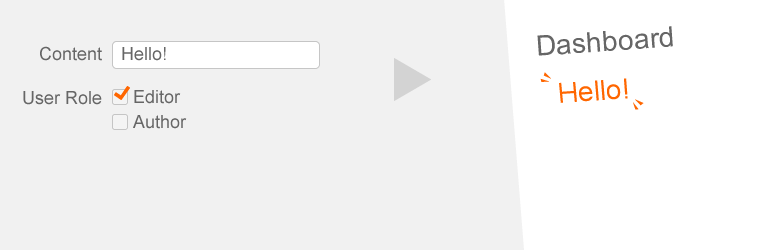
Announcement to users on the Dashboard.
The facts
- Rating
- 4.3★ from 6
- Active installs
- 7k+
- Price
- Free
- Last updated
- 30 Mar 2024
- Added
- Sep 2012
- Requires WP
- 3.8
- Tested up to
- WP 4.3.34
- Downloads
- 25,402
Our analysis
AI-assistedAnnounce from the Dashboard is a WordPress plugin that displays announcements based on user roles. It allows you to set visibility for different user groups, such as editors or subscribers.
The plugin also provides code snippets for changing capabilities and adding custom filters, enabling further customization for users with coding knowledge. This makes it suitable for site administrators who want to manage announcements effectively across different user roles.
Best for: Site administrators who need to manage announcements for different user roles.
What it does well
- ✓Displays announcements based on user roles
- ✓Customizable capabilities through code snippets
- ✓Allows for filtering of announcements
Where it falls short
- •Requires coding knowledge for advanced features
- •Limited information on additional functionalities
Verdict
This plugin offers a straightforward solution for role-based announcements, though it may require some technical skills for full utilisation.
From the developer
gqevu6bsiz's own description of Announce from the Dashboard, lightly tidied.
This plugin to show announce for per user roles.
And, if you want to change plugin capability, please refer to this code.
For example add filter:
function afd_custom_change_capability( $capability ) {
    // plugin minimum capability
    $capability = 'edit_posts';
    return $capability;
}
add_filter( 'afd_capability_manager' , 'afd_custom_change_capability' );
And, if you want to add filter, please refer to this code.
For example add filter:
function afd_custom_filter( $announces ) {
    // filter
    return $announces;
}

add_filter( 'afd_before_announce' , 'afd_custom_filter' );
日本語でのご説明(Japanese description)
このプラグインは、ダッシュボードにお知らせを表示するプラグインです。
ユーザーの権限グループ別に、編集者のみへの表示、
投稿者と寄稿者と購読者のみに表示する設定もできます。