Barcode QRcode Generator
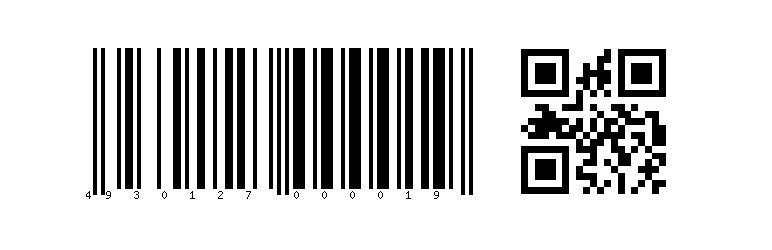
This plugin adds the functionality to output barcodes and qrcodes by use of the shortcodes.
The facts
- Rating
- 5★ from 2
- Active installs
- 200+
- Price
- Free
- Last updated
- 15 Feb 2018
- Added
- Jul 2014
- Requires WP
- 3.0
- Tested up to
- WP 4.9.31
- Downloads
- 7,225
Our analysis
AI-assistedThe Barcode QRcode Generator is a WordPress plugin that allows you to create barcodes and QR codes using shortcodes. You can customise the output by specifying various attributes for both barcodes and QR codes, such as text, type, image format, height, width, and more.
This plugin is suitable for users who need to generate barcodes and QR codes for their websites, making it useful for e-commerce sites, event ticketing, or any application where scannable codes are required.
Best for: This plugin suits e-commerce sites or any user needing to generate scannable codes.
What it does well
- ✓Generates both barcodes and QR codes
- ✓Customisable attributes for barcodes and QR codes
- ✓Free to use from the WordPress.org directory
- ✓Simple shortcode implementation
Where it falls short
- •Limited information on QR code customisation
- •Last updated in February 2018
- •Directory score indicates potential issues
Verdict
The Barcode QRcode Generator provides basic functionality for creating barcodes and QR codes, but its outdated status and limited features may not meet all users' needs.
From the developer
Hiroaki Miyashita's own description of Barcode QRcode Generator, lightly tidied.
The Barcode QRcode Generator plugin adds the functionality to output barcodes and qrcodes by use of the shortcodes [barcode] and [qrcode].
How to use [barcode]
In order to output barcodes, [barcode] will be used. There are some attributes for [barcode].
text … A text that should be in the image barcode.
type … The barcode type: code39, int25, ean13, upca, upce, code128, ean8, and postnet. Default: ean13
imgtype … The image type that will be generated: gif, jpg, and png. Default: png
height … The image height (px). Default: 60
width … The image width. Default: 1
showText … The text should be placed under barcode. Default: 1
rotation … The rotation angle. Default: 0
transparency … The transparent background. Default: 0
remake … The barcode will be regenerated every time. Default: 0
textfilename … The text value will be the file name. Default: 0
Ex) [barcode text=4930127000019 height=100 wdith=2 transparency=1]
How to use [qrcode]
In order to output qrcodes, [qrcode] will be used. There are some attributes for [qrcode].