
Membership & community plugin with user profiles, registration & login, member directories, content re...
Free
200k+ installs 4.4★ (1,444)
Adds bbPress forum specific sidebar, wrapper, widgets, user columns, login links and other tweaks.
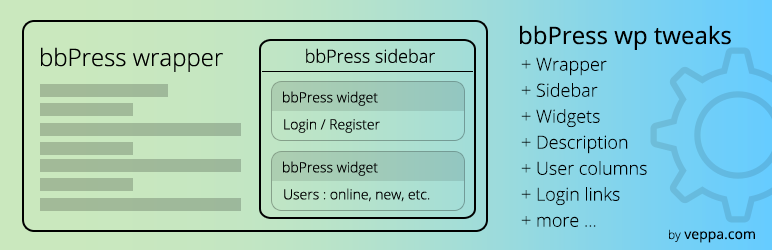
bbPress WP Tweaks is a WordPress plugin designed to enhance the functionality of bbPress forums by allowing you to replace the default sidebar with a forum-specific sidebar. You can manage how sidebars are displayed on forum pages, including options to prepend or append additional widgets. The plugin also offers features like login links, user widgets, and the ability to customise the forum wrapper template.
This plugin is suitable for users who want to improve the user experience on their bbPress forums, particularly those using Classic themes. It provides flexibility in sidebar management and enhances visibility of user-related actions and forum descriptions.
Best for: This plugin is best for WordPress users running bbPress forums who wish to customise sidebar functionality.
What it does well
Where it falls short
bbPress WP Tweaks offers useful features for enhancing bbPress forums, particularly for those looking to tailor their sidebar experience. However, its limitations to Classic themes may restrict some users.
veppa's own description of bbPress WP Tweaks, lightly tidied.
bbPress WP Tweaks replaces regular sidebar with forum specific “bbPress sidebar”.
Watch plugin overview on YouTube
To setup forum specific sidebar you should first select correct forum wrapper file which has sidebar. Then select what action perform with existing sidebar: replace, prepend or append. Then select which sidebar to target with this action. You can also choose “none” option for target sidebar, in that case no bbPress sidebar will not be added to wordpress.
If nothing in forum sidebar then regular sidebar will be shown.
You can choose which forum wrapper template to use in plugin settings page or specify other custom wrapper file that exists in your theme.
Plugin tested with PHP version 5.6, 7.x and up to 8.4.
bbPress specific sidebar (works only on Classic themes) — you can use different sidebar on forum pages. You can choose which sidebar to replace, append or prepend to. Appending or prepending is useful if you only need to add couple forum related widgets. Custom sidebar will be used in all forum related pages including forum, topic, reply,and user profile pages.
Default wrapper for forum pages (works only on Classic themes) — bbPRess uses wrapper file in your theme in this order: ‘bbpress.php’, ‘forum.php’, ‘page.php’, ‘single.php’, ‘index.php’. First existing template file will be used. You can choose which template file to check first. Most themes don’t have sidebar in ‘page.php’, ‘single.php’ files, if you choose them then no sidebar will be shown in forums. On the other hand most themes ‘index.php’ file always has sidebar. If you cannot see forum sidebar then change this value to index.php in plugin settings (settings -> bbPress WP Tweaks ) page. If your theme has other non standard template files like “page-fullwidth.php” for example then you can use it by selecting “custom” option and writing page-fullwidth.php in text input field. If that file exists then it will be used as forum wrapper.
Font size — Simple switch to fix forum font size. Available sizes: XL, L, M, S, XS.
bbPress login links widget — if you want to display login and register links instead of login form in your sidebar then use this widget. By default bbPress will not show login links to visitors if they want to post in forum. Use this widget instead of login form in your bbPress sidebar.
bbPress users widget — used to display users linking to their profile pages ordered by:
* most topics with count
* most replies with count
* recently active with time
* online users with time
* new users with registration time
* old users with registration time
Login and register links under forum — will add login and register links where “You must be logged in to create new topics.” and “You must be logged in to reply to this topic.” messages shown. By default you will see above mentioned messages with no login or register links. With this options selected you will see under those messages login links and will be redirected back to that topic or forum after logging in using those links. Login and register links can be customized with custom HTML code to match your website design.
Show forum description — By default forum description is shown only on where forums are listed, not in forum page. With this options enabled you will show forum description on Forum page, on sub forums, on topics, on replies. So user will know what this forum about. If it is a product forum then you can add product image, links or buttons to product page, pricing/purchase page etc. This will make navigation between product and forum a lot easier.
Forum related columns for users view in admin area — is must have feature to have for any forum administrator. With this option enabled you will have forum related sortable columns “number of topics”, “number of replies”, “registration date”, “last active date” in “Users” admin page. Topic and reply counts are linked to user profile pages. You can sort by those columns and see latest registered users or users with most topics. Each column seperately can be switched off using “Screen Options” inside users page.
Other plugins for community building.
Membership & community plugin with user profiles, registration & login, member directories, content re...

One-click like buttons your visitors actually use, plus a built-in analytics dashboard that shows what your au...

Real-time messaging and chat rooms for WordPress ecosystem: private conversations, public and private chat roo...

Number one WordPress forum plugin with AI features. Full-fledged forum solution with modern forum design. Comm...

Your content is worth sharing. Let's makes it easier!

The most customizable profiles & community builder WordPress plugin with front-end login, registration, pr...