
The growing library of 300+ ready-to-use templates that work with all WordPress themes including Astra, Hello,...
Free
1M+ installs 4.9★ (4,745)
Provides the ability to add a fully functional tinymce editor and html plus shortcodes to the category description and tag description to style up the …
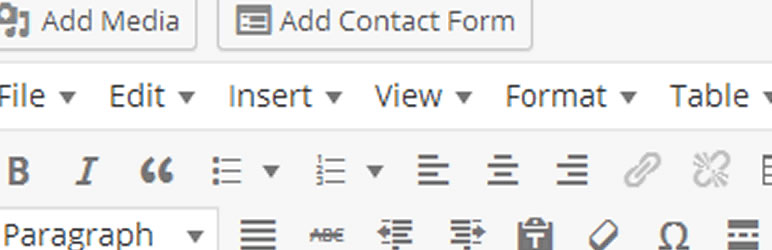
Category Editor is a WordPress plugin that enhances category and tag archive pages by allowing you to add a customisable top description area. You can use HTML or shortcodes to create a more engaging interface, transforming standard lists of posts or products into visually appealing landing pages.
The plugin is compatible with any theme that adheres to WordPress standards and includes the category description call. It is suitable for blogs and works with WooCommerce and other eCommerce plugins, enabling you to enrich your archive pages with images and additional content.
Best for: This plugin is best for bloggers and eCommerce site owners looking to improve their category and tag archive pages.
What it does well
Where it falls short
Category Editor provides useful features for customising archive pages, making it a practical choice for those wanting to enhance their site's presentation.
kevin heath's own description of Category Editor, lightly tidied.
Are you bored of plain old lists for your category and tag archive pages?
This plugin gives you the ability to pimp up your archives with a fully customisable top description area. You can use html or shortcodes to give a better uder interface and boost the search engine optimisation of archive pages. This means you can turn your category archive page or tag page into a fully developed landing page. No longer just a plain list of posts or products but a customised page packed full of features that will excite your visitors and the search engines.
Category Editor works with any theme that is written to WordPress standards and includes the category description call.
The plugin adds a WordPress editor to the category description area in the admin and the editor allows you the full options to format and design your top description area before the lists of posts.
It’s ideal for blogs and is fully compatible with Woocommerce and other ecommerce plugins. Provided the theme calls the WordPress category, tag or terms description then you have the ability to format and design the area.
Add media, use shortcodes and turbo charge the category archive page with images and anything else you can think of.
With the PRO version (now renamed Category Editor Pro) you also get the option to have an additional area of description at the end of the lists of posts or products. This is really useful for many situations when you want to add lots of extra content to the archive page but don’t want visitors to have to scroll down to get to the list of products or posts.
Category Image Menu Grid.
You can assign an image to a category and then use a shortcode to display a list of the categories. This gives you the opportunity to make a graphical menu or highlight certain categories on blog posts or pages. This works with WordPress blog categories.
In the category edit page assign an image to the category with the upload image link. Either upload and image or use one from your media library. Once uploaded or chosen you need to click on the file url button to get the full url. Copy that and paste it into the text area to assign to category.
You can use the shortcode [ catimmg ] (without spaces) to call all your categories. There are 2 attributes you can use:
A full shortcode could look like : [ catimmg categories=”123,2356,675,9876″ ] this will display the images and link to the named categories using a comma separated list of category ids.
Another could be [ catimmg number=”5″] this would limit the number of categories displayed to 5.
Styling of category graphic menu
There has been no styling applied to this list. The css available is:
Other plugins for libraries and archives.
The growing library of 300+ ready-to-use templates that work with all WordPress themes including Astra, Hello,...

Securely upload SVG files to your media library, with built-in sanitization and advanced features for styling...

Easily replace any attached image/file by simply uploading a new file in the Media Library edit view - a real...

HappyAddons packs Header Footer Builder, Megamenu, Single Post, Archive Page, & 500+ Ready Templates into...

CMB2 is a metabox, custom fields, and forms library for WordPress that will blow your mind.

The best WordPress templates, pattern, and layout library with 1,000+ designs built for the Gutenberg block ed...