
WPForms
98The best WordPress contact form plugin. Drag & Drop form builder to create beautiful contact forms, paymen...
Free
5M+ installs 4.8★ (14,369)
Pure CSS responsive grid layouts for contact form 7. It enables rich interlinking of your CMS data via taxonomy/posts populated dropdown fields.
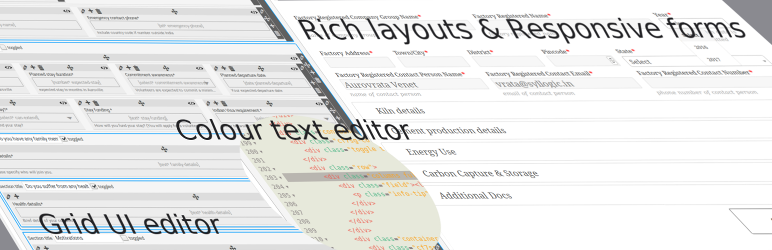
Smart Grid-Layout Design for Contact Form 7 is a WordPress plugin designed to enhance the layout and functionality of forms created with Contact Form 7. It provides a graphical editor and a coloured HTML syntax editor, allowing users to create complex form layouts easily.
The plugin includes features like tabled and tabbed input sections, collapsible sections, reusable sub-forms, and dynamic dropdown fields. It is suitable for developers looking to create more sophisticated forms for websites, particularly those requiring user interaction through forms.
Best for: This plugin is best for developers who need to create advanced forms using Contact Form 7.
What it does well
Where it falls short
Smart Grid-Layout Design for Contact Form 7 offers useful features for form design and is geared towards developers. It may be beneficial for those looking to create more interactive and structured forms.
Aurovrata Venet's own description of Smart Grid-Layout Design for Contact Form 7, lightly tidied.
The plugin uses the smart-grid CSS plugin to build beautiful form layouts. It introduces a graphical editor to design your forms, as well as a coloured html syntax editor built using the excellent CodeMirror editor. It is now possible to design smart layouts with ease.
v4.0 introduced a tutorial sections within the dashboard for quick reference to various YouTube tutorials. For a full list of available tutorials visit this playlist.
In addition, the plugin also introduces multiple smart input functionalities, such as,
Looking for Collaborators
Are you a WordPress developer or an HTML/JavaScript wizard? Want to collaborate on this plugin? There are some really great pieces of functionality that are in the roadmap for this plugin, but I just don’t have the time or resources to get them all on file in a timely manner. So join me on GitHub if you want to collaborate.
For plugin developers
If you wish to leverage the in-editor helper code functionality for your CF7 plugin, you need to use the following hooks,
cf7sg_ui_grid_js_helper_hooks – include js bind event code helpers.
cf7sg_ui_grid_helper_hooks – include php filter/action hooks code helpers.
cf7sg_enqueue_admin_editor_scripts – to enqueue scripts on the admin editor page to bind to editor events for further dynamic code helpers.
If you wish to see an example on how to use this, please check the Google Map CF7 extension plugin code. The cf7-google-map/includes/class-cf7-googleMap.php list the above hooks and the function calls are in the cf7-google-map/admin/class-cf7-googleMap-admin.php file.
CF7 Polylang Module – this plugin allows you to create forms in different languages for a multi-language website. The plugin requires the Polylang plugin to be installed in order to manage translations.
CF7 Multi-slide Module – this plugin allows you to build a multi-step form using a slider. Each slide has cf7 form which are linked together and submitted as a single form.
Post My CF7 Form – this plugin allows you to save you cf7 form to a custom post, map your fields to meta fields or taxonomy. It also allows you to pre-fill fields before your form is displayed.
CF7 Google Map – allows Google Maps to be inserted into a Contact Form 7. Unlike other plugins, this one allows map settings to be done at the form level, enabling diverse maps to be configured for each form.
Smart Grid-Layout Design for CF7 – allows responsive grid layout Contact Form 7 form designs, enabling modular designs of complex forms, and rich inter-linking of your CMS data with taxonomy/posts populated dynamic dropdown fields.
This plugin has a substantial set of FAQs and screenshots that is has a lot of information. Please go through the FAQs and screenshot captions to understand how to use the basic functionality.
The plugin has a number of hooks (filters and actions) which can be leveraged to further customise your form layouts and fields. Please refer to the Helper Metabox available in the form post editor when you create/edit a form. The helpers have commented code snippets which you can copy to and paste in your functions.php file to further understand how to use them. (See screenshot #21).
This plugin would not have been possible without the following open-source efforts. Please consider visiting these plugins pages and making a donation to its authors to say thank you. Even small amount of beer money is always appreciated. Alternatively/additionally you can help in the maintenance or translation effort.
Other plugins for building forms.
The best WordPress contact form plugin. Drag & Drop form builder to create beautiful contact forms, paymen...

The best anti-spam protection to block spam comments and spam in a contact form. The most trusted antispam sol...

Get a fast contact form plugin. Create advanced forms using drag and drop form builder with all smart features...

Best WordPress form builder plugin. Create contact forms, payment forms & order forms with 1000+ integrati...

Save and manage Contact Form 7 messages. Never lose important data. It is a lightweight contact form 7 databas...

Elementor forms builder to create WordPress forms like contact form, booking form, feedback form, survey form,...