
WPThumbs
Themes Plugins By purpose By industry Best-of lists Fix it guides
Free Plugin by checkemail v2.0.15

Check & Log Email

Check & Log email allows you to test if your website is correctly sending emails . Overriding of email headers and carbon copying to another address.

Check & Log Email

The facts

Rating
4.8★ from 290
Active installs
100k+
Price
Free
Last updated
9 Jul 2026
Added
Sep 2010
Requires WP
5.0
Tested up to
WP 7.0.4
Requires PHP
5.6
Downloads
2,890,278

Our analysis

AI-assisted

Check & Log Email is a WordPress plugin designed to log and view all emails sent from your site. It aids in auditing and debugging email-related issues, making it particularly useful for eCommerce sites built with WooCommerce or Easy Digital Downloads.

The plugin offers features such as email log export, error tracking, and the ability to resend or forward emails. It also includes a setup wizard for easy installation and configuration, as well as support for SMTP settings and email spam testing.

Best for: This plugin is best suited for eCommerce websites that require reliable email logging and debugging.

What it does well

  • Logs all emails sent from WordPress
  • Includes features for error tracking and email resending
  • Allows exporting logs in multiple formats
  • Supports SMTP configuration
  • Easy setup with a wizard

Where it falls short

  • Limited information on premium features
  • No details on support or documentation availability

Verdict

Check & Log Email provides essential tools for managing email functionality in WordPress. It is particularly beneficial for users needing to troubleshoot email issues in an eCommerce context.

From the developer

checkemail's own description of Check & Log Email, lightly tidied.

In need of a tool that allows you to easily log and view all emails sent from WordPress? Check & Log might be just the solution for that.
This WordPress plugin helps you store sent emails for auditing purposes, as well as debug email related problems in your WordPress site. Works best on eCommerce websites that have been created with WooCommerce or Easy Digital Downloads.

Home | Help & Tech Support | Documentation | Premium Features

New Features of the plugin Check & Log Email 2.0

  • Export Logs – It allows to export email logs in multiple file format with date range and status Learn More.
  • More Fields – Such as Cc, Bcc, Host IP, Reply To etc.
  • Log Retention Period – It allows to deletes old emails when a certain amount of logs and time has passed.
  • Print or save as PDF – You can print the email log, or save it as a PDF.
  • Resend email – This feature allow you to modify email and resend email.
  • Forward Email – By using this feature you can automatically forward a copy of all emails sent by WordPress to other email addresses Learn More.
  • Easy migration – It is allow you to import data from various plugins like Email Log, Mail logging – WP Mail Catcher, WP Mail Logging, WP Mail Log and export the data.
  • Email Error Tracking – You can easily see list of errors of emails and view details of error.
  • Setup Wizard – Wizard setup allows you to one time setup of this plugin.
  • Default Format for Message – Its allow you to Default Format for Message on view of content.
  • SMTP – Its allow you to setup your own smtp through Check & Email Log SMTP form.
  • Multisite Configure – Its allow to configure global setting for all your sites.
  • Encoding – Its allow to encode emails and phone in page content.
  • Outlook / MS 360 – Its allow to send email using 360 / outlook configuration Learn More.
  • Gmail SMTP – Its allow to send email gmail configuration Learn More.
  • Email Spam Testing – Its allow to testing of your mail for accurate delivery Learn More.

Features of the plugin Check & Log Email

  • Test email sending – if you’re not sure whether WordPress is sending emails, you can use this plugin to find out. The process is very simple: you need to choose an address that will receive a simple test email. You can even override the custom header with your own values, to avoid any other issues.
  • Viewing logged emails – they can be viewed from the admin interface, as they are stored in a separate table. You get the option to filter them based on subject, email, date, etc.
  • Deleting logged emails – you can delete them by going to the admin interface. You can either delete them in bulk or selectively – by date, email, or subject.
  • Ability to change the “mail from” email address, “mail from name” and override default email WordPress addresses.

Premium Features of the plugin Check & Log Email

  • Triggered Data – Triggered data helps you in debugging by showing the exact code that is sending that email Learn More

Filters

  • wp_mail_catcher_mail_success – is triggered before an email is sent. It has a single argument that is an array containing original mail info.

  • check_email_email_log_before_insert – is triggered before an email data about to save in check & Log Email. It has a two argument.

    • log – It is an array containing argument that will store in database
    • original_mail_info – It is an array containing argument of original mail info.

    wp_check_email_failed – is triggered when an email is failed. It has a two argument.

    • mail_error_data – It is an array containing argument that has what possible reasons of error.
    • mail_error_message – It is an string containing error message.

    Action

    • check_email_log_inserted – is triggered after data successfully saved in log.

    • check_email_loaded – is triggered when check & log email successfully loaded.

    Support
    We try our best to provide support on WordPress.org forums. However, We have a special community support where you can ask us questions and get help about your Check & Log Email related questions. Delivering a good user experience means a lot to us and so we try our best to reply each and every question that gets asked.

    Bug Reports
    Bug reports for Check & Log Email are welcomed on GitHub. Please note GitHub is not a support forum, and issues that aren’t properly qualified as bugs will be closed.

    Read the full description on the official page →

Tagged as

Alternatives

Other plugins for email deliverability.

WP Mail SMTP by WPForms

Make email delivery easy for WordPress. Connect with SMTP, Gmail, Outlook, SendGrid, Mailgun, SES, Zoho, + mor...

Free 4M+ installs 4.8★ (5,185)
FluentSMTP

Free WP Mail SMTP plugin - fix WordPress email deliverability with Gmail, Amazon SES, SendGrid, Mailgun, Cloud...

Free 600k+ installs 4.8★ (400)
Easy WP SMTP

Make SMTP email sending and delivery easy. Configure Gmail SMTP, Outlook, Brevo, SendGrid, Mailgun, SendLayer...

Free 500k+ installs 4.6★ (707)
GoSMTP

GoSMTP

89

Send emails from your WordPress site using your preferred SMTP provider like Gmail, Outlook, AWS, Zoho, SMTP.c...
Free 500k+ installs 4.3★ (10)
Post SMTP

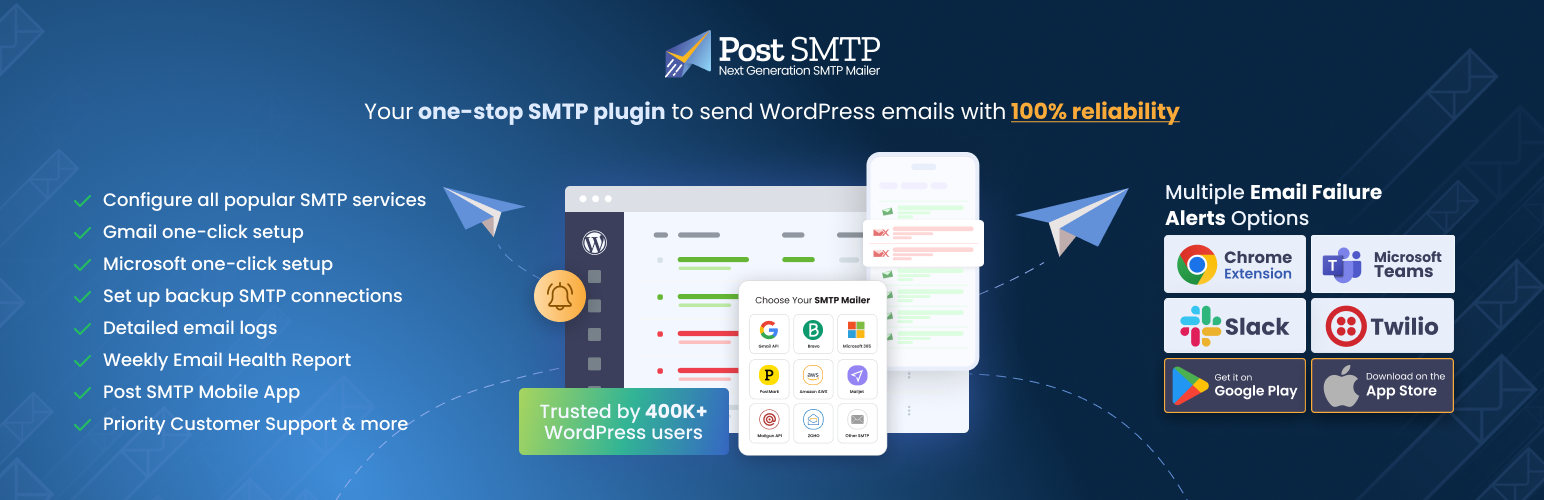
Improve WordPress email deliverability. Connect Gmail SMTP, Microsoft 365, Brevo, SendGrid, Mailgun, Zoho, Ama...

Free 300k+ installs 4.7★ (525)
Newsletter

An email marketing tool for your blog: subscription forms to create your lists with unlimited subscribers and...

Free 200k+ installs 4.6★ (1,203)