WPThumbs
Themes Plugins By purpose By industry Best-of lists Fix it guides
Free Plugin by CreativeMindsSolutions v1.3.2

CM Table Of Contents

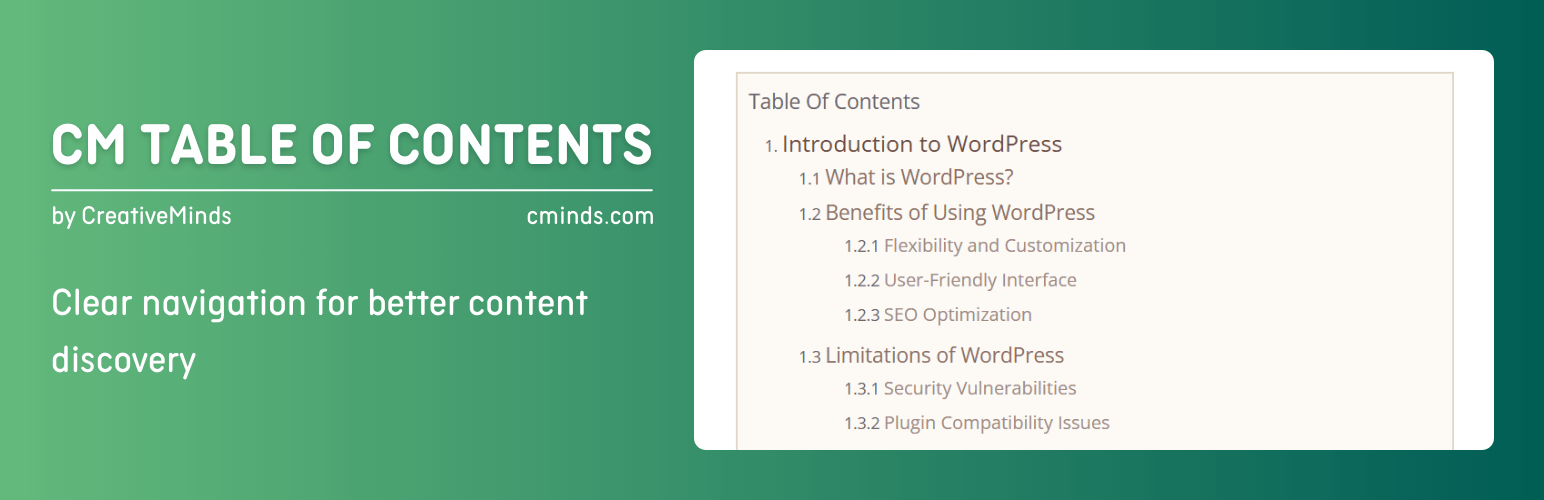
Create and display a table of contents for your posts and pages. Improve navigation with an easy-to-use TOC generator.
CM Table Of Contents

The facts

Rating
3.3★ from 9
Active installs
100+
Price
Free
Last updated
23 May 2026
Added
Jun 2015
Requires WP
5.4.0
Tested up to
WP 7.0.4
Requires PHP
5.2.4
Downloads
37,177

Our analysis

AI-assisted

CM Table Of Contents is a WordPress plugin that helps you create a table of contents for your site, making it easier for users to navigate your content. You can define sections of the TOC using headers, div/span tags, or CSS classes. The plugin includes a Setup Wizard for easy configuration and offers various customization options for styling the TOC.

This plugin is suitable for anyone looking to enhance their site's navigation, particularly for longer posts or pages. It is designed to improve content discovery by allowing users to jump to specific sections quickly.

Best for: This plugin suits website owners who want to improve navigation in lengthy content.

What it does well

  • Creates a customizable table of contents for posts and pages
  • Supports defining TOC sections with headers and CSS classes
  • Includes a user-friendly Setup Wizard for configuration
  • Offers styling options for the TOC and 'Back to Top' buttons
  • Can be added without using shortcodes, although shortcodes are available

Where it falls short

  • Limited features in the free version compared to the premium edition
  • Some advanced features are only available in the premium version

Verdict

CM Table Of Contents provides a straightforward solution for enhancing user navigation on WordPress sites, though users may need to consider the premium version for more advanced features.

From the developer

CreativeMindsSolutions's own description of CM Table Of Contents, lightly tidied.

Premium Plugin Page | Video | Demo | User Guide

Create a table of contents and help users easily navigate your WordPress site content. Define the table of contents sections using headers and css classes.

We’re excited to present the renewed version of CM Table of Contents! Now featuring a Setup Wizard for effortless setup and new tools, including customizable “Back to Top” buttons, list type selection, and enhanced styling options. Upgrade your content navigation experience today!

This WordPress plugin enables users to generate a customizable table of contents that can be added to any page or post.

You can define the table of contents using div/span tags or CSS classes, in addition to h tags.

TOC Plugin Premium Editions

The TOC Plugin Premium edition includes even more powerful features, such as: floating toc side widget, collapse and expand toc support, multiple TOC per post/page and much more.

TOC Plugin Introduction Video (Pro Version)

Using the TOC Plugin

  • Automatic Table of Contents – Automatically creates a context specific table or index of contents (TOC) on any post or page or custom post type.
  • Customize your Table of Contents – Easily customize your navigation table based on specific tags and CSS classes. You can also display the TOC in one or two columns.
  • Style the TOC – Style the table according to the users’ needs or branding.
  • Order your Content – Use the WordPress table of contents plugin to create order within your pages & posts, including blog posts and articles.
  • On Page Navigation Tool – Makes it easy for your users to navigate between different sections of your content. Use a floating DIV which comes with the TOC once users scroll the page.
  • Support Child Pages (premium only) – Navigate to your child pages from the parent page.
  • Next Page Support (premium only) – Table of contents help readers in long paginated posts, by pointing to the exact location in the pages/post.
  • Shortcode – The plugin was designed to be as seamless as possible and does not require you to insert a shortcode. However, using the shortcode allows you to fully control the position of the table of contents within your page.

Basic Features

  • Define TOC by tag, class and id.
  • Change Table of Contents title.
  • Basic TOC styling.
  • Easily style the navigation table color and font size.
  • Insert TOC in any specific location on a post or a page using a shortcode.
  • Choose the type of the list elements of the Table of Contents.
  • Add “Back to the Top” Button/Arrow.
  • Customize the style of the “Back to the Top” Button/Arrow.
  • Includes a user-friendly Setup Wizard for quick and easy plugin configuration.

How to Use the WordPress Table of Contents Plugin

  • Automatically add the navigation table to any page or post.
  • Customize your table of contents based on specific tags and classes.
  • Style the table for user needs or design.

Pro Version Features

Pro Version Detailed Features List | Demo Site

Read the full description on the official page →

Tagged as

Alternatives

Other plugins for displaying data.

WP Data Access

Turn your data into WordPress apps with tables, forms, charts & maps — no code required, with optional hoo...

Free 10k+ installs 4.9★ (88)
Ninja Tables

Best WordPress table builder plugin packed with versatile features to create fully responsive data tables of a...

Free 70k+ installs 4.6★ (471)
wpDataTables

The best WordPress table plugin. Create responsive, and searchable tables and charts from Excel (.xlsx, .xls o...

Free 70k+ installs 4.5★ (449)
Statify

Statify

85

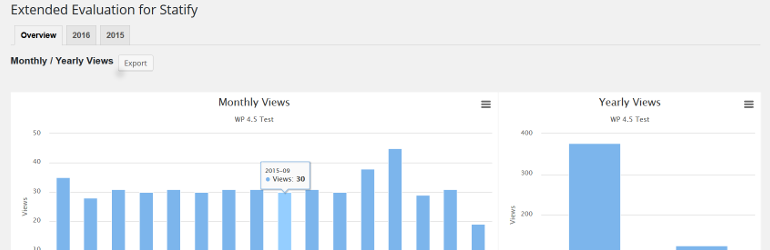
This plugin evaluates the data collected with the privacy-friendly Statify Plugin (data tables and diagrams)....

Free 20k+ installs 4.6★ (11)