CMS Tree Page View
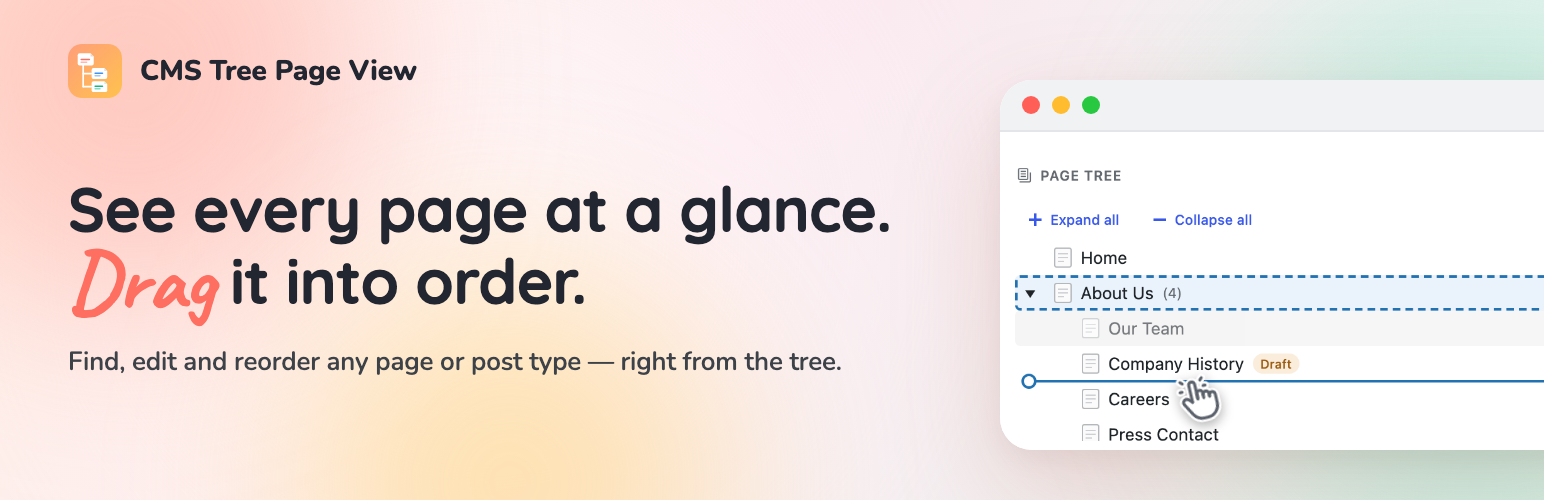
See every page as a drag-and-drop tree. Reorder your site structure in seconds — then edit, add and search right there.
The facts
- Rating
- 4.9★ from 365
- Active installs
- 50k+
- Price
- Free
- Last updated
- 26 Aug 2026
- Added
- Mar 2010
- Requires WP
- 6.6
- Tested up to
- WP 7.1
- Requires PHP
- 7.4
- Downloads
- 1,756,974
Our analysis
AI-assistedCMS Tree Page View is a WordPress plugin that provides a visual tree structure of your pages and posts, allowing you to easily reorder and manage your content. You can drag and drop items to rearrange them, edit them directly from the tree, and add new pages where needed without navigating away from the interface.
This plugin is suitable for editors, agencies, and anyone managing a content-heavy site. It offers a clear overview of your site's structure and supports various content types, making it a versatile tool for content management.
Best for: This plugin suits users managing content-heavy WordPress sites who need an efficient way to organise and edit their pages.
What it does well
- ✓Visual tree structure for easy content management
- ✓Drag-and-drop functionality for reordering pages
- ✓Edit, view, and add pages directly from the tree
- ✓Supports multiple content types including posts and products
- ✓Compatible with the Simple History plugin for tracking changes
Where it falls short
- •No information on specific compatibility with themes or other plugins
- •Limited details on advanced features or customisation options
Verdict
CMS Tree Page View offers a straightforward solution for visualising and managing page structure in WordPress. It is particularly useful for those who prefer a drag-and-drop interface for content organisation.
From the developer
Pär Thernström's own description of CMS Tree Page View, lightly tidied.
Your whole site, laid out as one clear tree. Drag a page to move it, click to edit, and shape your structure in seconds.
See the tree in action:
CMS Tree Page View gives WordPress the page overview it’s always been missing: one friendly tree of every page and post, so you can finally see how your site fits together — and rearrange it just by dragging.
No more clicking through endless paginated lists. Everything’s in front of you: drag a page to reorder or renest it, and edit, add or search right where you are. Setting up a brand-new site? Add a whole batch of pages at once.
Loved by editors, agencies and anyone who looks after a content-heavy site — and actively maintained again by its original author, in use since 2010 and translated into more than 20 languages.
If you also run Simple History — my free activity-log plugin — the tree shows recent changes as you go: pick any page to see its history, or glance at the latest edits across your whole site, without leaving the screen.
Why you’ll like it
- See your whole site in one place. Every page, and exactly how it’s nested, in a single tree.
- Rearrange by dragging. Move a page up, down, or into another page just by dragging it — the order sticks, and your theme can use it too.
- Do everything without leaving the tree. Edit, view, add and search your pages right where you see them.
- Not just pages. Turn on the tree for posts, products or any content type — and drag an item from one tree into another to change what kind of thing it is.
What’s in the tree
- A clear, visual tree of your pages and posts — like folders in Finder or File Explorer
- Drag and drop to reorder and renest
- Drag a brand-new page straight into the tree to create it exactly where it belongs
- Add a page after or inside another — or a whole batch at once
- Edit or view any page straight from its row: hover a page and the icons appear, or press “e” or “v”
- See a live preview of any page right beside the tree, without opening it
- Search the whole tree without leaving the screen
- Full keyboard navigation, so your hands can stay on the keys
- A tree right on your dashboard, ready the moment you log in
- See who moved, edited or added a page, right beside the tree, plus a history icon on every row — when the free Simple History plugin is installed
- Works with pages, posts, products and any custom content type — hierarchical or not
Showing this order on your site
The plugin stores the order you set as WordPress’ “menu order”. It does not change how your
theme outputs your pages — to show them on the front end in the tree order, the query that
outputs them must sort by menu_order. See the FAQ below for ready-to-use code examples.
Translations/Languages
Available in 20+ languages, including German, French, Spanish, Russian, Italian, Dutch, Polish, Swedish, Greek, Finnish and Japanese.
Always show your pages in the admin area
If you want to always have a list of your pages available in your WordPress admin area, please check out the plugin
Admin Menu Tree Page View.