Collapsing Categories
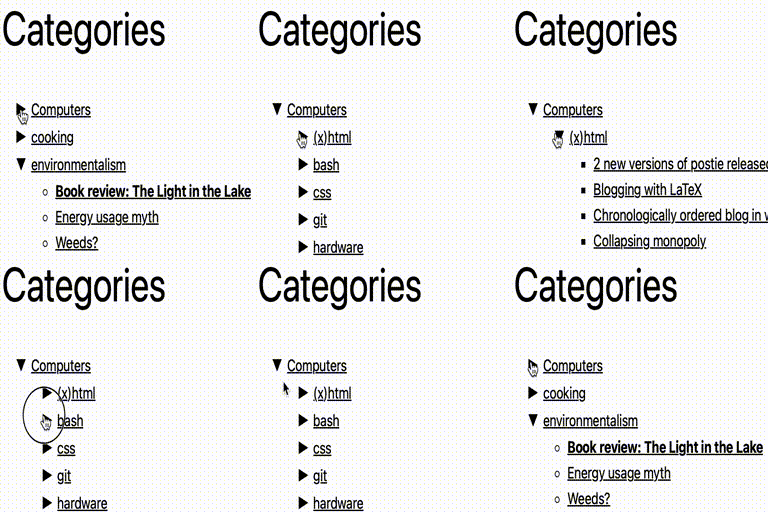
Adds a widget which uses Javascript to dynamically expand or collapse the set of posts for each category.
The facts
- Rating
- 4.1★ from 57
- Active installs
- 4k+
- Price
- Free
- Last updated
- 12 Feb 2026
- Added
- Jan 2008
- Requires WP
- 5.0
- Tested up to
- WP 6.9.7
- Downloads
- 295,021
Our analysis
AI-assistedCollapsing Categories is a WordPress plugin that creates an expandable list of categories and subcategories. It primarily functions as a widget, but can also be integrated manually into your theme. Users can configure various options for how categories and posts are displayed, including sorting and inclusion/exclusion criteria.
This plugin is suitable for users who want to enhance their site's navigation by allowing visitors to expand and collapse categories to view related posts. It offers flexibility in presentation and can be tailored to fit specific needs through its configuration options.
Best for: This plugin suits website owners looking to improve navigation with expandable category lists.
What it does well
- ✓Creates an expandable list of categories and subcategories
- ✓Can be used as a widget or manually in a theme
- ✓Offers various configuration options for display
Where it falls short
- •Limited information on user experience and support
- •No specific details on compatibility with other plugins or themes
Verdict
Collapsing Categories provides a straightforward solution for managing category navigation on WordPress sites. Its flexibility in configuration makes it a useful tool for enhancing user experience.
From the developer
robfelty's own description of Collapsing Categories, lightly tidied.
Collapsing Categories creates an expandable list of categories and
subcategories. It can also expand to show posts. The primary usage is as a
widget, but you can also use the code in your theme manually if you wish (see
installation instructions)
Options
Options can be set
from the block panel. If you wish to insert the code into your theme manually
instead of using a widget, you can use the following options. These options
can be given to the collapsCat() function either as an array or in query
style, in the same manner as the wp_list_categories function.
$defaults=array(
   'showPostCount' => true,
   'inExclude' => 'exclude',
   'inExcludeCats' => '',
   'showPosts' => true,
   'showPages' => false,
   'linkToCat' => true,
   'olderThan' => 0,
   'excludeAll' => '0',
   'catSortOrder' => 'ASC',
   'catSort' => 'catName',
   'postSortOrder' => 'ASC',
   'postSort' => 'postTitle',
   'expand' => '0',
   'defaultExpand' => '',
   'postTitleLength' => 0,
   'accordion' => 0,
   'catfeed' => 'none',
   'taxonomy' => 'category',
   'showPostDate' => false,
   'postDateAppend' => 'after',
   'postDateFormat' => 'm/d',
   'useCookies' => true,
   'showTopLevel' => true,
   'postsBeforeCats' => false,
   'expandCatPost' => true,
   'debug'=>'0'
);
- inExclude
- Whether to include or exclude certain categories
- ‘exclude’ (default)
- ‘include’
- The categories which should be included or excluded
- Whether or not to include pages as well as posts. Default if false
- 1 (true), clicking on a category title will link to the category archive (default)
- 0 (false), clicking on a category title expands and collapses
- How to sort the categorys. Possible values:
- ‘catName’ the title of the category (default)
- ‘catId’ the Id of the category
- ‘catSlug’ the url of the category
- ‘catCount’ the number of posts in the category
- ‘catOrder’ custom order specified in the categorys settings
- Whether categories should be sorted in normal or reverse
order. Possible values:- ‘ASC’ normal order (a-z 0-9) (default)
- ‘DESC’ reverse order (z-a 9-0)
- How to sort the posts. Possible values:
- ‘postDate’ the date of the post (default)
- ‘postId’ the Id of the post
- ‘postTitle’ the title of the post
- ‘postComment’ the number of comments on the post
- ‘postOrder’ sort by menu order
- Whether post should be sorted in normal or reverse
order. Possible values:- ‘ASC’ normal order (a-z 0-9) (default)
- ‘DESC’ reverse order (z-a 9-0)
- The symbols to be used to mark expanding and collapsing. Possible values:
- ‘0’ Triangles (default)
- ‘1’ + –
- ‘2’ [+] [-]
- ‘3’ images (you can upload your own if you wish)
- ‘4’ custom symbols
- If you have selected ‘4’ for the expand option, this character will be
used to mark expandable link categories
- If you have selected ‘4’ for the expand option, this character will be
used to mark collapsible link categories
- Truncate post titles to this number of characters (default: 0 = don’t
truncate)
- Whether to include or exclude certain categories