
WPThumbs
Themes Plugins By purpose By industry Best-of lists Fix it guides
Free Plugin by wpdevart v3.8.8

Coming soon and Maintenance mode

Coming soon and Maintenance mode plugin is an awesome tool to show your website visitors that you are working on your website for making it better.
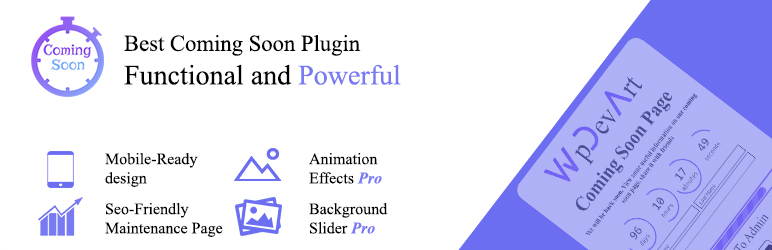
Coming soon and Maintenance mode

The facts

Rating
4.2★ from 83
Active installs
9k+
Price
Free
Last updated
2 Feb 2026
Added
Oct 2014
Requires WP
3.4.0
Tested up to
WP 6.9.7
Downloads
1,465,143

Our analysis

AI-assisted

The Coming Soon and Maintenance Mode plugin allows you to create a 'Coming Soon' or maintenance page for your WordPress site without needing coding skills. It offers a user-friendly interface to customise your under-construction page, including options for background images, logos, and text using the WordPress post editor.

This plugin is suitable for anyone looking to inform visitors that their website is being updated or built. It is particularly useful for developers or businesses who want to maintain a professional appearance while their site is not fully operational.

Best for: This plugin suits developers or businesses needing a temporary page while their website is under construction.

What it does well

  • Easy to install and use
  • Fully responsive design
  • Highly customisable under construction page
  • Social media integration
  • SEO friendly with meta description and keywords

Where it falls short

  • Limited features in the free version compared to the Pro version
  • No specific details on support or updates beyond February 2026

Verdict

The Coming Soon and Maintenance Mode plugin provides a straightforward solution for creating maintenance pages. It offers essential features that can help maintain user engagement during website updates.

From the developer

wpdevart's own description of Coming soon and Maintenance mode, lightly tidied.

Coming soon and Maintenance mode plugin is an awesome tool to show your website visitors that you are working on your website for making it better. It’s not easy to create under construction page for WordPress without coding knowledge. That’s why our team do his best to help WordPress users to create maintenance pages easily and quickly.

View our plugin Demo page:

Our plugin will add some great features to your Under construction page.

Features of Free version

  • Easy install and use
  • Works perfectly with all versions of WordPress
  • Fully Responsive
  • Ability to disable plugin for specific IPs
  • Highly customizable under construction page
  • Ability to set background image and color
  • Custom Logo
  • Ability to use WordPress post editor for Message
  • Social Media Ready(Facebook, Twitter, Google Plus, YouTube, Instagram)
  • Ability to open social websites in a new window
  • SEO friendly
  • Ability to set Meta description and keywords
  • Enable/Disable Search Robots
  • Uses CSS3
  • User friendly back-end
  • Tested on popular WordPress themes

You can upgrade the free version to Coming soon and Maintenance mode Pro to add some features.

The features of Pro version

  • Awesome Background Slider
  • Nice Video(YouTube) background(Not for mobile devices)
  • Functional Subscribe Form
  • Elegant Countdown
  • 3 beautiful and different Countdown designs(button, circle, vertical slider)
  • 39 awesome animation effects for all elements
  • Ability to set Animation waiting time for all elements
  • Ability to exclude specific pages, posts
  • Functionality to hide Countdown or disable Under construction page when Countdown time expired
  • Countdown position(left, center, right), distance from top, text color, background color, border radius, Size, border width, font-size, Font family
  • Content position, background color, transparency and border radius
  • Subscribe Form
  • Ability to change Subscribe Form all texts, position(left, center, right) and distance from top
  • Ability to set font size and font family for Subscribe Form all texts
  • Ability to change input border color and radius
  • Ability to change placeholder text color, send button bg color, send button text color, input field text color, after submit text color
  • Ability to send Email notifications to subscribed users
  • Ability to mute or unmute video
  • Ability to set Logo position and distance from top, max width and max height
  • Ability to set Title color, distance from top, position, Font Size and Font family
  • Ability to set Message position(left, center, right) and distance from top
  • Progress bar
  • Ability to set Progress bar percentage, width, distance from top, position, loading, border color, border width and border radius
  • Ability to upload your own images for Social Buttons
  • Ability to set Social Buttons position(left, center, right), max width, height, distance from top, distance between Social Buttons
  • Ability to set Favicon
  • Link To Admin Section
  • Ability to set Link To Admin position(left, center, right), distance from top, Font Size and Font family
  • You can also change Link To Admin text and color
  • Built in 31 fonts for Title, Countdown, Link To Admin, Subscribe Form texts
  • Ability to set content maximum width, padding and margin
  • Drag and drop ordering for content elements

If you have any type of question occuring our plugin, contact us at our plugin SUPPORT FORUM.

The Under construction plugin allows you to create Coming Soon page for your website simply and quickly. You just need to enable the plugin to change your website to Maintenance mode.

Our plugin works without any problem with all popular WordPress themes that we tested, so you can use our Under construction plugin on any theme you like, if something goes wrong just let us know about it.
Logged out users of your website will see the Maintenance mode while logged-in users will have access to your website. This is ideal solution for web developers who want to show their clients that website is in Maintenance mode while they working on the website.

Step by step guide

Logo

  • Show logo – Choose to show or hide your logo.
  • Logo – Click “Upload” button to upload your logo.
  • Logo position – Here you can choose your logo position(Left, Center, Right).
  • Distance from top – Type here your logo distance from top.
  • Logo Animation type – Choose animation type for your logo.
  • Animation waiting time – Type here waiting time for Logo animation(in milliseconds).
  • Logo max width – Type here your website logo maximum width.
  • Logo max height – Type here your website logo maximum height.

Title

Read the full description on the official page →

Tagged as

Alternatives

Other plugins for maintenance pages.

Under Construction

Easy to use Under Construction Page & Coming Soon Page. Enable Under Construction Mode in seconds & sh...

Free 600k+ installs 4.8★ (1,285)
Website Builder by SeedProd

Easy Drag & Drop Page Builder. A complete solution to create a WordPress Website, Custom Themes, Landing P...

Free 700k+ installs 4.9★ (4,699)
Maintenance

Great looking maintenance, coming soon & under construction pages. Put your site under maintenance in minu...
Free 1M+ installs 4.4★ (860)
Insert Headers And Footers

Include inline javascript, stylesheets, CSS code or anything you want in Header and Footer areas of your WordP...
Free 300k+ installs 5★ (134)
CMP

CMP

89

Beautiful Coming soon, Maintenance or Landing page on your website, packed with premium features for free.

Free 200k+ installs 4.7★ (326)
Hostinger Tools

Simplified WordPress management. Manage site info, maintenance, security, & redirects.

Free 3M+ installs 3.5★ (40)