
WPForms
98The best WordPress contact form plugin. Drag & Drop form builder to create beautiful contact forms, paymen...
Free
5M+ installs 4.8★ (14,369)
Connect Contact Form 7 submissions to Google Sheets to sync your form entries and save all cf7 forms submitted data to the database.
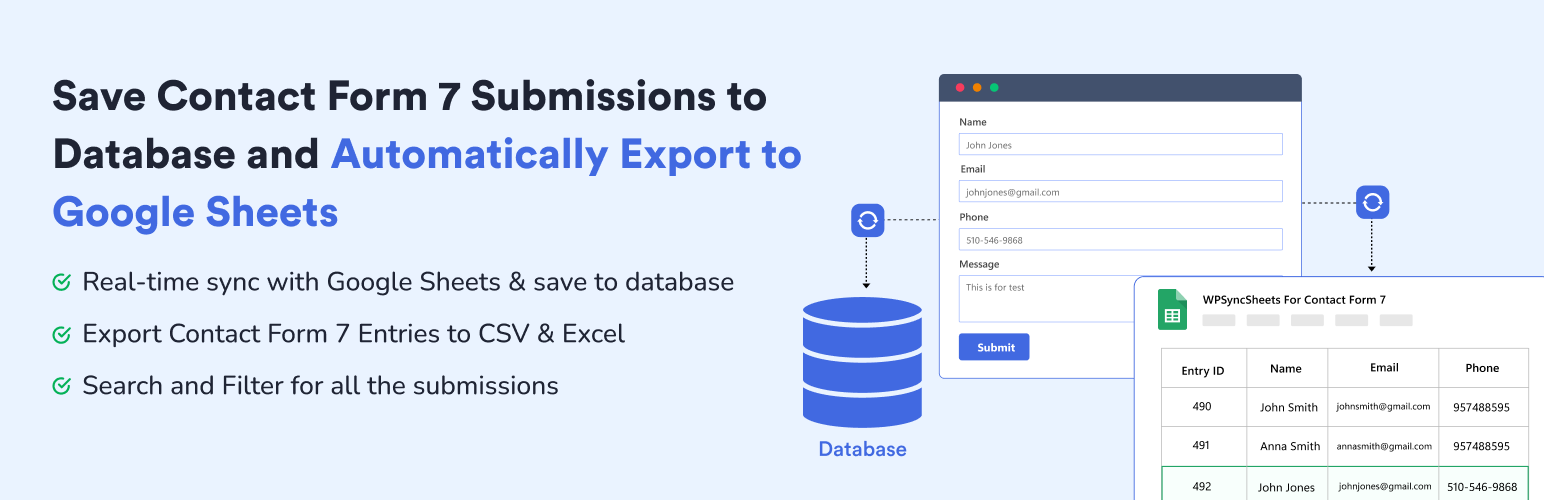
WPSyncSheets For Contact Form 7 is a WordPress plugin that connects Contact Form 7 submissions to Google Sheets and saves them in the WordPress database. It allows for real-time syncing of form entries, ensuring that data is securely stored and easily managed.
This plugin is suitable for users who need to manage form submissions efficiently, providing features like entry count display, search and filter options, and the ability to export data to CSV and Excel formats. It is designed for those looking to integrate their contact forms with Google Sheets seamlessly.
Best for: This plugin suits website owners who use Contact Form 7 and want to streamline their data management with Google Sheets.
What it does well
Where it falls short
WPSyncSheets For Contact Form 7 offers a straightforward solution for syncing form submissions with Google Sheets, making it a practical choice for users focused on data management.
Creative Werk Designs's own description of WPSyncSheets For Contact Form 7, lightly tidied.
WPSyncSheets For Contact Form 7 automatically exports and syncs your Contact Form 7(CF7) submissions to a single Google Sheet while securely saving every entry in your WordPress database. Contact Form 7 Google Sheets Connector helps you to get real-time Google Sheets integration with built-in database storage to prevent data loss. Manage all your Contact Form 7 database(CFDB7) entries in one place with powerful, reliable, and easy-to-use features.
If you are looking for Google Sheets and Database Addon for Contact Form 7 this addon is the best choice. It lets you save and manage form submissions directly in your WordPress database and sync Contact Form 7 entries to Google Sheets.
Demo | Sample Sheets | Docs | Support | Pro
Contact Form 7 to Google Sheets Integration
Connect Contact Form 7 with Google Sheets and save form entries to database in real time. CF7 Google Sheets Connector is also create a new sheet or select an existing one, add new tabs automatically, and map which form fields to save. WPSyncSheets For Contact Form 7 acts as a secure connector and can store data like name, email, IP address, page URL, and submission date. Data is synced instantly using secure Google authentication, and no Google account or Drive data is stored by the plugin author.
Save Form Submissions in Database
Database Addon for Contact Form 7 lets you save Contact Form 7 submissions to your WordPress database. It also stores all the form entries in a single optimized database table and Google Sheets. It has ability to displays the entry count for each form with search and filter options. Each contact form 7 submission has its own entry detail page to add notes, show submission date, shop page url and many more.
Export Contact Form 7 Entries to Google Sheets, CSV & Excel
CF7 Google Sheet Connector is the bridge between WordPress plugin Contact Form 7 and Google Sheets. It can help you to export all your form submissions to Excel and CSV which has already stored within the WordPress database. WPSyncSheets For Contact Form 7 plugin has also ability to export entries with date filter (Today, Last 7 Days, This Month, Custom Range) option and form wise cf7 entries export.
Modern & Elegant Dashboard for Easy CF7 Entry Management
WPSyncSheets For Contact Form 7 includes a clean dashboard inside WordPress admin that shows all Contact Form 7 forms and their connection status with Google Sheets or Save to Database. You can manage all integrations from CF7 → Google Sheets or Database.
✅ Edit Sheet Headers – Rename spreadsheet columns from plugin settings
✅ Sort Sheet Headers – Reorder columns to match your desired field layout
✅ Payment Status Control – Sync entries only after PayPal or Stripe payment is successful
✅ Save File Uploads – Store uploaded files and add clickable links in the spreadsheet
You can check out the user guide to easily setup the plugin or watch the below video on How to Export Contact Form 7 Entries
WPSyncSheets connects WordPress and WooCommerce platforms with Google Sheets. Our mission is to help businesses automate data transfer, simplify operations, and reduce repetitive tasks through real-time, two-way data synchronization.
🔸 WPSyncSheets For WooCommerce: Import Export WooCommerce Orders, Products, Customers & Coupons.
🔸 WPSyncSheets For Gravity Forms: Send Gravity Forms submissions to Google Sheets in real-time.
🔸 WPSyncSheets For Core: Import, Export & Bulk Edit WordPress Posts and Pages via Google Sheets.
🔸 WPSyncSheets For Elementor: Map & Sync Elementor Form Entries to Google Sheets in Real Time.
🔸 WPSyncSheets For Document Library Pro: Sync Document Library Pro documents with Google Sheets.
🔸 WPSyncSheets For WPForms: Map & Sync WPForms Entries to Google Sheets.
Other plugins for building forms.
The best WordPress contact form plugin. Drag & Drop form builder to create beautiful contact forms, paymen...

The best anti-spam protection to block spam comments and spam in a contact form. The most trusted antispam sol...

Get a fast contact form plugin. Create advanced forms using drag and drop form builder with all smart features...

Best WordPress form builder plugin. Create contact forms, payment forms & order forms with 1000+ integrati...

Save and manage Contact Form 7 messages. Never lose important data. It is a lightweight contact form 7 databas...

Elementor forms builder to create WordPress forms like contact form, booking form, feedback form, survey form,...