
WPThumbs
Themes Plugins By purpose By industry Best-of lists Fix it guides
Free Plugin by Phi Phan v2.8.14

Content Blocks Builder

Group core blocks into containers or repeaters to create layouts like grid, carousel, popup, accordion all in the Block Editor. Fast. Easy.
Content Blocks Builder

The facts

Rating
5★ from 13
Active installs
1k+
Price
Free
Last updated
5 Aug 2026
Added
Sep 2021
Requires WP
6.9
Tested up to
WP 7.1
Requires PHP
8.0
Downloads
47,600

Our analysis

AI-assisted

Content Blocks Builder (CBB) is a WordPress plugin designed to help you create custom blocks, variations, and layouts directly in the Block Editor without needing to write code. It allows you to visually group core or third-party blocks into flexible container blocks, enabling advanced layouts like responsive grids, carousels, and popups.

This plugin is suitable for users who want to build complex layouts using Gutenberg without relying on custom coding or additional heavy plugins. It supports a variety of features such as repeater blocks and import/export functionality, making it a versatile tool for developers and content creators alike.

Best for: This plugin suits WordPress users looking to enhance their site with custom block layouts without coding.

What it does well

  • Create and manage custom blocks and variations
  • Supports responsive grid and carousel layouts
  • No coding required to build complex layouts
  • Compatible with any Gutenberg-ready theme
  • Pre-built library for easy block management

Where it falls short

  • Limited information on specific features in the free version
  • Some advanced features require CBB Pro

Verdict

Content Blocks Builder offers a practical solution for creating custom layouts in WordPress, particularly beneficial for those using the Gutenberg editor.

From the developer

Phi Phan's own description of Content Blocks Builder, lightly tidied.

Content Blocks Builder (CBB) helps you create custom blocks, variations, styles, and patterns — directly in the Block Editor without touching a code editor.

The WordPress Block Editor (Gutenberg) is a solid foundation for building websites. But when you need more specific layouts or custom functionality not available in default blocks, you’re often forced to write custom code or rely on bloated third-party plugins.

CBB solves this by letting you visually group core or third-party blocks into flexible container blocks — right inside the native Block Editor. These container blocks support native features like typography, spacing, colors, borders, plus advanced features from CBB that help you build layouts like responsive grid, slider/carousel, toggle/accordion, modal/off-canvas/popover, background effects all without writing a single line of code.

You can also build repeater blocks to display repeatable content — similar to ACF repeater field type, but entirely block-based and visual.

The ultimate goal of CBB is to help you build complex layouts — all with core blocks, all visually, and fully compatible with any Gutenberg-ready theme.
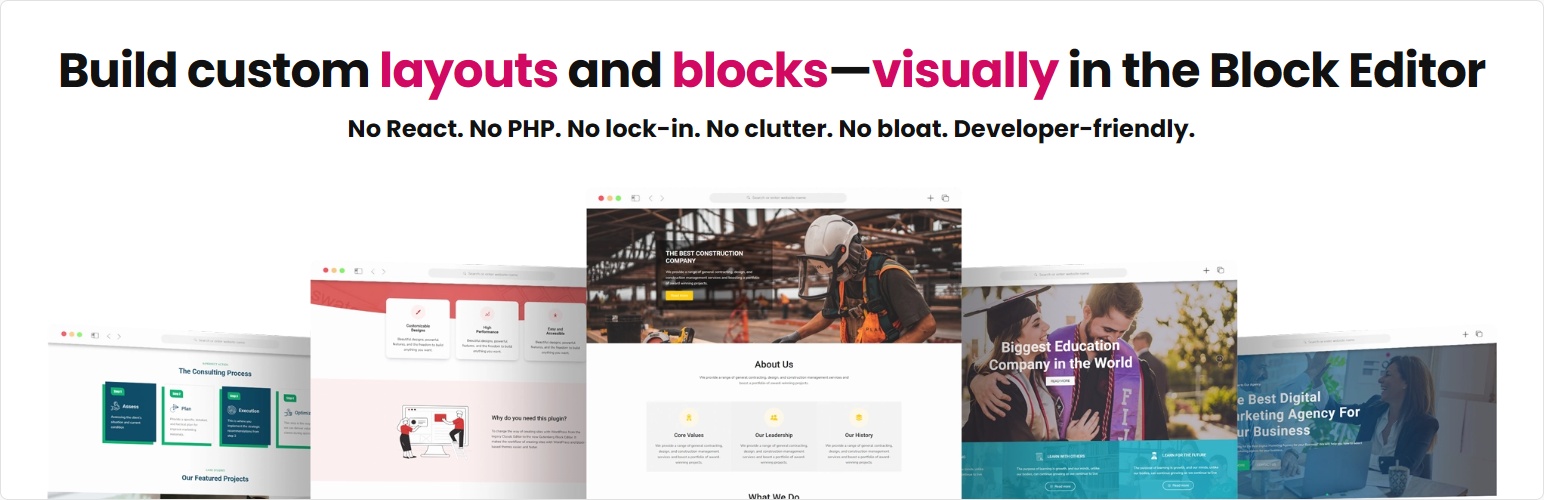
No React. No PHP. No lock-in. No clutter. No bloat. Developer-friendly.

Key technical features

  • Manage custom blocks: Create, edit, copy, import, and delete custom blocks.
  • Create repeater blocks that work similarly to ACF repeater fields. Supports carousel, grid, accordion and vertical stack layouts.
  • [CBB Pro] Extenral CSS/JS and Custom CSS/JS: You can enqueue external CSS or JavaScript files and write your own custom code directly for your blocks. This feature makes CBB feel a bit like CodePen.io—but for Gutenberg blocks. You can create anything you can imagine on the frontend.
  • Advanced block support features: Modal, off-canvas, popover, toggle content, sticky, responsive dimensions, spacing, custom attributes, reveal animations, etc.
  • Manage block variations & block styles: Create, edit, copy, import, and delete block variations. It works on any block. CBB Pro enables you to input custom CSS for variations.
  • Manage block patterns: Create, edit, copy, import, and delete custom block patterns.
  • Enhance the Query Loop block: Add grid, carousel layouts, and advanced filter and sorting settings. Works with any post types.
  • Import/export custom blocks, variations, and patterns from/to other sites
  • Pre-built library: A library of pre-built blocks, variations, styles, and patterns. This library is not bundled with CBB; only items you import appear on your site.
  • CBB are built with vanilla JS and CSS. It only depends on SwiperJs for the carousel functionality, — and even then, the script and styles are loaded only if the carousel layout is used.

Practical features you can build with CBB

  • Carousel layouts: Ideal for creating banner slider, posts carousel, gallery, carousel of features or other repeating content, etc. CBB provides one of the best way to create a carousel layout in Gutenberg. Built on top of the popular SwiperJs carousel script, it supports extensive customization. CBB Pro enables you to create entrance effects, advanced slide effects with effect builder, and further customization like slides per breakpoint, pagination, navigation, and synced carousels.
  • Responsive grid layouts: Perfect for creating equal column grid, mosaic grid, bento grid, posts grid, grid of features or other repeating content, etc. CBB provides the easiest but most flexible and robost grid layout based on CSS Grid layout. You can customize template columns, grid gaps, size, and location for each grid item.
  • Accordion layouts: Good for creating FAQ page, navigations, long features or specications.
  • Blog page design, magazine layout, post grid, post carousel; Work with any post types.
  • Modal, off-canvas, popover, toggle content: Great for creating popups, notification bars, toggle menu, toggle search box, hamburger menu, popover, show/hide content, etc. CBB Pro allows you to add a custom entrance animation effect, control when popups appear with delay options, trigger them on scroll to elements or exit intent, and remember when a popup has been closed.
  • Sticky content: Great for fixed/sticky header, footer, floating elements, sticky sidebar. CBB Pro enables you to style blocks based on their stuck state and make blocks sticky only when scrolling up.
  • [CBB Pro] Backgound effect: Add parallax, infinite scrolling, and zooming effect to image easily. Perfect for hero section designs.
  • [CBB Pro] Reveal animations: Add stunning effects to blocks when they appear on the viewport the first time.
  • [CBB Pro] Custom layout & style: With the ability to enqueue external JS/CSS and input custom JS/CSS, you can do anything with your blocks on frontend.

For dynamic data, we recommend using the Meta Field Block plugin. It’s the best way to display dynamic data.

Why choose CBB?

  • It’s fast, clean, flexible and code-free. It uses core blocks to build container blocks.
  • It’s bloat-free. It doesn’t come bundled with a ton of specific-use blocks like other multiple-feature plugins.
  • It’s easy to use. It adheres to Gutenberg and maintain the primary user experience of Gutenberg, so anyone familiar with the Block Editor is already familiar with CBB.
  • Sites built with CBB are easier to maintain as most tasks are accomplished through the Block Editor. You don’t need to know React to create complex blocks or maintain a code repository for them. You can also import/export them from/to other sites.

How does it help?

Below are some video tutorials that demonstrate how you can use this plugin to build your sites:

Create a grid repeater block to display a grid of repeating content

Create a banner slider for your site directly on the Editor

Read the full description on the official page →

Tagged as

Alternatives

Other plugins for sliders and carousels.

Premium Addons for Elementor

Elementor Carousel, Mega Menu, Posts List/Slider, WooCommerce Widgets, Display Conditions, AI Abilities, Prema...

Free 600k+ installs 4.9★ (1,677)
Smart Slider 3

Responsive slider plugin to create sliders in visual editor easily. Build beautiful image slider, layer slider...

Free 800k+ installs 4.9★ (1,123)
Royal Addons for Elementor

Elementor templates, Header footer builder, Elementor Post Grid, Woocommerce Grid builder, Slider, Forms, Gall...

Free 600k+ installs 4.8★ (611)
SiteOrigin Widgets Bundle

Essential elements for modern websites. Add buttons, sliders, heroes, maps, images, carousels, features, icons...

Free 400k+ installs 4.9★ (134)
Depicter

Build Stunning Slider and Popup. Exit intent Popup, Image slider carousel, video slider carousel, post slider...

Free 80k+ installs 4.6★ (234)
