
WooCommerce
94Everything you need to launch an online store in days and keep it growing for years. From your first sale to m...
Free
7M+ installs 4.5★ (4,820)
Easily change the 'Continue Shopping' link when redirected to the Cart after adding a Product.
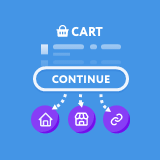
Continue Shopping for WooCommerce is a WordPress plugin designed to enhance the shopping experience for customers on WooCommerce sites. It allows you to customise the destination of the 'Continue Shopping' button that appears on the Cart page, which by default redirects to the homepage. You can choose from several preset locations or set a custom link to better guide customers back to relevant products or categories.
This plugin is suitable for WooCommerce store owners who want to improve the flow of their customers' shopping experience by providing more relevant navigation options after adding items to the cart.
Best for: WooCommerce store owners looking to enhance customer navigation.
What it does well
Where it falls short
Continue Shopping for WooCommerce provides a straightforward solution for customising navigation after adding products to the cart. It may be useful for improving customer experience on eCommerce sites.
HappyKite's own description of Continue Shopping for WooCommerce, lightly tidied.
When a customer is redirected to the Cart page after the addition of a product, there is a ‘Continue Shopping’ button. As default, this button takes the customer back to your website Home Page.
This can be very annoying for customers who want a smooth flowing shopping process.
This can now be solved with the click of a button. This plugin adds a list of options into the WooCommerce Settings page that allows you to easily alter where this button will take your customers.
You can choose between the preset locations below:
– Homepage
– Shop
– Most recently visited Product
– Most recently visited Category
Finally there is a fifth option of your own custom link. This can be used to allow you to push customers back to a custom Landing page, or your best selling product.
Other plugins for selling online.
Everything you need to launch an online store in days and keep it growing for years. From your first sale to m...

Top-rated antispam for contact forms, comments, WooCommerce, eCommerce, and login. No CAPTCHAs, no friction, j...

Weight based shipping methods for WooCommerce. Flexible shipping with table rate rules by cart weight and orde...

Every store loses sales to cart abandonment. But with Cart Abandonment Recovery for WooCommerce, you can win t...

Germanized extends WooCommerce to become a legally compliant shop for the german market. Must Have for every g...

🤩 Make popups & optin forms to get more email newsletter subscribers, leads, and sales - #1 most popular...