
Members
94The best WordPress membership and user role editor plugin. User Roles & Capabilities editor helps you rest...
Free
300k+ installs 4.9★ (1,274)
Add a customized User Profile photo to a WordPress user profile.
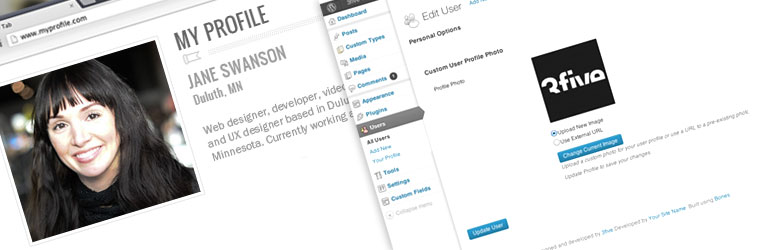
Custom User Profile Photo is a WordPress plugin that allows users to attach and display a personal photo on their profile without needing a Gravatar account. It provides a flexible way for users to upload a photo via the WordPress Media Uploader or specify an external image URL.
The plugin adds custom fields to the user profile page, enabling users to upload or link to their chosen photo. It also filters the get_avatar() function, making it compatible with most WordPress themes. This plugin is suitable for sites where users prefer a unique profile photo rather than a universal avatar.
Best for: This plugin is best for WordPress sites that require personalised user profile photos.
What it does well
Where it falls short
Custom User Profile Photo provides a straightforward solution for users wanting to personalise their profiles, but its outdated status may limit its effectiveness on newer WordPress installations.
Vincent Listrani's own description of Custom User Profile Photo, lightly tidied.
A more flexible way to attach and display a photo for a WordPress user profile.
Some users might not have or want to have a gravatar account or other universal avatar account. They simply may want to use a one-time specified photo to represent them on your WordPress site. This plugin solves that use case.
With the ability to upload a photo to a user profile via the WordPress Media Uploader or by specifying an external URL to an image, your users and/or authors can have a personalized photo specific to your website.*
This plugin will add a custom set of fields to the user profile page which will allow for the use of a custom profile photo.
You can add/change/edit uploaded photos directly from the user profile page. The external option allows you to provide a URL to the external image or remove it.
As of v0.4, the plugin now filters the get_avatar() function found in most WordPress themes.
Simply go to the users section and select a user or select “Your Profile” depending on your permission level. The new fields are added to the bottom of the user profile page. Choose which type of photo you want to use. Upload an image or add an external url. Then press the Update Profile button.
If you require a customized approach or your theme does not support the get_avatar() hook, use the example below.
To retrieve the photo on the front-end use the following example on your template page(s).
<?php
    // Retrieve The Post's Author ID
    $user_id = get_the_author_meta('ID');
    // Set the image size. Accepts all registered images sizes and array(int, int)
    $size = 'thumbnail';

    // Get the image URL using the author ID and image size params
    $imgURL = get_cupp_meta($user_id, $size);

    // Print the image on the page
    echo '<img src="'. $imgURL .'" alt="">';
?>
You will need to place the code above in each area of your theme where you wish to add and retrieve your theme’s custom avatar image. This can include but is not limited to single.php, page.php, and comments.php.
*Future Updates to this plugin include allowing other roles to access this feature, a settings page to allow a custom default image and other options.
Thanks to Olaf Lederer, Harkály Gergő, sqhendr, SOMTIJDS, David Pérez
Other plugins for managing users.
The best WordPress membership and user role editor plugin. User Roles & Capabilities editor helps you rest...

User Role Editor WordPress plugin makes user roles and capabilities changing easy. Edit/add/delete WordPress u...

LoginPress is a Custom Login Page Customizer plugin allows you to easily customize the layout of login, admin...

Build membership sites with tiered plans, content restriction, drag-&-drop custom registration & login...

Customize your WordPress login page with live preview. Change logo, background, colors, and form styling witho...

Powerful user profile plugin to create front-end user registration forms, login & user profile forms. Incl...