Customize Login Image
This plugin allows you to customize the image and the appearance of the WordPress Login Screen.
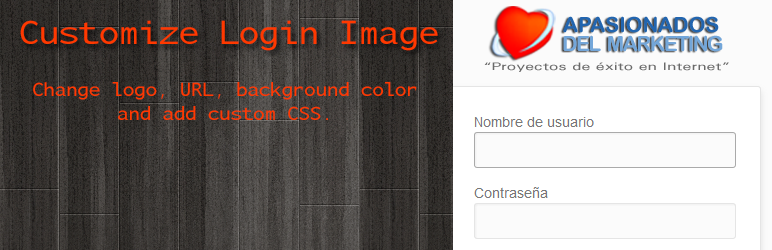
The facts
- Rating
- 5★ from 10
- Active installs
- 3k+
- Price
- Free
- Last updated
- 23 Sep 2023
- Added
- Sep 2013
- Requires WP
- 3.0.1
- Tested up to
- WP 6.3.10
- Requires PHP
- 5.6
- Downloads
- 63,852
Our analysis
AI-assistedCustomize Login Image is a WordPress plugin that allows you to change the appearance of the WordPress login screen. You can upload a custom logo, set a link for the logo, and choose a background colour. The plugin also offers the option to display the server IP and hostname on the login screen.
This plugin is suitable for users who want to personalise their WordPress login page, especially those who need to ensure they are logging into the correct server. It includes features for logo management and basic customisation without additional settings that may complicate its use.
Best for: This plugin suits WordPress site owners looking to customise their login screen.
What it does well
- ✓Allows custom logo upload in PNG format
- ✓Displays default WordPress logo if no custom logo is uploaded
- ✓Option to show server IP and hostname on the login screen
- ✓Includes English and Spanish translations
- ✓Simple interface focused on login appearance
Where it falls short
- •No longer supports custom CSS due to security guidelines
- •Limited to logo and background colour customisation
Verdict
Customize Login Image provides a straightforward way to personalise the login experience. It is useful for those who want basic customisation without unnecessary features.
From the developer
apasionados's own description of Customize Login Image, lightly tidied.
This plugin allows you to customize the image and the appearance of the WordPress Login Screen. You can change: The logo, the link of the logo and the background color.
There are three features we love:
1) If no logo is uploaded, the default WordPress logo is shown.
2) You can upload your own logo in PNG format to the WordPress UPLOADS folder (you just have to name it customize-login-image.png) and if no URL for the logo was set or no logo was uploaded, the plugin looks if this file exists and uses it.
3) You can translate the plugin into your own language. So far English and Spanish translations are included. Just translate the .po file in the /lang/ folder.
4) You can choose if you want to show the server IP and/or server hostname on the login screen.
What can I do with this plugin?
You can upload a custom image for the login screen and specify the link attached to the logo. By default you are redirected to the homepage of your site.
You can also set a custom background color for the login screen. Until version 3.5 you could also add your own CSS now this is not possible following the updated WordPress Plugin Security guidelines.
You can choose if you want to show the server IP and/or server hostname on the login screen. We find this extremly useful when changing the server of a WordPress installation. If you activate both checkboxes you will know inmediately if you are login in on the correct server.
What ideas is this plugin based on?
We had been using the WordPress plugin Customize Admin but we didn’t like that the default logo was the VanderWikj Consultancy logo (vanderwijk.png). This has been causing us problems with customers when updating their sites and this logo displaying on their login screen; because they though that something was wrong with their installation. Another thing we didn’t like about this plugin was the other settings it included; we want a plugin to change the login appearance and only that.
This is why we decided to create a new plugin that doesn’t have the two issues we found while using Customize Admin. Nervertheless it is a freat work from Johan van der Wijk.
Customize Login Image Plugin in your Language!
This first release is avaliable in English and Spanish. In the “lang” folder we have included the necessarry files to translate this plugin.
If you would like the plugin in your language and you’re good at translating, please drop us a line at Contact us.