
Turn your data into WordPress apps with tables, forms, charts & maps — no code required, with optional hoo...
Free
10k+ installs 4.9★ (88)
Create fully customizable, responsive data tables in Elementor with text, rich content, templates, or buttons in any cell - no code required.

DataMentor is a WordPress plugin designed as an add-on for the Elementor page builder, enabling users to create and display data tables without coding. It allows for the addition of unlimited rows and columns, and supports various content types within each cell, such as text, templates, and buttons.
This plugin is suitable for those who need to present data analysis or listings in a structured format. Users can style their tables using the Elementor Style tab, making it a flexible option for customising the appearance of data presentations.
Best for: This plugin suits users looking to display data tables on Elementor-based websites.
What it does well
Where it falls short
DataMentor provides a straightforward way to create data tables within Elementor, but its mixed ratings may indicate varying levels of user satisfaction.
AuburnForest's own description of DataMentor, lightly tidied.
DataMentor is an Elementor add-on that lets you build and showcase data tables in a clean, tabular format without writing any code. It’s a simple and flexible way to present your data analysis or listings with the help of the Elementor page builder.
Add unlimited rows and columns, and mix content types per cell – plain text, rich text, an Elementor template, or a call-to-action button. Style every part of the table, including headers, borders, colors, spacing, and typography, directly from the Elementor Style tab.
We have researched all basic requirements to present anything with Data Tables.
You can create and manage tables from the admin panel quickly, effectively and easily.
Note: This plugin is a widget of Elementor Page Builder and will only work with Elementor Page Builder installed.
Other plugins for displaying data.
Turn your data into WordPress apps with tables, forms, charts & maps — no code required, with optional hoo...

Best WordPress table builder plugin packed with versatile features to create fully responsive data tables of a...

The best WordPress table plugin. Create responsive, and searchable tables and charts from Excel (.xlsx, .xls o...

Display your WooCommerce products in a responsive Product Slider, Product Carousel, or Product Grid Gallery wi...

Create WooCommerce product tables that are searchable, sortable, filterable and mobile responsive. Help custom...
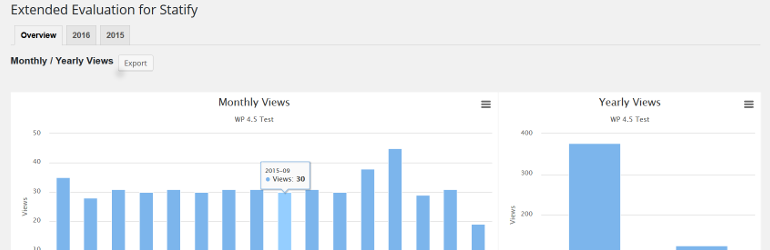
This plugin evaluates the data collected with the privacy-friendly Statify Plugin (data tables and diagrams)....