
Backup, restore or migrate your WordPress website to another host or domain. Schedule backups or run manually....
Free
3M+ installs 4.8★ (8,631)
Download any plugin from your WordPress admin panel's Plugins page by just one click! Now, download themes, users, blog posts, pages, custom post …
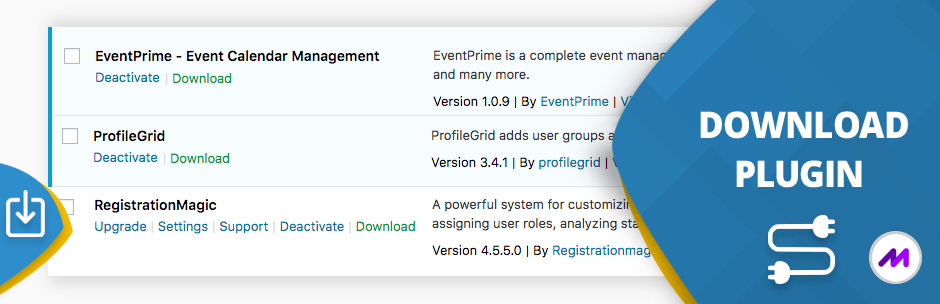
The Download Plugin for WordPress allows you to download plugins, themes, user data, blog posts, pages, and comments directly from your WordPress admin dashboard. It supports bulk downloading and is designed to simplify data management for site administrators.
This plugin is useful for those who need to back up or transfer content easily, as it enables the export of various elements in formats like ZIP and CSV. It is particularly suited for users managing multiple plugins or those who require straightforward access to their site's data.
Best for: This plugin suits WordPress site administrators looking for an easy way to manage and back up their site's content.
What it does well
Where it falls short
The Download Plugin provides a straightforward solution for downloading various WordPress elements, making it a practical tool for site management. However, the lack of detailed information on pro features may limit its appeal for some users.
Metagauss's own description of Download Plugin, lightly tidied.
Download Plugin can easily download plugins, themes, users, blog posts, pages, comments, attachments, and more directly from your admin WordPress dashboard. Download Plugin can also download data from any plugin that uses custom post types, including WooCommerce products, Easy Digital Downloads, Portfolio Post Types, Slider Revolution, bbPress, WP Job Manager, JetPack, and many more.
Download Plugins: A download button is placed beside each plugin, allowing you to download the plugin in a zip file format. You can also select multiple plugins and use the bulk download option to download all selected plugins with a single click.
Download Themes: Similar to plugins, a download button is placed beside each theme in your WordPress dashboard. You can download themes in a zip file format.
Download Users: With the Download Plugin, you can download individual user data or multiple users’ metadata in a CSV file format. This feature simplifies user data management, allowing easy download and save user information.
Download Blog Posts: Export blog posts individually or in bulk with just a click. Download Plugin allows you to download blog posts in a CSV format for backup or migration purposes.
Download Pages: Download single or multiple pages from your WordPress site. This feature is perfect for backing up your content or transferring pages between sites.
Download Custom Posts: Download data from plugin that use custom post types. Download single custom post or a bulk download of multiple posts.
Download Comments: Download comments either individually or in bulk. Save user feedback and engagement safely.
Upload Multiple Plugins: Upload multiple WordPress plugin from plugin admin in one go. Save time and get started quickly.
Download WordPress Site [Pro]: Download WordPress site as backup, with or without database and media files. Upload or restore the site as required.
Upload Pages, Posts, Users, Comments [Pro]: Upload pages, upload posts, upload users and upload comments using Download plugin pro feature.
Download plugin is a must-have utility plugin that allows you to download any plugin directly from WordPress Dashboard!
WordPress download plugin is a utility plugin that does one thing, and does it perfectly. It may sound simple, but this feature plugs a hole in current set of WordPress plugin functionality. As a site admin you must be aware that you can search and install WordPress plugins directly from the dashboard, or you can upload the plugin as zip files, assuming you received it from another site (for example, a commercial plugin). Once installed, all plugins list themselves inside Dashboard -> Plugins page. After deactivating and deleting them, they simply disappear. All files are removed from the server instantly. WordPress does not allow you to backup or download the plugins before you jettison them from your site. If you also manage your server and are fairly comfortable doing so, you may find a more contrived way to download installed plugins via directory manager app or FTP. Obviously, this requires more than a single click and not for everyone.
Other plugins for backups.
Backup, restore or migrate your WordPress website to another host or domain. Schedule backups or run manually....

Trusted by 60M+ sites: The gold standard for WordPress migration and backup. Migrate, backup, and restore your...

The best WordPress backup and migration plugin. Quickly and easily backup ,migrate, copy, move, or clone your...

All-in-one WordPress backup, migration and staging plugin — schedule automatic backups, restore in one click,...

Disable Gutenberg Block Editor and restore the Classic Editor and original Edit Post screen (TinyMCE, meta box...

WordPress backup plugin: backups, restore & migration in minutes. Clone or duplicate your site, test updat...