
WooCommerce
94Everything you need to launch an online store in days and keep it growing for years. From your first sale to m...
Free
7M+ installs 4.5★ (4,820)
Drag and Drop Multiple File Uploader is a simple, straightforward WordPress plugin extension for WooCommerce.
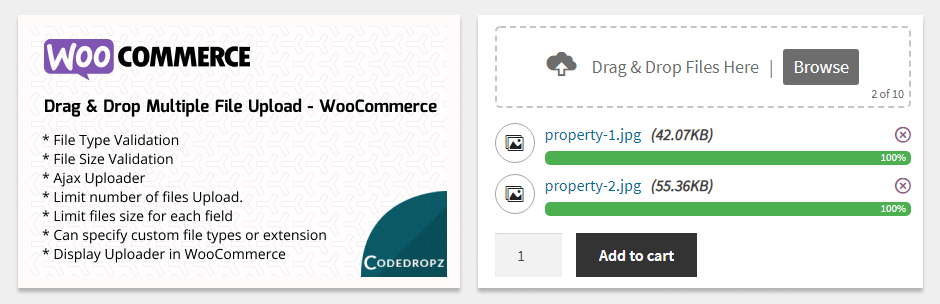
Drag and Drop Multiple File Upload for WooCommerce is a WordPress plugin that enhances the file upload interface on WooCommerce product pages. It allows users to upload multiple files through drag-and-drop or traditional file browsing methods, with features like file type and size validation.
This plugin is suitable for WooCommerce store owners who want to improve the file upload experience for their customers. It supports multiple languages and is mobile responsive, making it accessible across different devices.
Best for: WooCommerce store owners looking to enhance their file upload process.
What it does well
Where it falls short
This plugin offers a straightforward solution for improving file uploads in WooCommerce, though details on premium features are limited.
Glen Don Mongaya's own description of Drag and Drop Multiple File Upload for WooCommerce, lightly tidied.
Drag and Drop Multiple File Uploader is a simple, straightforward WordPress plugin extension for WooCommerce that transforms your standard upload interface into a visually appealing file uploader. it allows users to upload multiple files using either the drag-and-drop feature or the common file browsing option on your product page.
Plugin requires at least v3.5.0 of WooCommerce.
Here’s a little DEMO.
🚀 Upgrade to Pro for larger file uploads, image previews, custom folders, uploader visibility controls, zip downloads, cloud storage, and advanced features designed to enhance your upload experience.
Pro version DEMO.
You can get PRO Version here!
PRO VERSION – PLUGIN OVERVIEW
Order Files for WooCommerce
An extension that attach files to existing WooCommerce orders, allowing both customers and admins to upload and manage files easily.
Easy File Upload & Approval
A simple file management plugin that lets users effortlessly upload and submit files for review through a clean and simple drag-and-drop interface.
Drag & Drop Multiple File Upload – Contact Form 7
Drag & Drop File Upload extension for Contact Form 7
Drag & Drop Multiple File Upload – WPForms
Drag & Drop File Upload extension for WPForms
Other plugins for selling online.
Everything you need to launch an online store in days and keep it growing for years. From your first sale to m...

Top-rated antispam for contact forms, comments, WooCommerce, eCommerce, and login. No CAPTCHAs, no friction, j...

Weight based shipping methods for WooCommerce. Flexible shipping with table rate rules by cart weight and orde...

Every store loses sales to cart abandonment. But with Cart Abandonment Recovery for WooCommerce, you can win t...

Germanized extends WooCommerce to become a legally compliant shop for the german market. Must Have for every g...

🤩 Make popups & optin forms to get more email newsletter subscribers, leads, and sales - #1 most popular...