
Elementor Carousel, Mega Menu, Posts List/Slider, WooCommerce Widgets, Display Conditions, AI Abilities, Prema...
Free
600k+ installs 4.9★ (1,677)
Embed Google Photos album using Player widget.
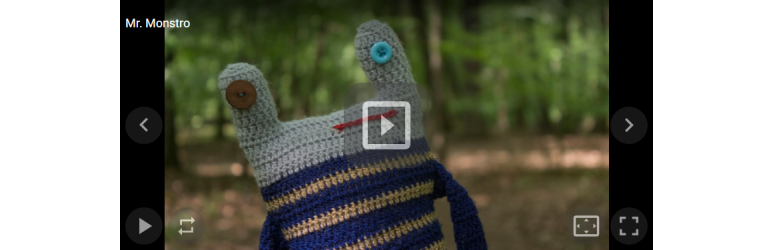
Embed Google Photos album is a WordPress plugin that allows you to display photos from a shared Google Photos album on your site. You can use a shortcode to embed the album in posts, with options for gallery or carousel layouts. This plugin is designed for users who want to integrate photo albums into their WordPress content easily.
The plugin supports various parameters to customize the display, including width, height, background colour, and slideshow settings. It automatically updates when you save or update your post, making it convenient for maintaining your photo content.
Best for: This plugin is suitable for bloggers and website owners who want to showcase photo albums from Google Photos.
What it does well
Where it falls short
Embed Google Photos album provides a straightforward way to display photo albums on WordPress sites. It is useful for those focused on visual content, though it has some limitations regarding additional photo details.
pavex's own description of Embed Google Photos album, lightly tidied.
This plugin requires a shared Google Photos album link to view photos using gallery/player or carousel. This widget is free to use for WordPress users.
It is very easy to use. Just write a shortcode to your post and include a link of shared Google Photos album as a parameter. Instead of shortcode, html code with links to the photo will be inserted and it will be decorated using Public album javascript.
[embed-google-photos-album link="https://photos.app.goo.gl/CSV7NDstShTUwUZq5"]

[embed-google-photos-album link="https://photos.app.goo.gl/CSV7NDstShTUwUZq5" mode="carousel"]

[embed-google-photos-album link="https://photos.app.goo.gl/CSV7NDstShTUwUZq5" mediaitems-cover="true"]

[embed-google-photos-album link="https://photos.app.goo.gl/CSV7NDstShTUwUZq5" background-color="#007acc"]
gallery-playertruetruetruetruefalse#000000This widget, unsupported some features like a picture’s timestamp and captions. For a more detailed description of the component, go to WordPress Google Photos album plugin.
In some cases, it may be better to use the following code directly in the template.
<?php
    echo (new Pavex_embed_google_photos_album()) -> getcode(
        'https://photos.app.goo.gl/CSV7NDstShTUwUZq5', 0, 480, 1920, 1080
    );
?>
The album will update automatically as soon as you save or update your post.
External javascript decorator is stored on CDN and loading and running of them is optimized for performance.
Javascript widget can be used without photos from Google photos. Detailed information on how to use javascript is available in one of older posts about carusel slideshow on my blog.
Public album is now a photo sharing website and service for sharing short photosets available in single user profile.
The service can also be used as an alternative to public Google Photos. It is very suitable for the blogs focused mainly on photos. For example, a photoblog or a online bookmark manager.
Other plugins for sliders and carousels.
Elementor Carousel, Mega Menu, Posts List/Slider, WooCommerce Widgets, Display Conditions, AI Abilities, Prema...

Responsive slider plugin to create sliders in visual editor easily. Build beautiful image slider, layer slider...

Elementor templates, Header footer builder, Elementor Post Grid, Woocommerce Grid builder, Slider, Forms, Gall...

Slider, gallery, carousel plugin for WordPress. Build your image slider, video slider, post slider, YouTube sl...

Essential elements for modern websites. Add buttons, sliders, heroes, maps, images, carousels, features, icons...

Build Stunning Slider and Popup. Exit intent Popup, Image slider carousel, video slider carousel, post slider...