
Easily improve site security with WordPress Hardening, Two-Factor Authentication (2FA), Login Protection, Vuln...
Free
3M+ installs 4.9★ (8,862)
Embed Microsoft Power BI reports, tiles, dashboards, Q&A, etc in WordPress site with support for Row-level security (RLS).[24*7 Support]
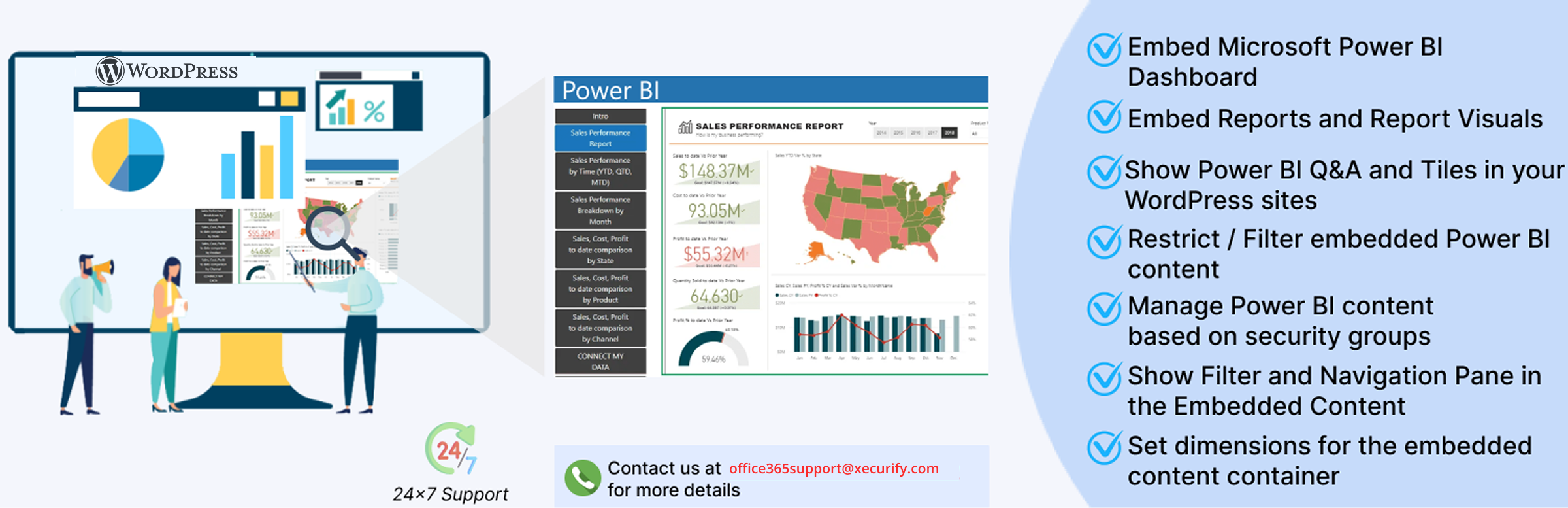
PowerBI Embed Reports is a WordPress plugin that allows you to embed Power BI content such as dashboards and reports directly into your WordPress site using shortcodes. It leverages Microsoft’s graph API for seamless integration, enabling the display of various Power BI resources tailored to your requirements.
The plugin supports features like row-level security, which restricts data access based on user roles, making it suitable for organizations that handle sensitive information. It is designed for users who need to present Power BI analytics on their WordPress sites, particularly those with an existing Power BI account.
Best for: This plugin is best for WordPress users who need to embed Power BI reports and dashboards securely.
What it does well
Where it falls short
PowerBI Embed Reports provides a straightforward solution for integrating Power BI content into WordPress. It is particularly useful for organisations that require secure access to data analytics.
miniOrange's own description of PowerBI Embed Reports, lightly tidied.
Embed PowerBI content/report seamlessly on the WordPress site with the PowerBI Embed Reports plugin. The plugin uses Microsoft’s graph API to embed Power BI content such as dashboards, reports, Q&A, and report visuals.
You can check out the following video to embed the Power BI report on WordPress:
PowerBI Embed Reports provides you the option to embed the PowerBI content on a WordPress page or post using a shortcode with specified width and height. Generate multiple shortcodes based on PowerBI Workspace ID or Report ID to easily embed different PowerBI resources. Check out the setup guide to learn more about Integrating Power BI with WordPress.
The plugin allows you to embed PowerBI analytics which present data that your app owns through your own PowerBI account, or data that the user owns through their PowerBI accounts. Support for PowerBI users to view any type of embedded artifact.
PowerBI Embed Reports allows you to embed PowerBI content in different modes with different settings such as language, locale, mobile height, mobile width and much more.. In this manner you may configure different settings as per your requirements.
PowerBI Embed Reports also allows users to access reports using SSO service from Azure or Microsoft, that is users can log into WordPress using credentials of Azure portal account.
This WordPress plugin in all manner supports Microsoft Power BI Embedded, including dashboards, reports, report visuals, Q&A, and tiles. Power BI is a sophisticated data analytics software and service package from Microsoft. More information on Power BI is available at www.powerbi.com.
Row-level security (RLS) with Power BI
Support of row-level security (RLS) for restricting PowerBI data access to your users. Filters restrict PowerBI data access at the row level, and you can define filters within roles.
Row Level Security in Power BI is a data governance capability of Power BI that restricts data based on the authorization context of the logged-in user. RLS forms an integral part of an organization’s data protection strategy as it implements appropriate data visibility for end-users. Power BI Row Level Security ensures that end users have visibility only into the data of Power BI they are supposed to see. Inappropriate access management can lead to chaos and unforeseen circumstances in any organization.
Row Level Security in Power BI is a way to protect sensitive data by limiting visibility access to Power BI data and reports. Row Level Security Power BI is a horizontal limitation applied to rows within a table. Power BI applies filters on the data for the users with limited visibility based on the instructions outlined by the administrator. The filters in Power BI apply data access limitations at the row level, and these filters can be defined within roles.
Power BI Row Level Security Use Cases :
Implementing Row Level Security in Power BI is a must if your dataset includes sensitive information (for example, information related to company financial accounts, customer information, or patient information). Below-mentioned is a list of the Row Level Security use cases seen across many organizations.
Location-based RLS in Power BI: When the company wants a user to only view information within a specific area or location (City/State/Country).
Employee-based RLS in Power BI: When the company wants an employee to only view information pertaining to his job responsibility. For example, a Store Manager should only view information related to the store’s business.
Business Line-based RLS in Power BI: When the company wants a user to only view information within a specific business line (Product/Service/Unit).
Other RLS in Power BI: Apart from the above-mentioned use cases, RLS can also be implemented with respect to Time (Month/Year), Customer (Specific Customer/Group of Customers), etc.
Power BI is all about Data Analytics, Data Visualization, and Business Intelligence. It is used by Data Professionals all over the world to examine data from multiple sources and create attractive Charts, Dashboards, and Reports according to user-specified data. However, it is quite necessary to protect sensitive Power BI data and one of the best practices to do so is by implementing Power BI Row Level Security (RLS).
Restrict / Filter PowerBI Content
Other plugins for securing a site.
Easily improve site security with WordPress Hardening, Two-Factor Authentication (2FA), Login Protection, Vuln...

Firewall, Malware Scanner, Two Factor Auth, and Comprehensive Security Features, powered by our 24-hour team....

The best anti-spam protection to block spam comments and spam in a contact form. The most trusted antispam sol...

Loginizer is a WordPress security plugin which helps you fight against bruteforce attacks.

Enable SVG uploads and sanitize them to stop XML/SVG vulnerabilities in your WordPress website.

Protect your website investment with All-In-One Security (AIOS) – a comprehensive and easy to use security plu...