
Install plugins of any size (i.e. work around web hosting limits)
Free
6k+ installs 5★ (20)
Please read the plugin description before installing to ensure compatibility and avoid potential issues. This plugin will be free forever.

Enable CORS is a WordPress plugin designed to help users manage Cross-Origin Resource Sharing (CORS) errors on their websites. It allows you to enable CORS support with a few clicks, making it easier to access resources from different domains. This plugin is particularly useful for developers who need to work with third-party APIs or include resources from CDNs without encountering CORS-related issues.
The plugin is compatible with all major browsers and addresses common CORS errors that can arise in WordPress environments. It is suitable for users who may not have the technical expertise to modify server configurations directly but still require seamless access to cross-origin resources.
Best for: This plugin is best for WordPress developers and site owners who encounter CORS issues.
What it does well
Where it falls short
Enable CORS offers a straightforward solution for managing CORS errors in WordPress, but lacks detailed feature information and user feedback.
Dev Kabir's own description of Enable CORS, lightly tidied.
Are you tired of dealing with pesky CORS errors on your website? Do you want to finally be able to access cross-origin resources with ease? Look no further! This plugin is here to solve all of your CORS issues. With just a few simple clicks, you can enable CORS support on your website and say goodbye to frustrating error messages. Plus, This tool is easy to use and compatible with all major browsers. Don’t miss out on this game-changing solution! Try today and revolutionize the way you access cross-origin resources.
CORS (Cross-Origin Resource Sharing) is a security feature implemented by web browsers that blocks web pages from making requests to a different domain than the one that served the web page. This is done to prevent malicious websites from making unauthorized requests to other websites on behalf of the user.
However, there may be legitimate reasons for a web page to make requests to a different domain, such as accessing a third-party API or including resources from a CDN. In these cases, the server that the web page is making the request to can include special headers in its responses that tell the browser to allow the web page to access the resources.
If a web page tries to make a request to a different domain and the server doesn’t include the necessary CORS headers, the browser will block the request and the web page will receive a CORS error. This can be frustrating for developers, as it can prevent them from accessing resources they need to build their websites or applications.
Yes, CORS errors can occur on WordPress websites. WordPress is a content management system (CMS) that runs on a web server and serves web pages to users through a web browser. As with any other web page, CORS errors can occur when a WordPress website tries to make requests to a different domain and the server doesn’t include the necessary CORS headers in its responses.
There are several reasons why a WordPress website might encounter CORS errors. For example, the website might be using a plugin or theme that makes requests to an external API or includes resources from a different domain. In this case, the server hosting the API or resources would need to include the necessary CORS headers in its responses to allow the WordPress website to access them.
Another possible cause of CORS errors on WordPress websites is if the website is hosted on a server that has CORS headers disabled. In this case, the website would not be able to make requests to any other domains, even if the server hosting those domains includes the necessary CORS headers.
To fix CORS errors on a WordPress website, you will need to either configure the server to include the necessary CORS headers or modify the website to make requests to a different domain that does include the necessary headers. It’s also possible to use a plugin or other tool to enable CORS support on your WordPress website.
There are a few different ways you can enable CORS support on a WordPress website without using a plugin.
Modify the server configuration: If you have access to the server that your WordPress website is hosted on, you can enable CORS by adding the necessary headers to the server’s configuration. The exact steps for doing this will depend on the type of server you are using and how it is configured.
Be aware that modifying the server configuration or adding code to your WordPress website can have unintended consequences, so it’s a good idea to test any changes thoroughly before deploying them to a production environment.
This plugin adds support for CORS to your WordPress website, allowing you to specify which domains are allowed to access your website’s resources, and which types of requests are allowed. This helps to ensure that your website remains secure while allowing authorized access to resources from other domains.
Other plugins for hosting providers.
Install plugins of any size (i.e. work around web hosting limits)

Ergonet Cache for WordPress is a free plugin developed by Ergonet srl, an Italian hosting company, to drastica...
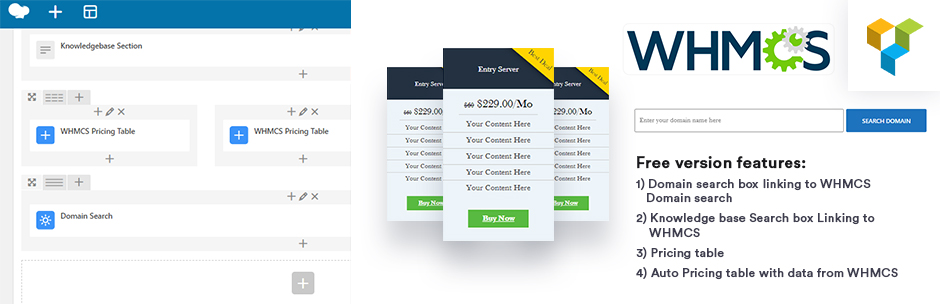
🚀 This WordPress Plugin seamlessly integrates various WPBakery Page Builder widgets with WHMCS, the leading s...

Optimize, secure, and speed up WordPress: trim front-end bloat, clean the database, block attacks and spam, an...