Events Block
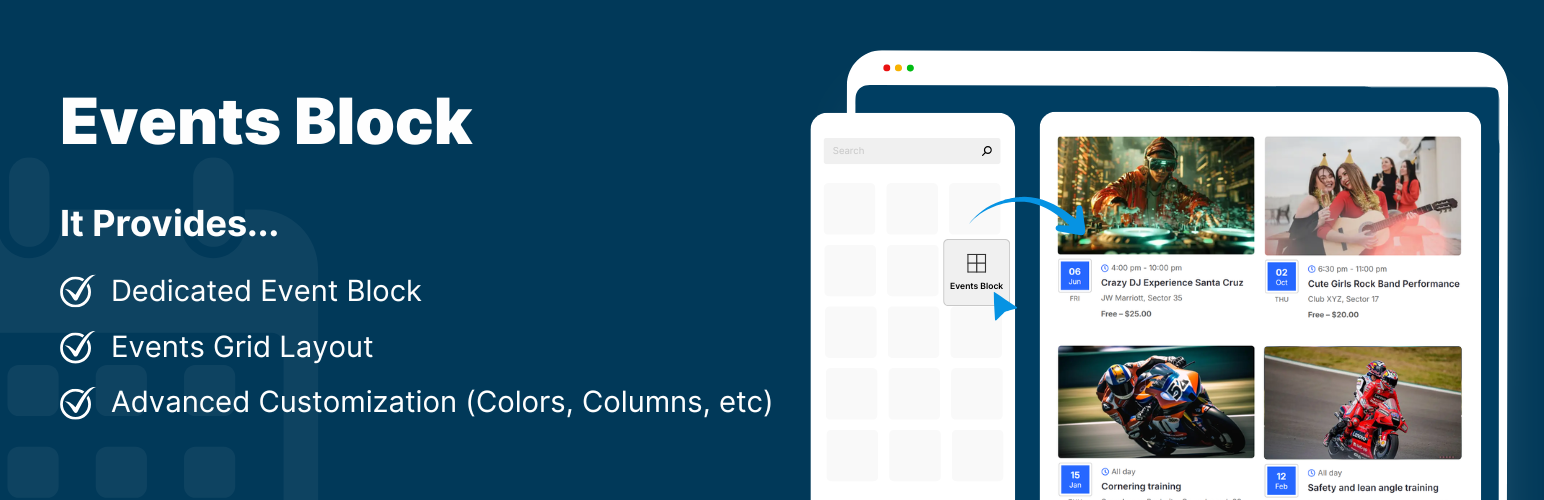
Create and display a dedicated Event block directly inside Gutenberg.
The facts
- Rating
- 5★ from 2
- Active installs
- 700+
- Price
- Free
- Last updated
- 30 Jun 2026
- Added
- Jan 2026
- Requires WP
- 6.1
- Tested up to
- WP 7.0.4
- Requires PHP
- 7.4
- Downloads
- 4,325
Our analysis
AI-assistedEvents Block is a WordPress plugin that allows you to add and display events using a dedicated Gutenberg block. You can easily enter event details, including the title, description, date, location, and an image, which will then be displayed in a grid layout on your site.
This plugin is suitable for anyone looking to showcase events on their WordPress site without the need for shortcodes or complex settings. It is designed to be user-friendly and fully responsive, making it accessible for a wide range of users.
Best for: This plugin is best for WordPress users who want to display events on their site.
What it does well
- ✓Dedicated Gutenberg block for easy event display
- ✓Customisable background and text colours
- ✓Supports event details like title, description, date, and location
- ✓Includes a 'Read More' button for additional links
- ✓Lightweight and easy to use
Where it falls short
- •Limited information on advanced features or integrations
Verdict
Events Block offers a straightforward solution for adding events to your WordPress site. It is user-friendly and well-suited for those looking to manage events without technical complexity.
From the developer
Cool Plugins's own description of Events Block, lightly tidied.
The Events block is a powerful plugin that allows you to easily add and display Events block using a dedicated Gutenberg block.
Simply insert the Events block, fill in the event details, and your event will appear instantly in a grid layout, without using any shortcodes or complex settings.
Key Features
- Dedicated Events Block: Provides a ready-to-use event block inside the block editor. Just add it to your page and enter event details.
- Add Event Title: Enter a title for the event to tell users what your event is about.
- Event Description: Write a short or detailed description of your event to explain what it is about.
- Event Date Selection: Select the event date from a simple calendar pop-up.
- Event Location: Add the location or venue of your event in a dedicated field.
- Integrate Image: Make your events more attractive by uploading an image related to your event.
- Read More Button: Display a “Read More” button on the event block that redirects visitors to a full event page, or any custom link.
- Customization: Easily customize the background and text color of your dedicated event blocks according to the website theme.
- Lightweight & Easy to Use.
- Fully Responsive.
Events Block is a fully open-source plugin. You can view the complete source code on GitHub – https://github.com/CoolPluginsTeam/events-block/