
Backup, restore or migrate your WordPress website to another host or domain. Schedule backups or run manually....
Free
3M+ installs 4.8★ (8,631)
Everest Backup is a modern tool that will take care of your website's backups, restoration, migration, and cloning.
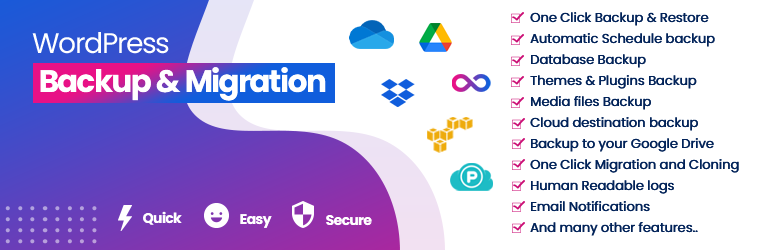
Everest Backup is a WordPress plugin designed for cloud backup, migration, restoration, and cloning of WordPress sites. It allows you to transfer your site to a new host, server, or domain with ease, using a simple copy and paste method with a migration key.
The plugin integrates with Google Drive for secure storage of backup files and offers features for both manual and automated backups. It is suitable for users looking to simplify the process of managing backups and migrations without needing extensive technical knowledge.
Best for: This plugin suits WordPress site owners looking for an easy way to manage backups and migrations.
What it does well
Where it falls short
Everest Backup provides a straightforward solution for backing up and migrating WordPress sites, making it a practical choice for users without technical expertise.
everestthemes's own description of Everest Backup, lightly tidied.
The Ultimate cloud Backup & Migration WordPress Plugin
Get 100% Restore Rate with Secure Cloud Backups and Google Drive Integration
Move, Migrate, or Clone Your WordPress Site with Magic Migration Key
Simplify Website Backups, Restorations, Migrations and Cloning with Everest Backup
Automate Your WordPress Website’s Backups & Migration with Everest Backup
Human Readable logs
Everest Backup WordPress backup plugin is a user-friendly cloud storage backup plugin for WordPress websites. With just single click, Everest Backup seamlessly integrates with your cloud storage and is prepared to store your backup files on your remote cloud storage.
Google Drive integration is in the free version just connect with your Google Drive and automatically upload all the backup files in your connected Google Drive to a specific folder. All of the backup files are managed from your WordPress Dashboard. No need to log in to your Google Drive anymore. More cloud integrations such as Onedrive, Dropbox, AWS Amazon S3, pCloud, and Backblaze are available as add-ons.
Everest Backup is not only limited to backup and restoration. It is also the best WordPress website migration plugin. Website Migration is as simple as copy and paste. Generate and copy your migration key from the source website and paste this migration key onto your destination website. In a single click, your migration of the site happens.
Watch this video to get a basic overview of Everest Backup.
Human readable logs are one of the distinctive features, no technical knowledge is needed to understand what’s going on during your website backup process. Get details of each backup in your email.
Your investment in your WordPress backups is invaluable as they hold the key to preserving all the hard work and effort you’ve put into building your website. In the event of a hack, update failure, server crash or hosting company shutdown, not having a reliable backup means losing everything.
It’s important to carefully consider the backup plugin you choose to use. Opting for a plugin with a small number of downloads, mixed reviews or no professional support could put your website at risk.
Developing a dependable backup plugin that works seamlessly across the vast range of WordPress websites is a challenging task. At Everest Backup, we have succeeded in creating such a plugin. You can trust us to keep your backups secure and safeguard your valuable website data.
Experience instant website setup in just a click! Try our live demo link below to explore a fully functional WordPress site without the need for a domain or hosting account. Simply click here to access the live demo: [https://app.instawp.io/launch?t=everest-backup-demo-1&d=v2]
Manual and Automatic Backup
For automated backups, just choose a date and time, or manually generate a backup at any time with a simple click. Similarly, the backup data can be restored with a single click.
Backup on Google Drive
Google Drive and other cloud services can be used to securely store backups. The automatic restore plan is compatible with this feature.
Migration and Cloning
Install and Activate Everest Backup on both websites, then create and transfer a backup file from the first to the second. Use our “magic link” to make things easier. No need to download and upload your files from your computer.
Advanced Reporting
Notify you, when Everest Backup completes or requires attention, ensuring that you always have a current and complete backup of your website.
Human Readable Logs
All of our logs are human-readable, which allows you to get the information happening on your backup files without the need for technical assistance.
Multisite Compatible
Everest Backup Plugin also supports WordPress Multisite installation. You can add an individual site as a subsite of a multisite and you can backup and restore the entire WordPress Multisite Network in the free version.
Other plugins for backups.
Backup, restore or migrate your WordPress website to another host or domain. Schedule backups or run manually....

Trusted by 60M+ sites: The gold standard for WordPress migration and backup. Migrate, backup, and restore your...

The best WordPress backup and migration plugin. Quickly and easily backup ,migrate, copy, move, or clone your...

All-in-one WordPress backup, migration and staging plugin — schedule automatic backups, restore in one click,...

Disable Gutenberg Block Editor and restore the Classic Editor and original Edit Post screen (TinyMCE, meta box...

WordPress backup plugin: backups, restore & migration in minutes. Clone or duplicate your site, test updat...