
LocoAI
89LocoAI - Auto Translate For Loco Translate is a powerful tool for developers looking to quickly translate thei...
Free
70k+ installs 4.9★ (637)
Add external files to your media library to use them in your website. They are integrated as if they were available locally.
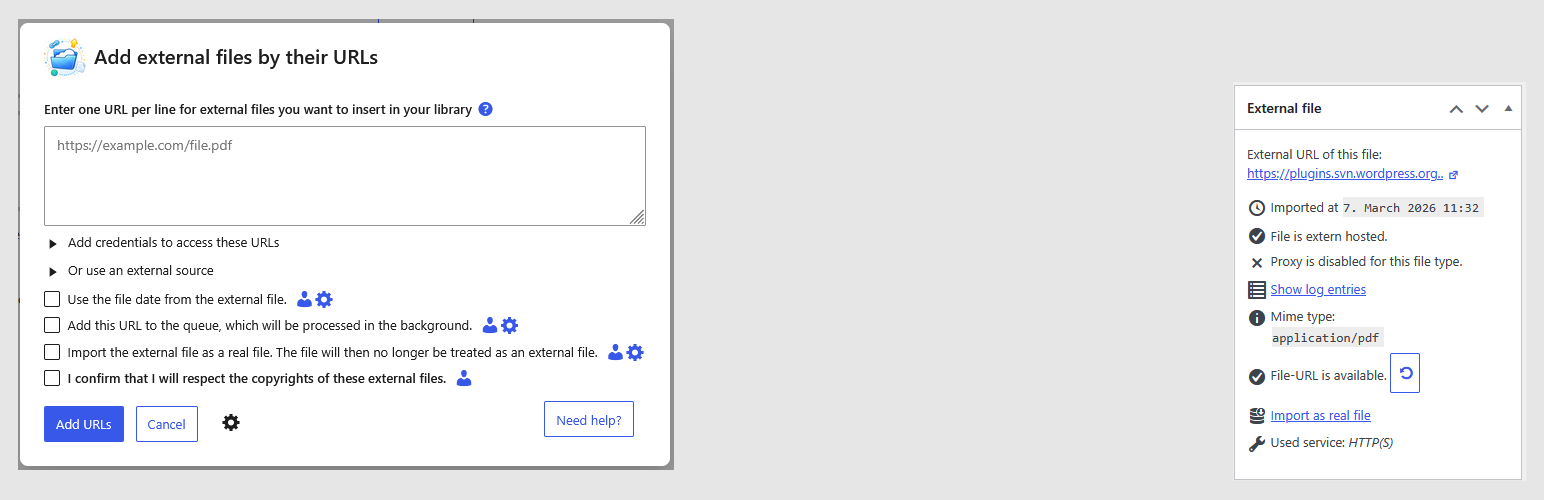
The External Files in Media Library plugin allows you to add and manage external files from various sources, such as AWS S3, Google Drive, and FTP, directly within your WordPress media library. You can embed these files in your content using popular editors like Block Editor and Elementor, treating them as if they were stored locally.
This plugin is suitable for users who need to integrate external media into their WordPress sites, providing features like automatic synchronization of external directories, file availability checks, and user access configuration. It also supports importing files into WooCommerce and organizing them with various media management plugins.
Best for: This plugin suits users who want to manage and embed external media files in their WordPress sites.
What it does well
Where it falls short
External Files in Media Library offers a comprehensive solution for integrating external files into WordPress, making it a valuable tool for those needing advanced media management.
threadi's own description of External files in Media Library, lightly tidied.
Add one or more files with their URLs under Media > “Add New Media File”. You can use these external files anywhere the media library is used.
Embed your files from AWS S3, DropBox, Google Drive, Google Cloud Storage, FTP, your local hosting, another website in your multisite, other WordPress REST APIs, YouTube or many other possible sources. Use them in your preferred editor such as Block Editor, Elementor, Divi, Classic Editor, WpBakery and many more as if the files were stored normally in your media library.
Automatically synchronize external directories containing files with your media library at intervals you specify.
And even more:
✅ Add the files with their external dates. This allows you to get the date, helpful for SEO, for example.
✅ Import them as real files instead of just linking to them in your media library. This allows you to import any amount files into your project.
✅ Check their availability (only for HTTP connections) to ensure that the external files are actually available.
✅ Configure, which users in your project are allowed to use the external files options.
✅ Extract ZIP files from any external source into your media library.
Use external URLs when importing products via CSV in a WooCommerce store (including access data for these e.g., via an FTP).
Add external files on download lists of Download Lists with Icons.
Sort your external files in a folder of CatFolders, Filebird, Folderly, Folders, iFolders, Media Library Organizer or assign them into categories from Enhanced Media Library and Real Media Library Lite. Also supported: NextGen Gallery and Robo Gallery. You can import and synchronize them in these plugins.
And compatible with Network Media Library for use in multisites.
And it is also compatible with multilingual plugins like Polylang to translate the media files.
The plugin is also compatible with a variety of other plugins not listed here. If, contrary to expectations, something does not work properly, please report it in the support forum.
You can manage your external files with REST API requests as documented here.
Other plugins for integrating services.
LocoAI - Auto Translate For Loco Translate is a powerful tool for developers looking to quickly translate thei...

The AI + Automation plugin for WordPress. Automate workflows across all your plugins and apps, add an AI agent...

Create custom interactive maps with free Leaflet-based styles, no Google Maps API key, frontend marker submiss...

Monitor every change on your WordPress site — who did what, when, and where it came from — for a complete audi...

No API key required. Display Yelp and Google reviews for any business in a clean, customizable feed on your si...

Contact Form, Google Sheet, MailChimp, Brevo, Webhook, Zoho CRM Automation and Integration plugin that Connect...