FCChat Widget
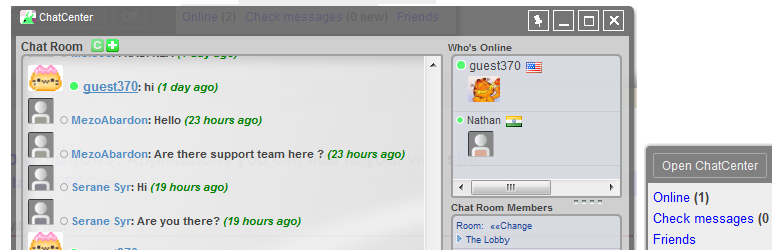
An interface for real time chat, video conferencing, instant messaging, and more.
The facts
- Rating
- 2.7★ from 6
- Active installs
- 10+
- Price
- Free
- Last updated
- 16 Dec 2015
- Added
- Dec 2010
- Requires WP
- 2.7
- Tested up to
- WP 4.3.34
- Downloads
- 51,237
Our analysis
AI-assistedFCChat Widget is a WordPress plugin designed to facilitate chat functionality on your website. It offers features such as BlogChat, which provides a dedicated chat room for each blog entry, enhancing interaction on your posts. The plugin is aimed at users looking to integrate chat capabilities into their WordPress blogs or websites.
Best for: This plugin suits bloggers and website owners looking to add chat features to their WordPress sites.
What it does well
- ✓Offers BlogChat for dedicated chat rooms per blog entry
- ✓Improvements made for mobile experience
- ✓Free to use from the WordPress.org directory
Where it falls short
- •Low rating of 2.7 out of 5 from 6 ratings
- •Last updated in December 2015, may not be compatible with newer WordPress versions
- •Limited active installs (10) suggests low usage
Verdict
FCChat Widget provides basic chat functionality for WordPress users, but its outdated status and low rating may limit its appeal.
From the developer
rdbeach's own description of FCChat Widget, lightly tidied.
IMPORTANT UPDATE:
Existing users, please update your host value to ‘chat.fastcatsoftware.com’.
DEMO
http://www.fastcatsoftware.com/wp3.3/
MOST RECENT FEATURES
Version 3.8 Continues to improve the mobile experience. Styling has also been updated.
Versions 3.6 introduces BlogChat. Just as you have a comments section for each topic on your blog, BlogChat gives you a dedicated chat room for each of your blog entries. To learn more about BlogChat, visit this page:http://www.fastcatsoftware.com/chat/userguide/chatbox.asp
Up Next
We are currently working on WebRTC video chat, which does not require Flash, and which would run on a variety of mobile devices.
We are also programmable interface so that you can add your own custom features to the chat.
NEWS
We have a new widget made specifically for WordPress Blogs. Check it out here: https://wordpress.org/plugins/blogchat-chat-system/
UPGRADE NOTICE
Upgrading to version 3.5.x.x will automatically switch your chat to the new chat server (v2.3). This process takes 1-2 min. During this time, your chat will not function properly. Keep trying to reconnect for a few minutes until the transfer is complete.
After upgrading, make sure you clear your browser cache and refresh the page.
Upgrading from a version prior to 3.4.2.1: If you have changed the default location of the full page chat, you will need to copy the new fcchat/html/chat/index.php file to this location, and set $FCCHAT_BASE_URL once again.
When you upgrade to a new version, any customizations you made to the chat files will be erased. In order to save those changes, do the following: