
WPThumbs
Themes Plugins By purpose By industry Best-of lists Fix it guides
Free Plugin by Bit Apps v6.9.1

File Manager

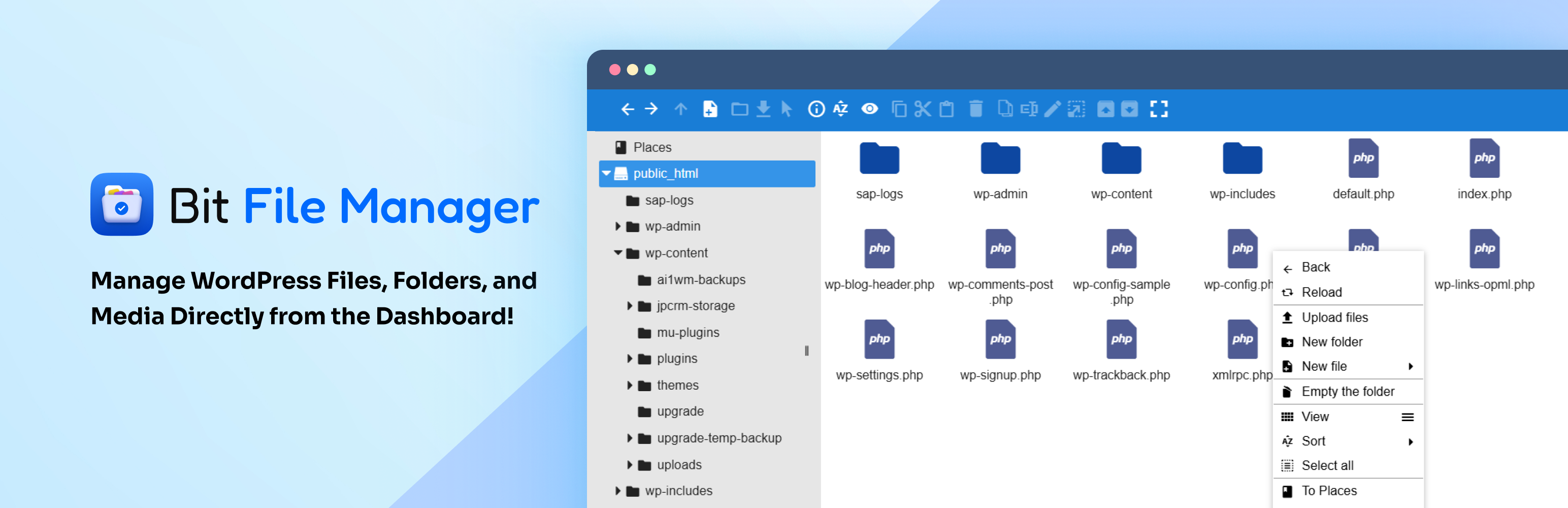
Manage WordPress files and folders from your dashboard with a built-in code editor: upload, edit, delete, move, rename, and archive, no FTP needed.
File Manager

The facts

Rating
4.3★ from 202
Active installs
10k+
Price
Free
Last updated
3 Aug 2026
Added
Feb 2016
Requires WP
5.0
Tested up to
WP 7.0.4
Requires PHP
7.4
Downloads
1,621,030

Our analysis

AI-assisted

File Manager is a WordPress plugin that allows you to manage your site’s files directly from the dashboard, eliminating the need for FTP or cPanel. It provides a range of operations like uploading, deleting, moving, and renaming files and folders, all through a user-friendly interface. The plugin is suitable for users who want a straightforward way to handle their WordPress files, including beginners and site administrators.

The plugin includes features such as a built-in code editor, drag-and-drop functionality, and support for various file operations. It also offers user role permissions, allowing for granular control over who can access and manage files. This makes it a good choice for sites with multiple users or those needing to manage media efficiently.

Best for: This plugin is best for WordPress site administrators and users who need an easy way to manage files and folders.

What it does well

  • Built-in code editor for editing PHP, JS, and CSS files
  • Supports drag-and-drop file management
  • User role permissions for secure file access
  • Integrates with the WordPress Media Library
  • Allows for multiple file operations

Where it falls short

  • No specific information on pricing or premium features
  • Limited details on support or documentation

Verdict

File Manager provides a comprehensive solution for file management within WordPress, suitable for various user levels. However, details on support and advanced features are limited.

From the developer

Bit Apps's own description of File Manager, lightly tidied.

File Manager lets you manage your WordPress files easily right from your dashboard, no need for FTP or cPanel!

Bit File Manager is an advanced WordPress file management plugin with a built-in code editor. It allows you to edit, upload, delete, move, rename, archive, and extract files and folders right from your WordPress dashboard.

A secure and easy solution for file management and code editing in WordPress without FTP access.

Every operation (copy, paste, rename, etc.) can be done with a few clicks or drag-and-drop, making file management fast. The intuitive and responsive interface ensure that even beginners can manage theme/plugin files, code snippets, and media folders without confusion.

Manage your WordPress files securely. Compress, extract & organize files easily from the WordPress dashboard.

📢 join our community & get updates of our new plugin.

📢 We’re open for freelance work or custom development for this plugin. Reach out to us for more details.

Bit File Manager also smoothly integrates with the WordPress Media Library. Uploaded images, PDFs, and zip files can be added to your media folders automatically. This way, managing media folders and other assets is as easy as working with local files, directly in your site’s dashboard.

🔥Quick Highlights of File Manager Plugin

  • Frontend Access: Easily enable the file manager for frontend users.
  • Shortcode Support: Add Bit File Manager anywhere on your site using shortcodes.
  • Personal User Folder: Each user gets a unique private folder.
  • Public User Folder: All users can share a common folder.
  • User Role Folder: Shared folders based on user roles.
  • User Role Permission: Set permissions for each user role.
  • User Permission: Set permissions for individual users.
  • File Type Control: Choose what file types can be uploaded/downloaded.
  • File Size Control: Set the max file upload size.
  • Operation Control: Support and manage 13+ file operations for users and roles.

Key Advantages of File Manager

  • Granular Shortcode Support: Place the file manager plugin anywhere on your site.
  • User Role Permission: Admins can control who can read, write, edit, delete, upload, download, archive, extract, etc.
  • Personal Folder Privacy: Every user’s private folder is only accessible by them.
  • Shared Public Folders: Let all users access and share files in a common folder.
  • Operation Control: Fine-tune 13+ operations for users/roles to keep your WordPress files safe.

File Manager for WordPress Features Overview

  • Comprehensive Operations: Edit, upload, download, delete, copy, move, create folders/files, rename, archive, and extract.
  • Code Editor and Code Editor: Edit PHP, JS, CSS, and any text-based files.
  • Modern UI: Sleek, light, and user-friendly client UI.
  • Drag & Drop: Easily upload files and folders by dragging from your device.
  • Multiple Views: Switch between list and icon views.
  • FTP & cPanel Alternative: Handle all file management tasks inside WordPress.
  • Archive Support: Work with zip, rar, 7z, tar, gzip, bzip2.
  • Edit Images and Files: Modify files, including images, without external tools.
  • Quicklook & Preview: Instantly preview file contents before downloading.
  • Directory Size Calculation: Check directory space usage.
  • Media Preview: Preview/play video and audio files.
  • Search & Sort: Instantly find and manage files and folders.
  • Automatic Media Sync: Media auto-sync to your WordPress Library.
  • Trash Folder: Restore deleted files at any time.
  • High-performance Backend: Fast and stable for better workflow.
  • File Activity Log: Monitor all edits, uploads, and deletions.
  • Keyboard Shortcuts: Manage files faster with keyboard shortcuts.
  • Bulk Selections: Select multiple files/folders for quick bulk operations.
  • Move/Copy with Drag & Drop: Rearrange or duplicate using drag & drop.
  • Context Menu & Toolbar: Access advanced features in just a click.
  • Image Thumbnails: See quick previews of images for easy management.
  • Auto-resize on Upload: Uploaded images are automatically resized.
  • UTF-8 Naming Support: Ensures compatible file names/paths.
  • Sanitizer: Cleans file/folder names automatically.
  • Folder Upload: Upload entire folders in one go.
  • Chunked Upload: Upload large files in parts for reliability.
  • Direct Upload to Folder: Send files right where you need them.
  • Custom Archive Names: Specify archive names during file creation.
  • File Browsing History: Track your navigation through folders.
  • Fully Responsive: Manage files on desktop, tablet, or phone.

⚡ Bit File Manager Features Deep Dive ⚡

Operations (Edit, Upload, Download, Delete)

Read the full description on the official page →

Tagged as

Alternatives

Other plugins for libraries and archives.

Starter Templates

The growing library of 300+ ready-to-use templates that work with all WordPress themes including Astra, Hello,...

Free 1M+ installs 4.9★ (4,745)
SVG Support

Securely upload SVG files to your media library, with built-in sanitization and advanced features for styling...

Free 1M+ installs 4.8★ (355)
Enable Media Replace

Easily replace any attached image/file by simply uploading a new file in the Media Library edit view - a real...

Free 600k+ installs 4.4★ (302)
Happy Addons for Elementor

HappyAddons packs Header Footer Builder, Megamenu, Single Post, Archive Page, & 500+ Ready Templates into...

Free 400k+ installs 4.8★ (487)
CMB2

CMB2

91

CMB2 is a metabox, custom fields, and forms library for WordPress that will blow your mind.

Free 300k+ installs 5★ (91)
Extendify

The best WordPress templates, pattern, and layout library with 1,000+ designs built for the Gutenberg block ed...

Free 500k+ installs 4.7★ (10)