Gravity Forms Block Email Domains
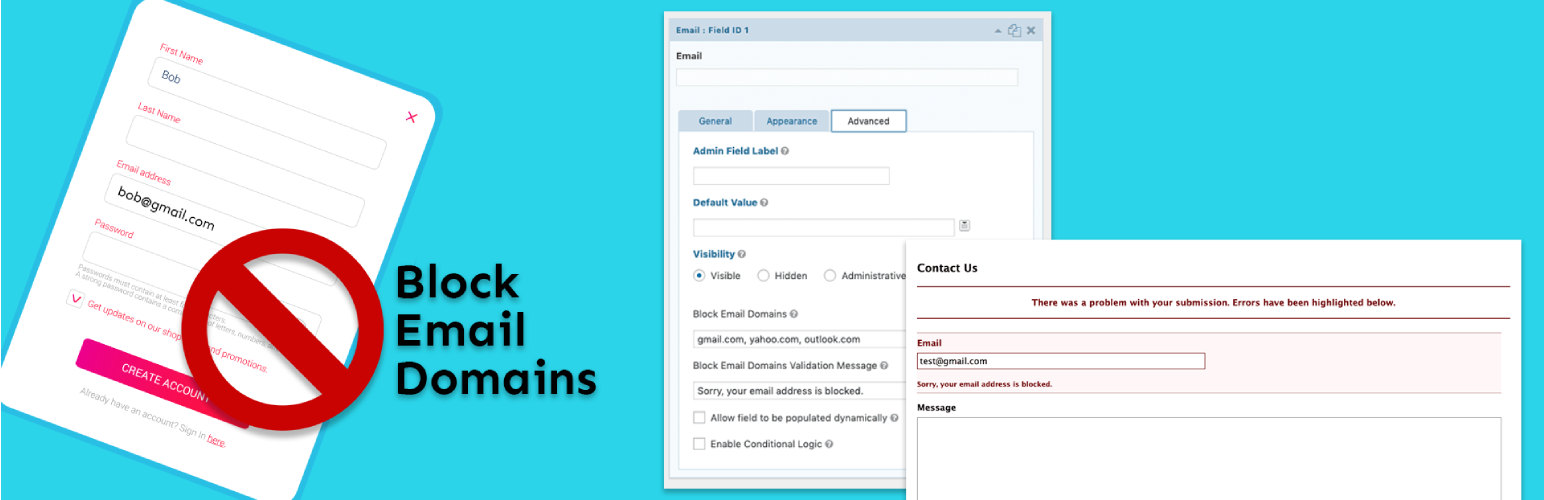
Easily set a list of email domains to block on email fields in Gravity Forms.
The facts
- Rating
- 4.1★ from 9
- Active installs
- 1k+
- Price
- Free
- Last updated
- 5 Nov 2024
- Added
- May 2019
- Requires WP
- 5.0.0
- Tested up to
- WP 6.7.7
- Downloads
- 11,922
Our analysis
AI-assistedGravity Forms Block Email Domains is an add-on plugin designed for use with Gravity Forms. It enables you to specify a list of email domains that should be blocked in email fields, preventing form submissions from those domains. You can also set custom validation messages to guide users towards entering acceptable email addresses.
This plugin is suitable for users who need to restrict certain email domains for form submissions, such as businesses wanting to block disposable email services or specific domains for security reasons.
Best for: This plugin is best for websites using Gravity Forms that need to restrict certain email domains in form submissions.
What it does well
- ✓Allows blocking of specific email domains
- ✓Custom validation messages can be set
- ✓Integrates with Gravity Forms
- ✓Free to use from the WordPress.org directory
- ✓Active installation count of 1,000
Where it falls short
- •Limited information on additional features or settings
- •Requires Gravity Forms to function
Verdict
Gravity Forms Block Email Domains provides a straightforward solution for blocking unwanted email domains in forms. It is a useful tool for those who require such restrictions.
From the developer
GravityKit's own description of Gravity Forms Block Email Domains, lightly tidied.
Gravity Forms Block Email Domains is an add-on plugin for Gravity Forms that allows you to define a comma separated list of email domains to block on each email field. Custom validation messages can be set as well. Blocked email domains will prevent the form from being submitted and prompt the user to enter a non-blocked email address.