
LocoAI
89LocoAI - Auto Translate For Loco Translate is a powerful tool for developers looking to quickly translate thei...
Free
70k+ installs 4.9★ (637)
Give the WooThemes framework access to the full range of current Google Webfonts.
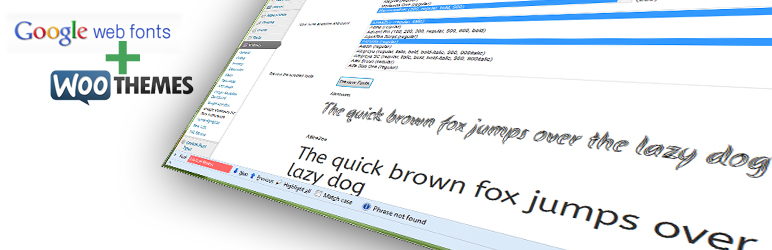
Google Webfonts For Woo Framework is a WordPress plugin designed to integrate Google webfonts into the WooThemes Canvas theme and other themes using the WooThemes framework. It allows users to access a wide range of Google fonts, including additional international subsets that are not supported by the Woo framework.
The plugin works by using a built-in API key to download the list of available Google web fonts, which can then be selected in the theme administration pages. It also offers options to limit the weights of fonts downloaded, helping to optimise bandwidth and load speed.
Best for: This plugin is suitable for users of WooThemes who want to enhance typography with Google webfonts.
What it does well
Where it falls short
Google Webfonts For Woo Framework provides a straightforward way to add Google fonts to WooThemes. However, its age and limited compatibility may be a concern for some users.
Jason Judge's own description of Google Webfonts For Woo Framework, lightly tidied.
The purpose of this plugin is to make all available Google webfonts available to the WooThemes Canvas theme,
and any other themes that use the WooThemes framework. It also allows additional selected international subsets
(Greek, Cyrillic, Vietnamese etc.) to loaded, which the Woo Framework does not support at present.
It works like this:
What you should then see, is the ability to select any available Google web font in the WooThemes theme administration pages,
and have those fonts displayed in your theme.
In previous versions, you had to register for a Google API key. You no longer have to do this, as the plugin
has a shared API key built-in. You can still use your own, but if you don’t, then the shared key will be
set when activating the plugin.
If an invalid API key is used, this plugin has a fallback list of fonts, so you can try it out without an API key,
and that might even be good enough for your purposes.
In addition, you can select the weights that will be downloaded. If you only use light/regular/bold (300/400/700) then
there is no point requesting all the additional weights from some of the fonts that are more complete, but
consequently are a very heavy download. This plugin will help to keep the bandwidth down, and so the load speed higher.
This plugin has been tested against PHP5.3 and the project repository is here:
https://github.com/academe/google-webfonts-for-woo-framework/
Changes have been made so that it works with PHP5.2 and has been reported as working.
However, I work under at least 5.3 so some incompatibilities may creep in by accident from time-to-time – just report them and I will do my best to fix as quickly as possible.
Please let me know how this plugin works for you, whether you like it, and how it can be improved.
Other plugins for integrating services.
LocoAI - Auto Translate For Loco Translate is a powerful tool for developers looking to quickly translate thei...

The AI + Automation plugin for WordPress. Automate workflows across all your plugins and apps, add an AI agent...

Create custom interactive maps with free Leaflet-based styles, no Google Maps API key, frontend marker submiss...

Monitor every change on your WordPress site — who did what, when, and where it came from — for a complete audi...

No API key required. Display Yelp and Google reviews for any business in a clean, customizable feed on your si...

Contact Form, Google Sheet, MailChimp, Brevo, Webhook, Zoho CRM Automation and Integration plugin that Connect...