
WPThumbs
Themes Plugins By purpose By industry Best-of lists Fix it guides
Free Plugin by BerryPress v6.0.1

Highlight and Share

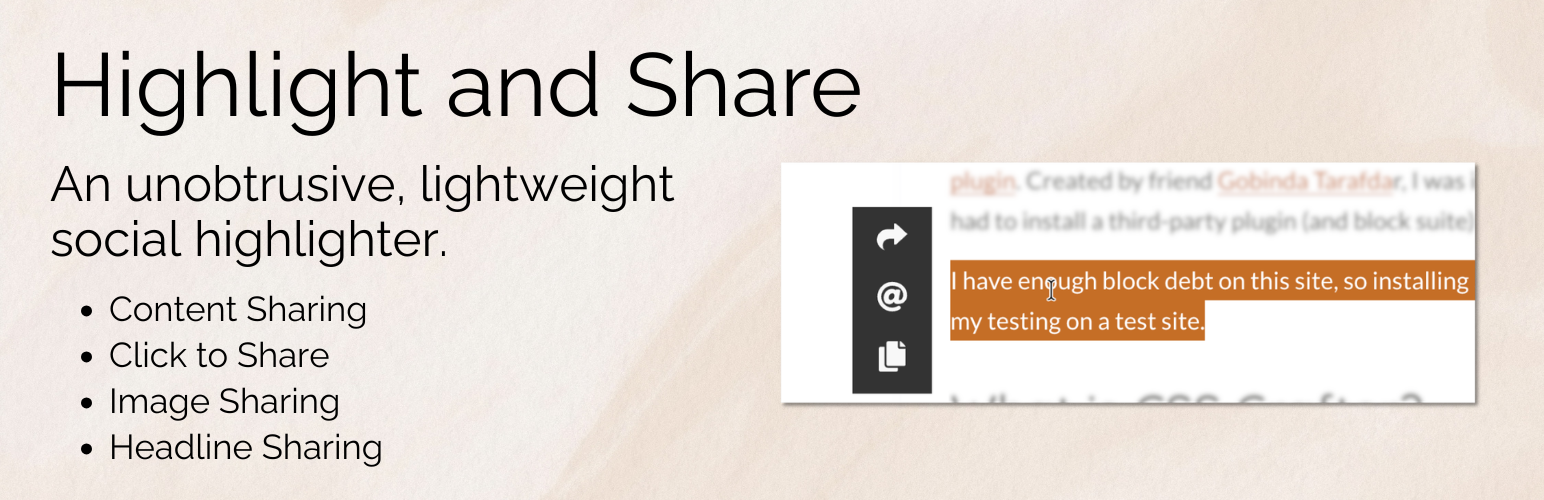
A lightweight social sharing plugin for showing social networks when users highlight text, share images, headlines, or use Click to Share.
Highlight and Share

The facts

Rating
4.9★ from 29
Active installs
700+
Price
Free
Last updated
10 Mar 2026
Added
Nov 2013
Requires WP
6.5
Tested up to
WP 7.0.4
Requires PHP
7.2
Downloads
103,152

Our analysis

AI-assisted

Highlight and Share is a WordPress plugin that facilitates content sharing by allowing users to highlight text, share images, and link to headlines. It appears only when users interact with the content, maintaining a clean page layout while promoting social sharing. This plugin is designed for blogs, news sites, and documentation where users may want to reference specific sections or share passages easily.

The plugin includes features such as a Click to Share block and shortcode, social media options that activate on text selection, and image sharing capabilities. It is built with performance in mind, offering flexibility with optional features that can be enabled or disabled based on user needs.

Best for: This plugin suits bloggers and content creators who want to enhance content sharing without cluttering their site.

What it does well

  • Lightweight and unobtrusive design
  • Allows text highlighting and image sharing
  • Includes Click to Share block and shortcode
  • Flexible with optional features
  • Integrates spam protection for email sharing

Where it falls short

  • Limited information on specific features and user experience

Verdict

Highlight and Share provides a practical solution for content sharing while keeping the user experience streamlined. It may be particularly useful for those with long-form content.

From the developer

BerryPress's own description of Highlight and Share, lightly tidied.

Highlight and Share is a lightweight and unobtrusive social network WordPress plugin designed to help readers share meaningful parts of your content. Instead of placing large social sharing buttons throughout your website, Highlight and Share appears only when users interact with your content. This keeps pages clean while still encouraging natural social sharing.

Visitors can highlight text, share images, copy quotes, or link directly to headlines. Sharing options appear exactly when they are needed, allowing readers to share interesting passages, statistics, or insights without interrupting the reading experience.

Highlight and Share works great for content sharing, social highlights, image sharing, headline sharing, and for those wanting a comprehensive Click to Share block/shortcode with inline highlighting supported.

The plugin is built with flexibility and performance in mind. Most features are optional and can be enabled or disabled depending on your needs. This makes Highlight and Share a great solution for blogs, news sites, documentation sites, and long-form content where readers may want to reference specific sections or quickly copy and share passages.

  • Show social media networks upon text selection (a text highlighter). This provides an unobtrusive way to allow content highlighting without getting in a user’s way. With shortcuts like Copy and Email, Highlight and Share can become part of an essential timesaving workflow for a user who needs quick shortcuts to common items like Web Share and other content highlighter shortcuts.
  • Show Pinterest and Webshare on images. With image sharing enabled, Highlight and Share will seamlessly integrate Pinterest and Webshare on any found images. With features like skipping the leading image, you’ll find that Image Sharing is intuitive and useful for your users.
  • Show sharing options with headline sharing. Headline sharing allows users to bookmark certain headlines and revisit them later. Additional networks like Webshare or X can provide additional context such as sharing the headline itself.
  • A Click to Share Block/Shortcode is included. An easy-to-use Click to Share block is included, with setup available in seconds. The Content Sharing networks display above the share box when clicked, providing an easy way to share the quote.
  • Set up email sharing with easy spam protection integration. Set up emails with spam protection from Akismet, Cloudflare Turnstile, and Google reCAPTCHA Enterprise.

Launch a free, fully-featured demo via InstaWP.

Quick Links

Comprehensive Documentation | Sponsor Us | Support | Homepage

If you have a feature request, please leave a support request..

Available Features

Highlight and Share at its core is a content highlighter, but it has many other sharing features, most of which are opt-in.

  • Show social networks on text highlight (content highlight).
  • Add an inline highlight to text and show social networks on click. An optional tooltip shows on hover explaining the highlight.
  • An easy to use Click to Share block is included, and can be disabled if needed.
  • A comprehensive Click to Share shortcode is included.
  • Image sharing via Pinterest and the Web Share API is included. You can select which post types it’s enabled for, and also enable it on a per post basis via a post’s sidebar settings.
  • Enable or disable individual networks for content sharing. Reorder the networks, change the theme, or even choose a custom theme for matching your site’s design.
  • Use advanced selectors to choose how content highlighting works, which makes Highlight and Share a powerful tool when combined with your favorite page builder.
  • Customize the appearance of inline highlighting, including the background and text colors.
  • Enable social networks in the comments section when highlighting text.
  • Enable or disable on main content and excerpts. Selectively disable on a per post type basis, or enable in a post’s sidebar settings.
  • Translate the labels and tooltips into your language, or just change up the text.
  • Customize the Twitter/X username used.
  • Enable hashtags on posts/pages
  • Email protection via Akismet, Cloudflare Turnstile, and reCAPTCHA Enterprise

integrations

  • Block Editor: Native support for Adobe Fonts with free Custom Adobe Fonts plugin.
  • Block Editor: Native support for Local Google Fonts via free Custom Fonts plugin.
  • Block Editor: Compatible with Blocksy Companion Pro Local Google Fonts and Adobe Fonts extensions.
  • Block Editor: Compatible With SimpleTOC.

Launch a free, fully-featured demo via InstaWP.

❤️ A TON of work has gone into making this plugin great. Please share your appreciation by leaving a rating/review and by telling others about the plugin.

Read the full description on the official page →

Tagged as

Alternatives

Other plugins for community building.

Ultimate Member

Membership & community plugin with user profiles, registration & login, member directories, content re...

Free 200k+ installs 4.4★ (1,444)
WP ULike

One-click like buttons your visitors actually use, plus a built-in analytics dashboard that shows what your au...

Free 60k+ installs 4.8★ (281)
Better Messages

Real-time messaging and chat rooms for WordPress ecosystem: private conversations, public and private chat roo...

Free 10k+ installs 4.8★ (141)
wpForo Forum

Number one WordPress forum plugin with AI features. Full-fledged forum solution with modern forum design. Comm...

Free 20k+ installs 4.7★ (390)
Hubbub Lite

Your content is worth sharing. Let's makes it easier!

Free 30k+ installs 4.7★ (173)
WP User Manager

The most customizable profiles & community builder WordPress plugin with front-end login, registration, pr...

Free 10k+ installs 4.7★ (350)