
Create advanced Elementor sticky headers with scroll effects: blur, shrink, hide on scroll, plus full responsi...
Free
300k+ installs 4.5★ (68)
Hover Effect is easily applied to your own elements, modified or just used for inspiration.
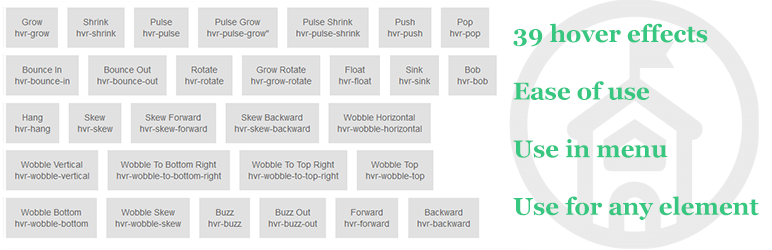
Hover Effects is a WordPress plugin that allows you to create a variety of hover effects for elements on your site. It includes 39 different effects that utilise CSS3 features such as transitions and animations. The plugin is designed for ease of use, making it suitable for users looking to enhance their site's interactivity without extensive coding knowledge.
This plugin is particularly useful for those who want to add visual interest to menus and other elements on their site. It can be integrated with other plugins to enhance functionality, making it versatile for various web design needs.
Best for: This plugin suits web designers and developers looking to enhance user interaction on their WordPress sites.
What it does well
Where it falls short
Hover Effects offers a straightforward way to implement hover animations, making it a practical choice for enhancing website aesthetics.
Wow-Company's own description of Hover Effects, lightly tidied.
All effects make use of a single element (with the help of some pseudo-elements where necessary), are self contained so you can easily copy and paste them.
Many effects use CSS3 features such as transitions, transforms, and animations. Old browsers that don’t support these features may need some extra attention to be certain a fallback hover effect is still in place.
Search for answers and ask your questions at support center
Other plugins for animations.
Create advanced Elementor sticky headers with scroll effects: blur, shrink, hide on scroll, plus full responsi...

Add CSS animations and scroll effects to any Gutenberg block. Choose from fade, slide, zoom & more, with d...

Create WordPress websites with free forms, Gutenberg blocks, popups, sliders, countdowns, animations, pre-buil...

Add creative image hover effects to Elementor page builder. Easily customize title and content and effects wit...

Easy to use advanced Parallax, Image and Video backgrounds block plugin with parallax and video support.

Elevate your website game with the Bricksable collection of premium elements for Bricks Builder. Designed to s...