
Backup, restore or migrate your WordPress website to another host or domain. Schedule backups or run manually....
Free
3M+ installs 4.8★ (8,631)
Image Cleanup will index unreferenced images. These can be leftovers from cropping and scaling images. Stop them cluttering your content folder!
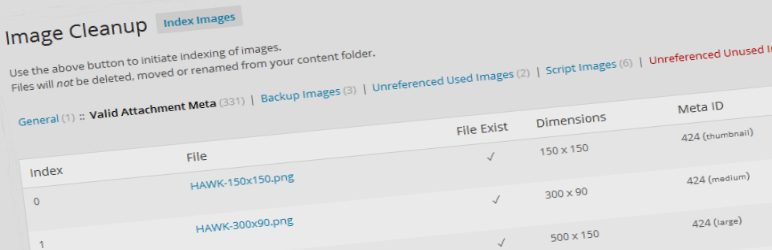
Image Cleanup is a WordPress plugin designed to help you manage unreferenced images in your media library. It indexes images that are not used in posts or scripts, allowing you to identify and remove clutter from your content folder. The plugin is particularly useful for developers and those who frequently scale or crop images, as it can find images without or with incorrect metadata.
The plugin provides bulk repair and delete functionality, pagination for large result sets, and detailed logs for reviewing indexed images. After indexing, you can temporarily move images to a backup folder for testing, with the option to restore them if needed. This tool is suitable for anyone looking to clean up their media library and save space.
Best for: This plugin is best for developers and site owners who need to manage a large number of images in their WordPress media library.
What it does well
Where it falls short
Image Cleanup offers a practical solution for identifying and managing unreferenced images, though its limitations and lack of recent updates may be a concern for some users.
opicron's own description of Image Cleanup, lightly tidied.
Did you ever scale or crop uploaded images in wordpress? Did you ever try various image generating plugins? Did you ever change or add various media image sizes? If yes, chances are that your content folder is full of unused and unreferenced images. These image leftovers will remain cluttering your content folder until the end of days.
Image Cleanup will index these (and many more) unreferenced images. Unreferenced images are not indexed in the wordpress database and also not used by posts, scripts or backup restore meta data. Please note that images which have valid database metadata but are not used in posts are not indexed at this time. This is beyond the scope of this plugin.
Image Cleanup will also find images without meta data and images with incorrect meta data.
On my one month old website with 50 files (and 250 attachment size variants) this plugin found 95 unreferenced images which I could remove without any conflicts.
There has been a reported case where this plugin indexed and removed over 23.000 images on a website. See forum/review for details
The above will result in an list of invalid images which are not referenced by the database
This results in various image lists in which the images can be reviewed, repaired or removed.
After indexing you are able to (temporary) move the images to a backup folder to check the site without the images in the wp-content folder. You could also check the logs in the ../wp-content/uploads/image-cleanup/ID/logs folder for full information about the index.
If any problems are found you can revert the move of images by restoring them to their original locations.
When no problems arrise after moving the images to another location it is possible to permanently remove the images.
Other plugins for backups.
Backup, restore or migrate your WordPress website to another host or domain. Schedule backups or run manually....

Trusted by 60M+ sites: The gold standard for WordPress migration and backup. Migrate, backup, and restore your...

The best WordPress backup and migration plugin. Quickly and easily backup ,migrate, copy, move, or clone your...

All-in-one WordPress backup, migration and staging plugin — schedule automatic backups, restore in one click,...

Disable Gutenberg Block Editor and restore the Classic Editor and original Edit Post screen (TinyMCE, meta box...

WordPress backup plugin: backups, restore & migration in minutes. Clone or duplicate your site, test updat...