Image Editor by Pixo
Replaces the default image editor in wp-admin with more powerful one - Pixo. It can also be used in the front-end.
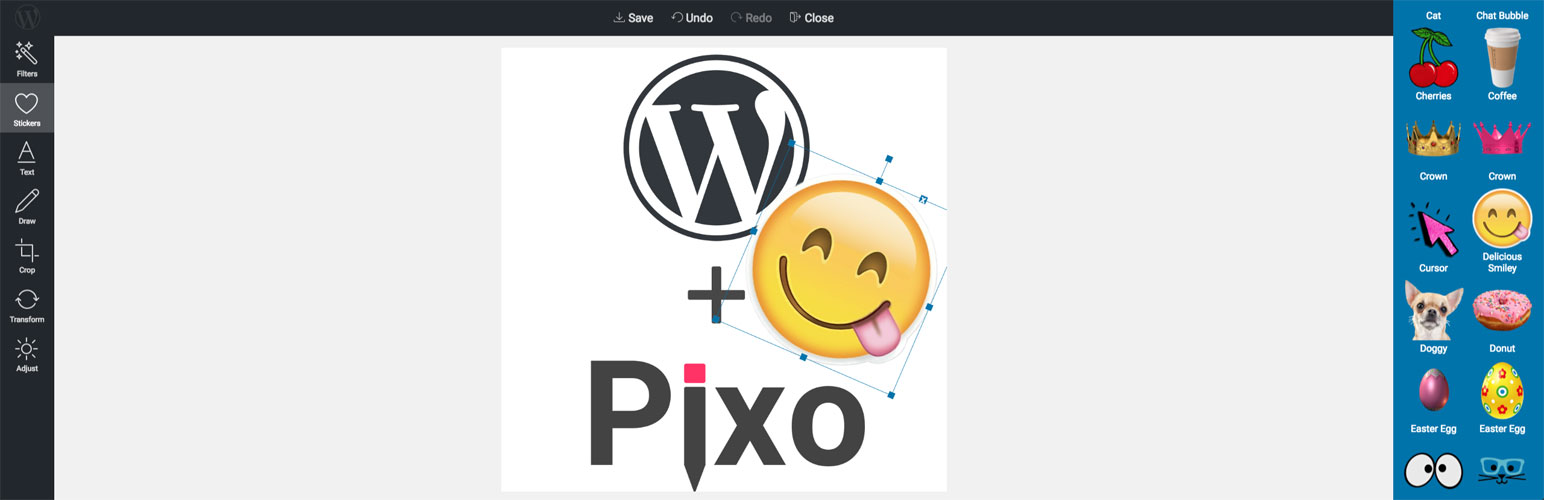
The facts
- Rating
- 3.5★ from 10
- Active installs
- 700+
- Price
- Free
- Last updated
- 10 Jul 2026
- Added
- Oct 2018
- Requires WP
- 3.5
- Tested up to
- WP 7.0.4
- Requires PHP
- 5.2
- Downloads
- 25,828
Our analysis
AI-assistedImage Editor by Pixo is a WordPress plugin that replaces the default image editor with a more advanced tool. It integrates with the front-end and offers various features for editing images, including background removal, resizing, and applying filters. The plugin is designed for users who require enhanced image editing capabilities directly within their WordPress site.
This plugin is suitable for those who need to perform detailed image modifications, such as bloggers, photographers, or anyone managing visual content on their website. It supports batch editing and integrates with the Block Editor, making it versatile for different types of users.
Best for: This plugin suits users needing advanced image editing features in WordPress.
What it does well
- ✓Replaces default WordPress image editor
- ✓Offers features like background removal and resizing
- ✓Supports batch editing in Media list view
- ✓Integrates with Block Editor (Gutenberg)
- ✓Mobile-friendly
Where it falls short
- •Requires registration with an external service
- •Limited batch editing support
- •Data on performance and compatibility is not provided
Verdict
Image Editor by Pixo provides a range of editing tools for WordPress users, though it requires registration with an external service. It may be beneficial for those needing more control over their image content.
From the developer
Ickata's own description of Image Editor by Pixo, lightly tidied.
Pixo is cross-platform image editor. It can be integrated into any web app.
This plugin does exactly this – it fully replaces WordPress’ default image editor with this more powerful one, and integrates it into the front-end.
Features:
- Remove Background
- Resize Image & Upscale with high quality
- Instagram-like Filters
- Stock and custom Stickers (from file or URL)
- Rich Text editing
- Drawing
- Beautiful Photo Frames
- Shapes
- Image filesize optimization
- Batch editing (supported only in Media list view)
- Updates all posts where the image has been referenced
- Can attach to every file input field in the front-end!
- Crop, Flip, Rotate
- Color corrections (RGB, HSV, brightness/contrast, and more)
- Restore previous sessions and make changes to images (undo changes, update text, and more)
- Image optimization via TinyPNG
- Ability to choose to which image size to apply changes to (all, thumbnail, all except thumbnail)
- Supports Block Editor (Gutenberg)
- Supports Multisite
- Mobile-friendly
Pixo is external service that requires registration. This plugin only wraps the service into WordPress and does the registration automatically for you. The registration is with your WordPress user’s email address and a randomly generated password. To change that password visit the Control Panel.