
Meta Box
91Meta Box plugin is a powerful, professional developer toolkit to create custom meta boxes and custom fields fo...
Free
500k+ installs 4.8★ (165)
Clickable hotspots can be easily created with this plugin. A great way to display image maps, floor plans, and more.
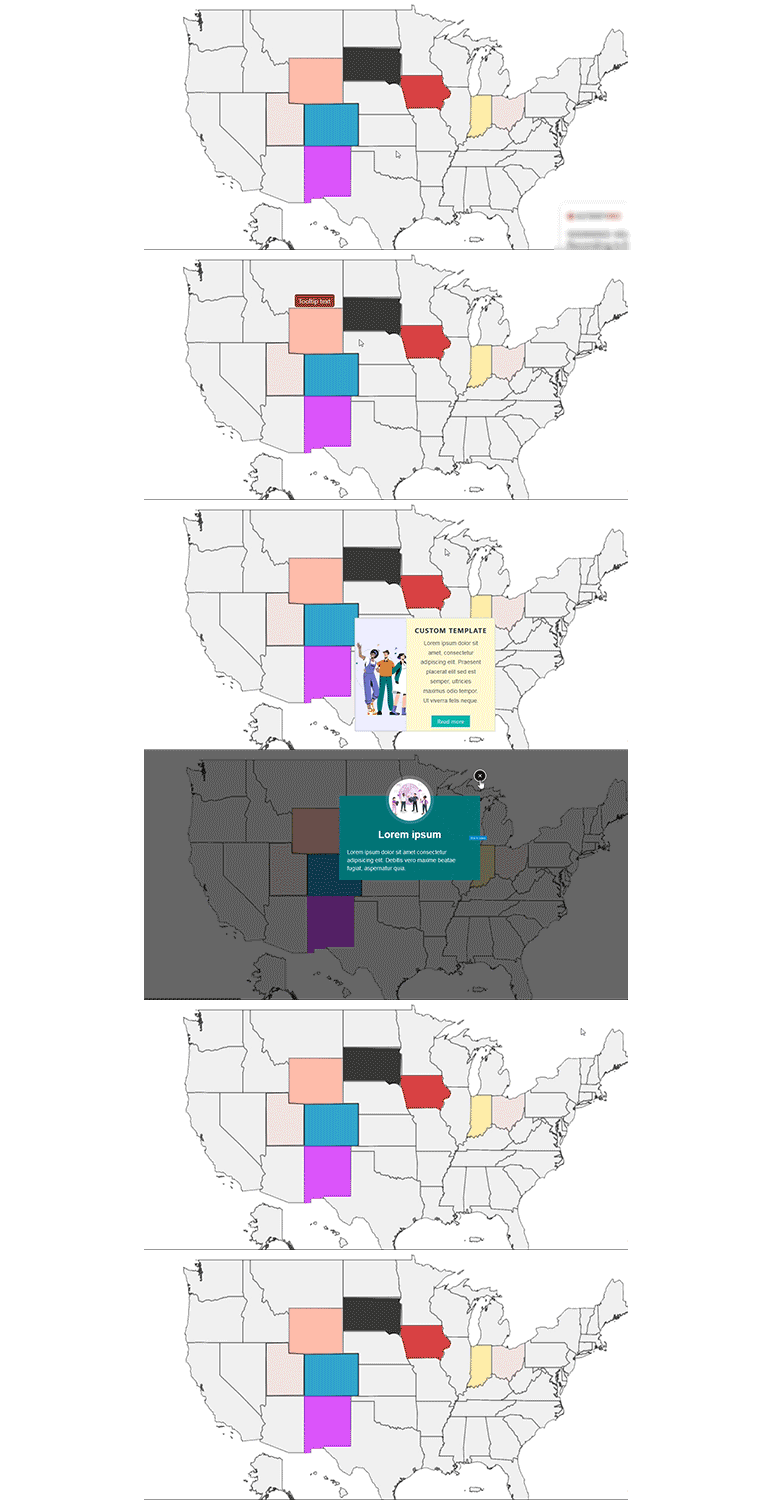
The Interactive Image Map Builder is a WordPress plugin that allows you to create clickable hotspots on images, making it suitable for displaying image maps, floor plans, and more. Users can add interactive elements to images without needing coding skills, enhancing engagement on their websites or blogs.
This plugin enables the addition of custom tooltips or modals to selected areas of an image. It offers options for customisation, including changing fonts, background colours, and sizes of tooltips and modal text. It is compatible with the latest page builders and themes, and supports shortcodes on posts, pages, or widgets.
Best for: This plugin suits website owners looking to enhance visual content with interactive elements.
What it does well
Where it falls short
The Interactive Image Map Builder is a straightforward tool for adding interactivity to images, ideal for those wanting to engage visitors without technical expertise.
Mehjabin Orthi's own description of Interactive Image Map Builder, lightly tidied.
Clickable hotspots can be easily created with this plugin. A great way to display image maps, floor plans, and more.
Image Map Builder, also known as image map annotation, is a plugin that allows users to add interactive points of interest to an image. These points, called hotspots, can be used to provide additional information or to link to other content, such as videos or web pages.
By using this plugin, users can easily add interactive elements to images without the need for any coding or technical skills, making it an excellent tool for anyone looking to add a little extra flair to their website or blog.
The Builder plugin makes it easy for you to add custom tooltips or modals to the annotated/selected region of an image, map product, etc. You can use the built-in templated or custom templates with this plugin in addition to customizing the tooltip/modal content.
It’s simple to change the fonts used for the title or description and the background color and size of the tooltip and modal text.
This Map Builder is compatible with the most recent page builders and themes. This plugin is consistent with the most recent version of WordPress. On every post, page, or widget, shortcodes can be placed. A limitless number of shortcodes are available there.
Using this plugin on your WordPress website, the next step is to learn how to annotate or choose specific areas of the product, map, or image to better engage customers and increase conversion rates.
Firstly, there are active color, and hover color-choosing options for the selected/annotated area. Select area easily with our WordPress plugin to specific regions of an image and provide extra details for each one.
In addition to selecting the region, you might need to move the area. Nothing to worry about! Drag the selected area as much as you like with our plugin. Upgrade our Interactive-SVG-Image-Map-Builder Pro Pro version to get more features and customization options.
Other plugins for maps and locations.
Meta Box plugin is a powerful, professional developer toolkit to create custom meta boxes and custom fields fo...

The easiest to use WordPress map plugin! Create a custom map, map block, store locator or map widget with high...

Real-time WordPress analytics that stay on your own server: pageviews, outbound links, WooCommerce funnels, al...

Create custom interactive maps with free Leaflet-based styles, no Google Maps API key, frontend marker submiss...

An easy to use location management system that enables users to search for nearby physical stores.

Interactive maps and markers on your posts and pages with simple shortcodes.