iPages
FlipBook Image & PDF Viewer for WordPress
The facts
- Last updated
- 7 Mar 2026
- Added
- Mar 2026
Our analysis
AI-assistediPages is a WordPress plugin that enables you to create interactive digital flipbooks from PDFs or image collections. It offers various render modes, themes, and customization options to suit different needs, allowing you to convert static content into engaging online formats like magazines or brochures.
The plugin supports multiple instances on the same page and includes features such as keyboard navigation, multilevel zoom, and the ability to add markers like images and links. It is suitable for users looking to enhance their website with visually appealing content presentations.
Best for: This plugin is best for website owners wanting to create interactive digital publications.
What it does well
- ✓Supports two-page and one-page flip modes
- ✓Allows conversion of PDFs and images into flipbooks
- ✓Includes customization options for themes and layouts
- ✓Provides features like keyboard navigation and multilevel zoom
- ✓Enables sharing and downloading of content
Where it falls short
- •No information on pricing or adoption
- •Rating not published
- •Limited details on user experience or support
Verdict
iPages offers a range of features for creating digital flipbooks, but lacks details on pricing and user feedback. It may suit those looking for a customizable solution for displaying content.
Features
-
3 Render Modes
two-page flip, one-page flip, swipe
-
2 Data Sources
PDF and images, or a combination of both
-
2 Themes
light and dark themes included
-
Markers
add images, stickers, links, or text to any page
-
Multiple Instances
create unlimited flipbooks on the same page
-
Thumbnails
side panel with page miniatures
-
Outline
bookmarks and external links
-
Keyboard Navigation
arrow keys for page navigation
-
Multilevel Zoom
scale pages for better viewing
-
Share
share links with friends
-
Fullscreen Mode
toggle between normal and fullscreen view
-
Download
allow users to download PDF documents
-
Progressive Loading PDF
load PDFs in chunks for faster performance
-
JSON Config
load parameters from an external file
-
AJAX Saving
save configuration without page reload
-
Progress Bars
show loading status
Full overview of iPages
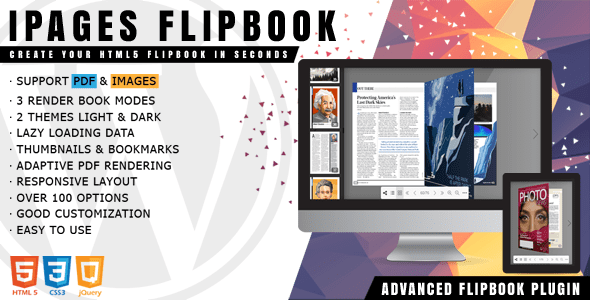
iPages Flipbook is a lightweight and feature-rich WordPress plugin designed to create interactive digital HTML5 flipbooks. Convert static PDFs or image collections into online magazines, catalogs, brochures, or booklets in minutes with ease.
iPages Flipbook Plugin WordPress Features
-
3 Render Modes – two-page flip, one-page flip, swipe
-
2 Data Sources – PDF and images, or a combination of both
-
2 Themes – light and dark themes included
-
Markers – add images, stickers, links, or text to any page
-
Multiple Instances – create unlimited flipbooks on the same page
-
Thumbnails – side panel with page miniatures
-
Outline – bookmarks and external links
-
Keyboard Navigation – arrow keys for page navigation
-
Multilevel Zoom – scale pages for better viewing
-
Share – share links with friends
-
Fullscreen Mode – toggle between normal and fullscreen view
-
Download – allow users to download PDF documents
-
Progressive Loading PDF – load PDFs in chunks for faster performance
-
JSON Config – load parameters from an external file
-
AJAX Saving – save configuration without page reload
-
Progress Bars – show loading status
-
Powerful Interface – over 100 customization options
-
Code Editors – add custom CSS or JS with syntax highlighting
-
Theme Customization – create your own theme instead of using defaults
Download iPages Flipbook WordPress Plugin
Note: If you have trouble downloading iPages Flipbook WordPress Plugin Latest Version, try disabling AdBlock or using another web browser. If issues persist, contact support.