
WPForms
98The best WordPress contact form plugin. Drag & Drop form builder to create beautiful contact forms, paymen...
Free
5M+ installs 4.8★ (14,369)
Connects an API to WordPress: Get API-data (JSON, XML, CSV...), show it with a Shortcode, a JCI Block or PHP. Generate a template with the JCI Block
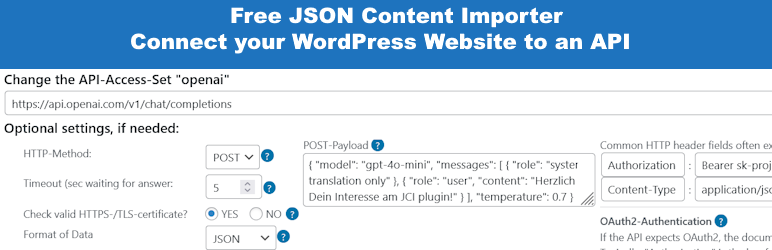
Get Use APIs – JSON Content Importer is a WordPress plugin designed to facilitate the integration of external APIs with your WordPress site. It allows you to retrieve data from third-party REST APIs and display it using shortcodes, JCI Blocks, or PHP code. Users can generate templates for data display and populate Contact Form 7 forms with JSON data.
The plugin supports various data formats, including JSON, XML, CSV, and TXT. It includes features like a caching system to reduce API requests and basic settings to check SSL and authentication. This plugin is suitable for users looking to enhance their WordPress sites by incorporating external data without extensive coding knowledge.
Best for: This plugin is best for WordPress users who want to integrate external API data into their sites without extensive coding.
What it does well
Where it falls short
Get Use APIs – JSON Content Importer provides a straightforward solution for incorporating API data into WordPress. It is particularly useful for users seeking to enhance their site's functionality with minimal coding.
berkux's own description of Get Use APIs, lightly tidied.
The simplest method to link WordPress with external APIs
JCI simplifies the task of retrieving data from a third-party REST API. The returned JSON-, XML, CSV, TXT-data can be neatly arranged and showcased on your WordPress site via a shortcode, a JCI Block or PHP. The plugin can generate a template for the data display.
20 seconds: Load API and display data
7 minutes: Basic intro to JCI free
Check out the live demonstration to explore how we’re interfacing with various APIs
LIVE PREVIEW – WordPress and a external API
Video: How to use the Wikipedia API
Starting with version 2.0.11, any HTML code present in the shortcode or block is filtered to prevent dangerous code (e.g. JavaScript) from being output.
However, if you want to allow certain tags or attributes as a deliberate choice:
In the plugin’s “Basic Settings” there is a field called “Allow additional HTML tags (advanced)”.
There you can enter comma-separated tags that should not be filtered out. For example, “iframe,script” would preserve these two tags in the HTML output.
“tr#onclick” would preserve the “onclick” attribute in ”, which would otherwise be removed.
There’s a wealth of resources and support at your fingertips. Explore the articles listed below to begin your journey:
Other plugins for building forms.
The best WordPress contact form plugin. Drag & Drop form builder to create beautiful contact forms, paymen...

The best anti-spam protection to block spam comments and spam in a contact form. The most trusted antispam sol...

Get a fast contact form plugin. Create advanced forms using drag and drop form builder with all smart features...

Best WordPress form builder plugin. Create contact forms, payment forms & order forms with 1000+ integrati...

Save and manage Contact Form 7 messages. Never lose important data. It is a lightweight contact form 7 databas...

Elementor forms builder to create WordPress forms like contact form, booking form, feedback form, survey form,...