
SureRank SEO
90Lightweight SEO assistant for meta tags, schema and structured data, XML sitemaps, Open Graph previews, robots...
Free
400k+ installs 4.8★ (41)
Enable secure Azure AD Single Sign On for WordPress and integrate SharePoint, Power BI, Outlook, Dynamics 365, Microsoft Graph Email, and more
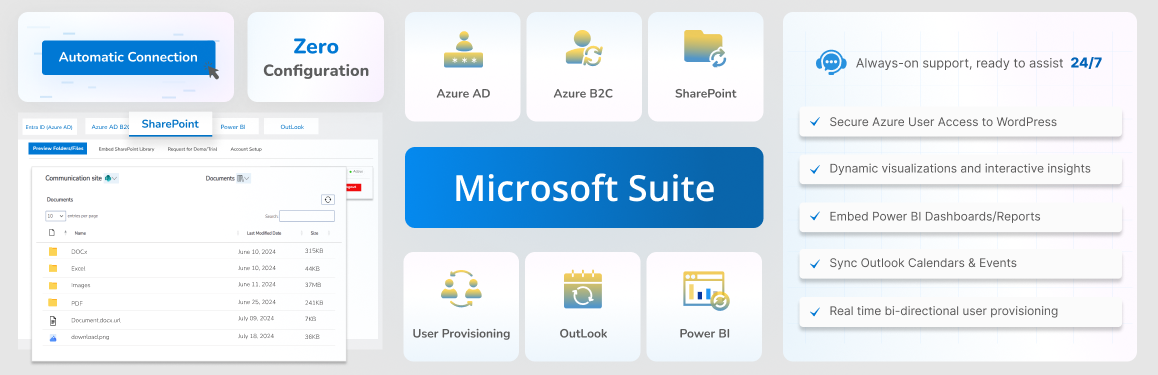
The All-in-One Microsoft 365 & Entra ID/Azure AD SSO Login plugin connects WordPress with Azure Active Directory and Microsoft 365 services, allowing users to log in once and access both WordPress and Microsoft applications seamlessly. It supports Single Sign On (SSO) for employees, customers, and external partners, enabling centralized management of access and permissions directly through Azure AD.
This plugin is suitable for organisations that rely on Microsoft 365 and wish to integrate their services with WordPress. It simplifies user management with features like Just-in-Time provisioning and real-time updates, ensuring that user roles and permissions are consistently maintained across platforms.
Best for: This plugin suits organisations using Microsoft 365 that need to integrate their services with WordPress.
What it does well
Where it falls short
The plugin provides a straightforward solution for integrating Azure AD with WordPress, making it easier for users to manage access across platforms.
miniOrange's own description of All-in-One Microsoft 365 & Entra ID / Azure AD SSO Login, lightly tidied.
Unify Logins, Data, and Teams with Azure AD Single Sign On (SSO) for WordPress
The All-in-One Microsoft 365 & Entra ID/Azure AD SSO Login Plugin connects WordPress with Azure AD (Entra ID) and Microsoft 365 services like SharePoint, Power BI, Outlook, and Dynamics 365 CRM. Through Single Sign On (SSO), users can log in once with their Microsoft account and access both WordPress and their Microsoft 365 apps without switching between logins.
The plugin supports WordPress SSO Azure AD, Azure AD B2C/ Entra External ID, giving you flexibility to authenticate employees, customers, and external partners through the same secure system. Administrators can manage access, permissions, and user roles directly in Azure Active Directory, keeping everything in sync and secure. It’s a reliable and straightforward way to extend Microsoft’s authentication and identity management to your WordPress site.
How the Plugin Helps You Simplify Microsoft 365 Azure AD SSO and Integrations
Set up WordPress Azure AD SSO in just a few minutes. Once connected, your WordPress site automatically links with Microsoft 365 tools such as SharePoint, Power BI, and Outlook using Azure AD credentials. After authentication, users can log in once and securely access Microsoft apps through Single Sign On experience.
Authentication runs on trusted industry standards including OAuth 2.0, OpenID Connect, and SAML 2.0. These protocols power Azure AD SSO, providing encrypted, scalable, and compliant connections for all users. With Azure Active Directory Integrations, organizations can ensure their login process meets enterprise-level security standards.
Integrate Microsoft Azure services directly into WordPress. Users can view SharePoint libraries, embed Power BI dashboards, sync Outlook calendars, and manage Dynamics 365 CRM data without leaving the site. Each connection stays protected under Azure Active Directory Integrations, giving administrators complete visibility and control through Login with Azure AD.
User management becomes effortless with Azure SSO Integration. Just-in-Time provisioning automatically creates a WordPress account when someone logs in with Azure AD SSO, eliminating manual setup. Real-time provisioning keeps user details updated by syncing directly with Azure Active Directory, so any role, department, or permission change in Azure appears instantly in WordPress. Together, they keep data accurate and administration simple across your Microsoft Azure SSO environment.
Need Help or Have Doubts?
If you have any questions, configuration issues, or customization requests, contact our support team at samlsupport@xecurify.com.
Quick Access Resource: : Official Website | Pricing Plans | Plugin Feature Orientation Handbook | Setup Guide | Power BI Integration | SharePoint Integration | Dynamics CRM Integration | Outlook/Teams Integration | Contact Us
Connect WordPress with Azure AD for Secure Single Sign On
Enable WordPress SSO Azure AD to let users log in to WordPress using their Azure Active Directory (Entra ID) or Azure AD B2C accounts. This Microsoft Azure Integrations setup connects your WordPress site to your organization’s Microsoft 365 environment, creating a single, secure entry point for all users. With Azure Active Directory Integrations, authentication becomes simpler, access control is centralized, and identity management stays consistent across platforms.
Other plugins for charts and graphs.
Lightweight SEO assistant for meta tags, schema and structured data, XML sitemaps, Open Graph previews, robots...

Turn your data into WordPress apps with tables, forms, charts & maps — no code required, with optional hoo...

Create interactive images with clickable hotspots, using modern image maps for WordPress. Perfect for floor pl...

The best WordPress table plugin. Create responsive, and searchable tables and charts from Excel (.xlsx, .xls o...

Control how your WordPress posts, pages, WooCommerce products, and custom post types look when shared on Faceb...

The simple method to add Open Graph metadata to your entries so that they look great when shared on sites.