MachForm Shortcode
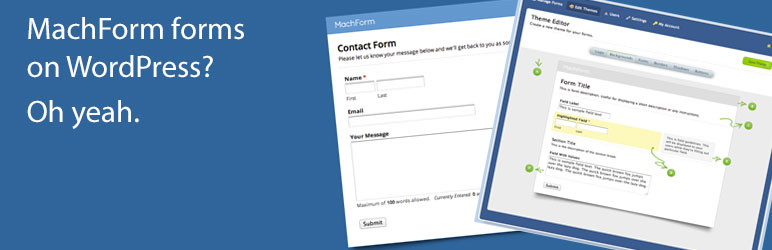
Easily use MachForm forms on your WordPress site!
The facts
- Rating
- 5★ from 4
- Active installs
- 300+
- Price
- Free
- Last updated
- 18 Aug 2026
- Added
- Aug 2013
- Requires WP
- 5.0
- Tested up to
- WP 7.0.4
- Requires PHP
- 7.4
- Downloads
- 15,069
Our analysis
AI-assistedMachForm Shortcode is a WordPress plugin that allows you to easily embed forms created with MachForm into your WordPress site. You can add forms using either a block in the Gutenberg editor or a shortcode, making it accessible for users of different skill levels.
The plugin supports both modern JavaScript forms and older jQuery-based forms, as well as iframe-based forms. It also allows for the inclusion of URL parameters, providing flexibility in how forms are displayed and interacted with on your site.
Best for: This plugin suits anyone looking to embed forms from MachForm into their WordPress site.
What it does well
- ✓Easy to use for all skill levels
- ✓Supports both block editor and shortcode for embedding
- ✓Compatible with modern JavaScript and older jQuery forms
- ✓Allows for iframe-based forms
- ✓Supports URL parameters for dynamic form content
Where it falls short
- •Limited information available on additional features or support
Verdict
MachForm Shortcode provides a straightforward solution for embedding forms, making it suitable for both beginners and developers.
From the developer
Laymance Technologies's own description of MachForm Shortcode, lightly tidied.
MachForms is an excellent, easy to use form builder that you host on your own server or site. Embedding one of those forms in WordPress used to mean “jumping through some hoops”. Not any more.
Add a form with the MachForm block in the block editor (Gutenberg): insert the block, type your form’s ID, and you are done. Prefer shortcodes, or working in the classic editor or a page builder? The [machform] shortcode does exactly the same job and both produce identical markup. Need a form in a blog post? On a page? In a widget area? No problem.
For more information, check out the plugin page on our website.
Features include:
- A MachForm block for the block editor, so you can add a form without writing a shortcode
- Support for MachForm’s modern javascript forms, with no jQuery needed
- Support for MachForm’s older jQuery based forms
- Support for iframe based forms
- Support for URL Parameters
Easy to use! This plugin isn’t just for developers, no matter what your skill level you can use this plugin to easily add forms from your MachForms system to your website!
How to use the block editor block:
- Click the “Code” option on your form inside of MachForm to see the embed codes, and make note of your form’s “ID” and “height”.
- In the block editor, add a block and search for “MachForm”.
- Enter your form’s ID. Height, title, embed method and URL parameters are all in the block sidebar.
- You are done! The form appears on the published page. The editor shows a summary card rather than a live form, so the form cannot resize itself while you are editing around it.
How to use the shortcode:
- Click the “Code” option on your form inside of MachForm to see the embed codes.
- Make note of your form’s “ID” and the “height”.
- Use the shortcode to embed your form into your content using this format: [machform id=(ID #) height=(height #)]
- You are done, your form should show in your content now!
The shortcode and the block produce exactly the same markup, so you can use whichever suits you and mix them freely.
Embed methods:
type=js– the default. Automatically uses the modern method if your MachForm supports it, and the jQuery method if it does not. You normally do not need to think about this.type=mf– forces MachForm’s modern javascript loader (js/mf.js). One script, no jQuery, and the form resizes itself to fit.type=jquery– forces the older jQuery loader. Only needed if your MachForm is too old to include js/mf.js.type=iframe– a plain iframe with no javascript. Fixed height, but you can use as many on one page as you like.
URL Parameters:
The plugin now supports URL parameters. The parameters are easy to pass via the shortcode by simply including the parameter and value inside of the shortcode like the following example:
[machform type=js id=1593 height=703 element_1_1=”Field Text Here” element_1_2=”Field Text Here”]