
WP-Optimize
95Get caching and more with this powerful cache plugin. Cache, optimize images, clean your database and minify f...
Free
1M+ installs 4.8★ (2,606)
Manage provides a centralized dashboard to monitor, optimize, and maintain your WordPress sites without switching between individual sites.
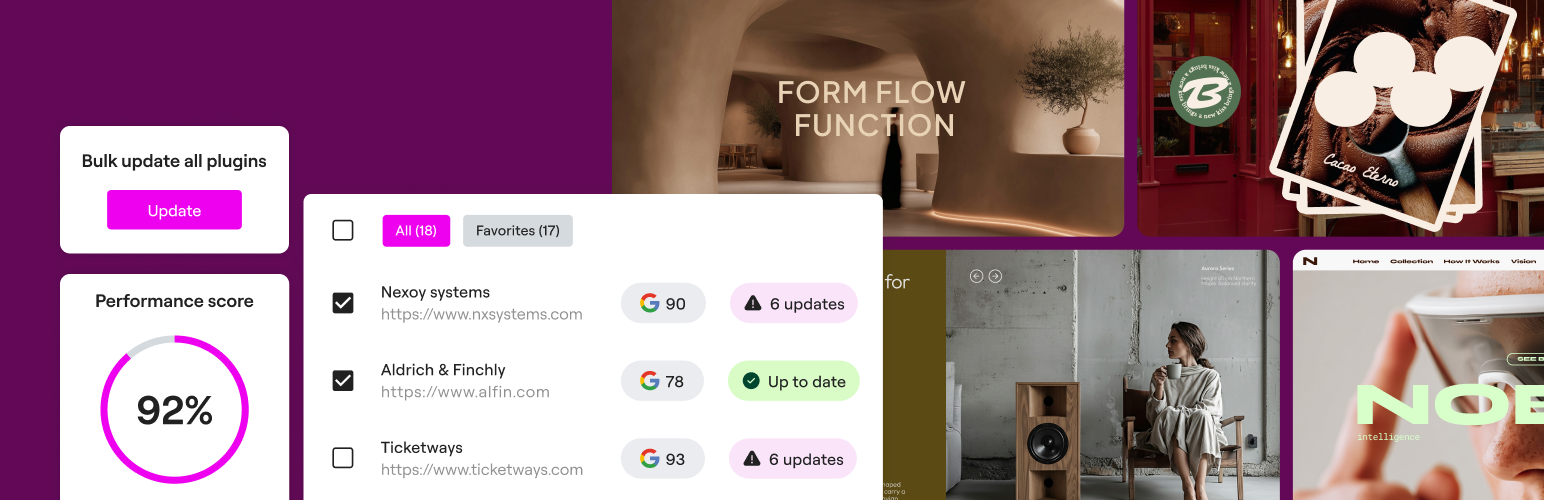
Manage is a WordPress plugin designed for centralized monitoring and maintenance of multiple WordPress sites. It allows you to view the performance and health of all your sites from a single dashboard, making it easier to identify security risks and operational issues.
The plugin offers features like bulk updates for plugins and themes, one-click login to site admin areas, and database cleanup tools. It is particularly suited for agencies, freelancers, and site owners who manage multiple sites and wish to streamline their maintenance tasks.
Best for: This plugin is best for agencies and freelancers managing multiple WordPress sites.
What it does well
Where it falls short
Manage provides useful tools for site maintenance and monitoring, but its low rating suggests potential issues that users should consider.
Elementor's own description of Manage, lightly tidied.
Manage is a centralized dashboard for monitoring, optimizing, and maintaining multiple WordPress sites without switching between individual site admins.
Get full visibility into all your sites’ performance and identify security risks at a glance. Manage gives you one place to monitor site health, maintenance needs, and operational status across your portfolio.
Keep your sites lean, clutter-free, and performant in a click. Run database optimizations and performance scans across your portfolio without having to log in to each site separately.
Eliminate site-by-site maintenance overhead by handling updates and optimizations for multiple sites from one dashboard, helping agencies, freelancers, and site owners work more efficiently at scale.
FEATURES
Manage acts as a professional maintenance checklist, surfacing maintenance issues that are often missed when working only within the standard WordPress admin.
Efficiency at scale: Perform bulk updates and optimizations across all sites to eliminate repetitive manual work and reclaim hours of your work week.
Proactively improve site health: Improve performance and accessibility directly from the dashboard by leveraging integrated tools like image optimization and accessibility remediation, available only in the premium version.
Professional workflow: Maintain a clear history of actions and monitor site health so your sites stay updated, optimized, and secure.
Other plugins for making sites fast.
Get caching and more with this powerful cache plugin. Cache, optimize images, clean your database and minify f...

All-in-one unbeatable acceleration & PageSpeed improvement: caching, image/CSS/JS optimization...

Comprehensive image optimization with WebP, AVIF, Lazy Load, and more. Optimize images automatically for Faste...

Easy to use Under Construction Page & Coming Soon Page. Enable Under Construction Mode in seconds & sh...

Compress and optimize images, enable lazy load, serve WebP & AVIF, and speed up your site with a global im...

Speed up your website by using our WebP & AVIF Converter. Optimize images and serve WebP and AVIF images i...