Meks Flexible Shortcodes
Add some cool elements to your post/page content with flexible shortcodes.
The facts
- Rating
- 4.2★ from 10
- Active installs
- 10k+
- Price
- Free
- Last updated
- 10 Jun 2025
- Added
- Jan 2014
- Requires WP
- 3.5
- Tested up to
- WP 6.8.8
- Downloads
- 453,575
Our analysis
AI-assistedMeks Flexible Shortcodes is a WordPress plugin that allows you to add various elements to your post or page content using shortcodes. It features a user interface shortcode generator panel for quick insertion of elements such as columns, buttons, icons, and more. The plugin is designed to be compatible with any theme style, providing several styling options for each shortcode tag.
This plugin is suitable for users who want to enhance their content with visual elements without needing extensive coding knowledge. It can be particularly useful for bloggers, content creators, and website developers looking to improve the presentation of their pages.
Best for: This plugin is best for bloggers and content creators looking to enhance their WordPress site with visual elements.
What it does well
- ✓Free to use from the WordPress.org directory
- ✓User-friendly shortcode generator panel
- ✓Compatible with any theme style
- ✓Includes a variety of shortcodes for different elements
- ✓Active installation count of 10,000
Where it falls short
- •Limited information on specific features and usage examples
Verdict
Meks Flexible Shortcodes provides a straightforward way to add styling elements to your content, making it a practical choice for users wanting to improve their site's appearance.
From the developer
Meks's own description of Meks Flexible Shortcodes, lightly tidied.
Meks Shortcodes is a plugin for those who want to add some nice elements inside their post/page content. You can quickly insert all of them via user interface shortcodes generator panel. Several smart styling options are provided for each shortcode tag. It doesn’t matter if your theme is yellow, white or green, these shortcodes can fit any style and design.
Shortcodes list
- Columns
- Buttons
- Icons
- Social Icons
- Highlights
- Dropcaps
- Separators
- Progress Bars
- Pull Quotes
- Tabs
- Toggles
- Accordions
This plugin is created by Meks
Live example?
You can see Meks Flexible Shortcodes live example on our Gridlove theme demo website
Usage examples and description
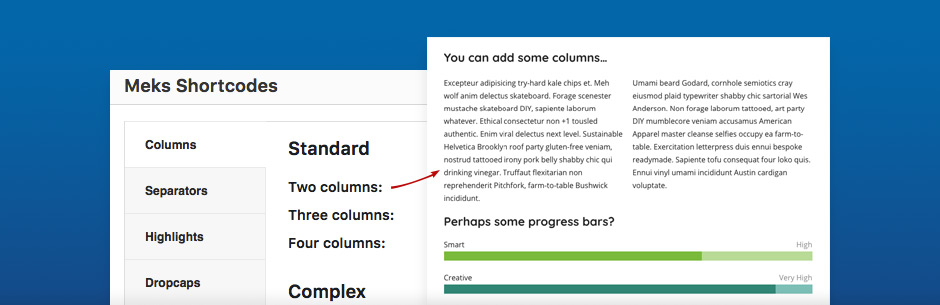
Columns – You can use this shortcode to split your content into columns and point out some important parts of your page content. They can be used in conjunction with any other shortcodes. You can write any content or insert any shortcode between column tags.
[mks_col]
[mks_one_half] Left content goes here [/mks_one_half]
[mks_one_half] Right content goes here [/mks_one_half]
[/mks_col]
Separators – These are simple horizontal line elements which you may use to divide some areas within your page content. Several styling options are provided.
[mks_separator style=”solid” height=”2″]
Buttons – Basically, these are links with button style. You can target any URL here.
[mks_button size=”large” title=”More about us” style=”squared” url=”http://mekshq.com” target=”_self” bg_color=”#000000″ txt_color=”#FFFFFF” icon=”fa-road”]