
WP-Optimize
95Get caching and more with this powerful cache plugin. Cache, optimize images, clean your database and minify f...
Free
1M+ installs 4.8★ (2,606)
WordPress CSS Editor for Page Speed
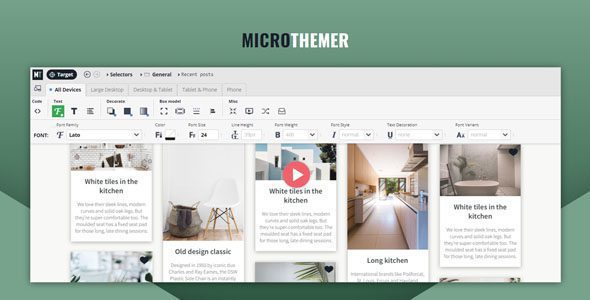
Microthemer is a point-and-click CSS editor for WordPress that allows users to create responsive designs and customize themes or plugins. It is suitable for site builders of all skill levels, offering features like drag-and-drop CSS grid controls, live preview editing, and extensive styling options.
The plugin integrates with popular page builders and provides tools for managing CSS efficiently, including a JavaScript editor and computed CSS reporting. It is designed to keep websites fast and optimized while allowing for easy design transfers between domains.
Best for: This plugin suits developers and site builders looking to customize WordPress sites efficiently.
What it does well
Where it falls short
Microthemer offers a range of features for both beginners and advanced users, making it a versatile tool for CSS editing in WordPress.
Drag & Drop CSS Grid Controls
Build advanced layouts visually
Responsive Design
Optimized for mobile, tablet, and desktop
Extensive CSS Styling Options
Hundreds of options to style every element
Google Fonts Integration
Quick and easy access to all fonts
Live Preview
Edit styles in real time and see instant changes
Theme & Plugin Customization
Override any theme or plugin CSS safely
Draft Mode
Test designs without affecting live site
JavaScript Editor
Add custom scripts alongside CSS
Page Builder Integration
Works seamlessly with key page builders
Optimized for All Skill Levels
Beginner-friendly with advanced options for developers
Computed CSS Reporting
Inspect and edit all CSS in one place
Clean, Fast Code
Designed not to slow down your website
Export & Import Designs
Transfer your CSS between domains
Autosave & Undo
Safe editing with error recovery
Microthemer 7.4.1.6 is a powerful point-and-click CSS editor for WordPress, designed for site builders of all skill levels. Easily create responsive designs, manage CSS grids, customize themes or plugins, and integrate with popular page builders—all while keeping your site fast and optimized.
Drag & Drop CSS Grid Controls – Build advanced layouts visually
Responsive Design – Optimized for mobile, tablet, and desktop
Extensive CSS Styling Options – Hundreds of options to style every element
Google Fonts Integration – Quick and easy access to all fonts
Live Preview – Edit styles in real time and see instant changes
Theme & Plugin Customization – Override any theme or plugin CSS safely
Draft Mode – Test designs without affecting live site
JavaScript Editor – Add custom scripts alongside CSS
Page Builder Integration – Works seamlessly with key page builders
Optimized for All Skill Levels – Beginner-friendly with advanced options for developers
Computed CSS Reporting – Inspect and edit all CSS in one place
Clean, Fast Code – Designed not to slow down your website
Export & Import Designs – Transfer your CSS between domains
Autosave & Undo – Safe editing with error recovery
Note: If you have trouble with Microthemer Latest Version, try disabling AdBlock or switching browsers. If issues persist, contact support.
Other plugins for making sites fast.
Get caching and more with this powerful cache plugin. Cache, optimize images, clean your database and minify f...

All-in-one unbeatable acceleration & PageSpeed improvement: caching, image/CSS/JS optimization...

Comprehensive image optimization with WebP, AVIF, Lazy Load, and more. Optimize images automatically for Faste...

Easy to use Under Construction Page & Coming Soon Page. Enable Under Construction Mode in seconds & sh...

Compress and optimize images, enable lazy load, serve WebP & AVIF, and speed up your site with a global im...

Speed up your website by using our WebP & AVIF Converter. Optimize images and serve WebP and AVIF images i...