
Join millions who empower their websites with ElementsKit Elementor Addons. Get templates, & 100+ widgets...
Free
1M+ installs 4.9★ (2,036)
Multilevel Navigation Menu plugin ability to add a full-screen navigation menu to our website.
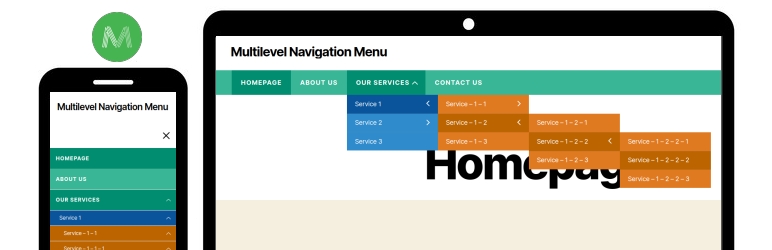
The Multilevel Navigation Menu is a WordPress plugin that allows you to add a full-screen navigation menu to your website. It provides an easy way to implement a multi-level menu system using a shortcode in your header file. Users are advised to hide their default navigation menu before adding the shortcode to ensure proper display.
This plugin supports multiple menu levels and allows customization of menu width, spacing, background, and font colours. It is suitable for users who need a flexible navigation solution for their WordPress sites.
Best for: This plugin is best for WordPress users looking to implement a custom multi-level navigation menu.
What it does well
Where it falls short
The Multilevel Navigation Menu plugin offers a straightforward solution for creating a full-screen navigation experience. It is suitable for those who require a flexible and customisable menu system.
Laxman Prajapati's own description of Multilevel Navigation Menu, lightly tidied.
Multilevel Navigation Menu plugin ability to add a full-screen navigation menu to our website. An easy way to use the plugin on our website.
You can use the [multilevel_navigation_menu] shortcode in your header file and after that, the menu will be shown automatically on the front side.
Make sure you have hide your default navigation menu before adding a shortcode. From CSS, javascript or any other way.
Other plugins for site navigation.
Join millions who empower their websites with ElementsKit Elementor Addons. Get templates, & 100+ widgets...

Elementor Carousel, Mega Menu, Posts List/Slider, WooCommerce Widgets, Display Conditions, AI Abilities, Prema...

Elementor templates, Header footer builder, Elementor Post Grid, Woocommerce Grid builder, Slider, Forms, Gall...

Adds breadcrumb navigation showing the visitor's path to their current location.
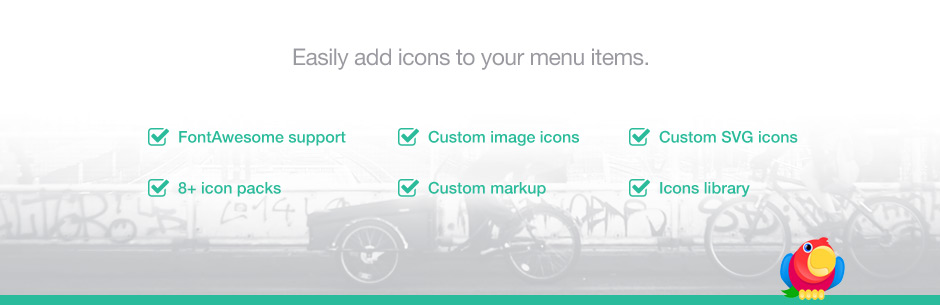
Add icons to WordPress navigation menus easily — pick from Font Awesome, Dashicons, image icons & more. St...

Create a welcome notification bar for your website. Also, My Sticky Bar plugin can make your menu or header st...