
Transform your WooCommerce store with seamless WhatsApp integration. Enable customers to order products instan...
Free
40k+ installs 4.8★ (84)
Point of Sale for WCFM Marketplace - MultiVendor POS System
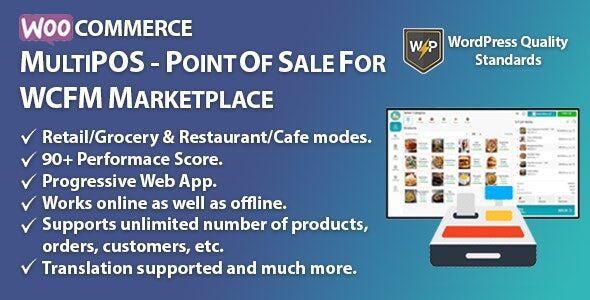
MultiPOS is a WordPress plugin designed for WCFM Marketplace that integrates point of sale (POS) functionality with online stores. It allows store owners and vendors to manage sales both online and in physical locations, syncing orders, customers, and product listings for a cohesive experience.
The plugin includes features like inventory management, multiple payment methods, and offline order creation. It is suitable for various types of outlets, including grocery, retail, and restaurants, making it versatile for different business needs.
Best for: This plugin is best for restaurant owners and multivendor marketplace operators looking to manage both online and physical sales.
What it does well
Where it falls short
MultiPOS offers a comprehensive solution for businesses needing integrated POS capabilities. However, the lack of user ratings and pricing information may be a consideration for potential users.
MultiPOS – Point of Sale for WCFM Marketplace is a versatile module that allows store owners and WCFM vendors to sell products both online and in physical stores. It seamlessly syncs your online store with the POS system, including orders, customers, and product listings, for a fully integrated sales experience.
Enable or disable POS module functionality
Inventory management with two types per outlet
Set different inventory types for multiple outlets
Choose order status for POS transactions
Default product barcode generation by Product ID or SKU
Enable or disable email notifications at POS
Support for split or multiple payment methods
Unit- or weight-based pricing options
Add order notes at POS
Offline order creation with automatic online sync
Add custom products at POS
Open cash drawer popup on POS load
Display product variations as separate items
Auto-send hold orders to the kitchen
Select POS sales receipt/invoice logo
Set default or guest customer for POS orders
Dynamic POS endpoint creation
Create multiple static payment methods per outlet
Configure Progressive Web App (PWA) for desktop and mobile
Dynamic POS login page
Configure printer page size and margins
Barcode printing options: horizontal or vertical
Customize POS layout colors and fonts
View analytics and sales reports at POS
Manage multiple outlets and assign cashiers
Outlet types: Grocery/Retail or Restaurant/Cafe
Multiple cashier accounts with outlet management
Table management for restaurant outlets
Automatic and custom barcode generation
Print multiple barcodes for products
Assign custom stock to products per outlet
Bulk stock assignment via CSV import
View orders and transactions by outlet and cashier
Create and customize invoices per outlet
Admin, cashier, and vendor POS access
Fully responsive design, supports all screen sizes
RTL layout support
Simple and variable product support
Apply product, cart, and coupon discounts
Add, edit, and remove customers
Put orders on hold and place later
Online and offline order placement
Refunds and returns management at POS
Daily statistics including cash drawer and total sales
Manual transaction creation
Edit cashier profile and switch outlets
Reset outlet data for latest updates
Restaurant dine-in/takeaway support
Hold orders sent to kitchen and removed upon deletion
Kitchen view accessible without login
Print invoices/receipts for all orders
Barcode scanning or manual product entry
Audio feedback when adding products
Search products, orders, customers, and tables
Tax management at POS
Support for multiple payment methods per order
On-screen numpad and keyboard entry
Multilingual support via included .pot file
Note: If you encounter issues with the free version of MultiPOS, try disabling ad blockers or switching to another browser. For persistent problems, contact support for assistance.
Other plugins for running a marketplace.
Transform your WooCommerce store with seamless WhatsApp integration. Enable customers to order products instan...

Transform your WooCommerce site into a multivendor marketplace with Dokan – an AI powered & advanced WooCo...

Professional frontend dashboard for WooCommerce and multivendor marketplaces. Supports WCFM Marketplace, Dokan...

The enterprise-grade multi-vendor engine for WooCommerce. Scale your marketplace with advanced commissions, au...

Bulk List/Sync your WooCommerce Products and Orders with biggest online marketplaces like Amazon, eBay, Etsy,...

A lightweight SMS notification plugin for WordPress, WooCommerce, and Dokan.