
Elementor addon offering 120+ widgets and templates — Elementor Gallery, Slider, Form, Post Grid, Menu, Accord...
Free
1M+ installs 4.9★ (4,111)
A simple lightweight plugin that adds a new module in the Divi theme that allows you to create images with text on them. The text is revealed when you …
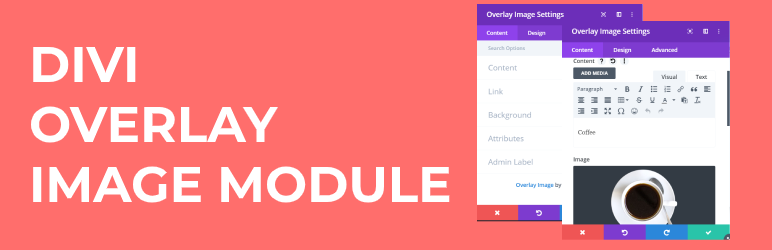
The Overlay Image Divi Module is a WordPress plugin designed to enhance the Divi Builder by allowing you to display text over images. When users hover over an image, the text appears with various transition effects, making it suitable for creating interactive visual content.
You can choose from four overlay effects: Fade, Slide, Zoom, and Always. The plugin also allows you to control the transition duration and direction for the Slide Effect, providing flexibility in design. It is aimed at users looking to add dynamic text overlays to their Divi-based websites.
Best for: This plugin suits users of Divi who want to enhance their websites with interactive text overlays on images.
What it does well
Where it falls short
The Overlay Image Divi Module provides a straightforward way to create engaging text overlays for Divi sites. While the free version offers essential features, users seeking more advanced options may need to consider the Pro version.
learnhowwp's own description of Overlay Image Divi Module, lightly tidied.
The Divi Overlay Images plugin enhances your Divi Builder by adding a versatile module that allows you to display text on top of images. With this plugin, the text elegantly reveals itself when you hover over the image, creating engaging and interactive visual effects.
Choose from four captivating overlay effects: Fade, Slide, Zoom, and Always. You have full control over the transition duration for the overlay effect, allowing you to fine-tune the timing to suit your design preferences. If you opt for the Slide Effect, you can even specify the direction of the animation—choose from Top, Bottom, Left, or Right.
To get a glimpse of the plugin’s capabilities, take a look at our Divi Overlay Images Demo, which showcases its features in action.
Getting started is easy with our comprehensive guide on how to add overlay text on image hover in Divi. Follow the step-by-step instructions to quickly implement this dynamic feature on your website.
How to add overlay text on image hover in Divi
Free Version Features
Pro Version Features
Unlock the full potential of Divi Overlay Images by upgrading to the Pro version, which includes the following premium features:
Upgrade to the Pro Version for as low as $5.99 to take advantage of these additional features.
Don’t miss out – Upgrade for as low as $5.99 Today!
Looking for more information on the plugin or want to buy it on my website? Check out Divi Overlay Images on our website for more information.
Or, buy the plugin on Divi Marketplace, a trusted marketplace for Divi-related products.
More Free Divi Plugins
Other plugins for extending a page builder.
Elementor addon offering 120+ widgets and templates — Elementor Gallery, Slider, Form, Post Grid, Menu, Accord...

Join millions who empower their websites with ElementsKit Elementor Addons. Get templates, & 100+ widgets...

Elementor addons with 18+ free widgets, Header & Footer Builder, WooCommerce widgets & templates. Trus...

Elementor Carousel, Mega Menu, Posts List/Slider, WooCommerce Widgets, Display Conditions, AI Abilities, Prema...

Elementor templates, Header footer builder, Elementor Post Grid, Woocommerce Grid builder, Slider, Forms, Gall...

Disable Gutenberg Block Editor and restore the Classic Editor and original Edit Post screen (TinyMCE, meta box...