Plugin Activation Status
Scans a multisite or multi-network installation to identify all plugins that are active or not.
The facts
- Rating
- 4.6★ from 14
- Active installs
- 100+
- Price
- Free
- Last updated
- 3 Apr 2018
- Added
- May 2013
- Requires WP
- 3.8
- Tested up to
- WP 4.9.31
- Downloads
- 26,847
Our analysis
AI-assistedPlugin Activation Status is a WordPress plugin designed for multisite and multi-network installations. It helps you perform plugin audits by generating lists of plugins that are either inactive or active across your sites. The plugin retrieves information about all installed plugins and compares it with the active plugins to provide a clear overview of their status.
The plugin outputs two separate lists: one for inactive plugins that are not activated anywhere, and another for active plugins, detailing where they are activated. It stores this information in the database for easy retrieval, allowing you to manage your plugins efficiently without additional server load.
Best for: This plugin is suitable for administrators managing multisite WordPress installations.
What it does well
- ✓Generates lists of inactive and active plugins
- ✓Provides details on where plugins are activated
- ✓Stores lists in the database for easy reference
Where it falls short
- •Limited to multisite and multi-network installations
- •Information is based on the last update from April 2018
Verdict
Plugin Activation Status offers a straightforward solution for auditing plugins in multisite environments, though its last update may limit compatibility with newer WordPress versions.
From the developer
Curtiss Grymala's own description of Plugin Activation Status, lightly tidied.
Plugin Activation Status makes it easier for owners of multisite and multi-network WordPress installations to perform plugin audits on their installations. The plugin generates a list of plugins that are not currently active on any sites or networks. It generates a separate list of plugins that are active somewhere within the installation, and provides details about where and how those plugins are activated.
This plugin first retrieves a full list of all of the plugins that are network-activated throughout your installation. Then, it loops through all of the sites in your installation, retrieving a list of all of the active plugins on each site. Next, it runs a diff between the full list of installed plugins and the list of all active plugins.
Once it retrieves all of that information, it outputs two separate lists.
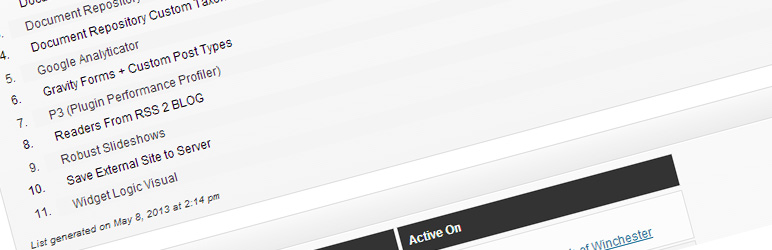
The first list is the list of Inactive Plugins; all plugins that are installed, but not activated anywhere within WordPress will be listed there. The second list shows all of the Active Plugins; all plugins that are installed and activated somewhere within WordPress are shown there.
Within the Active Plugins list, each plugin also has a list of all of the places the plugin is active (at the top, a list of all of the places it’s network-active; at the bottom, all of the places it’s normally-activated).
When the plugin generates the lists of plugins, it stores those lists as site options in the database, so the lists can be retrieved for reference without using any additional server resources. If you would like to remove those cached lists and generate new lists, you simply have to click the Continue button on the admin page.